Chapter 4: Configuration
98-143082-D To set up tracking and location reporting 60
To set up tracking and location reporting
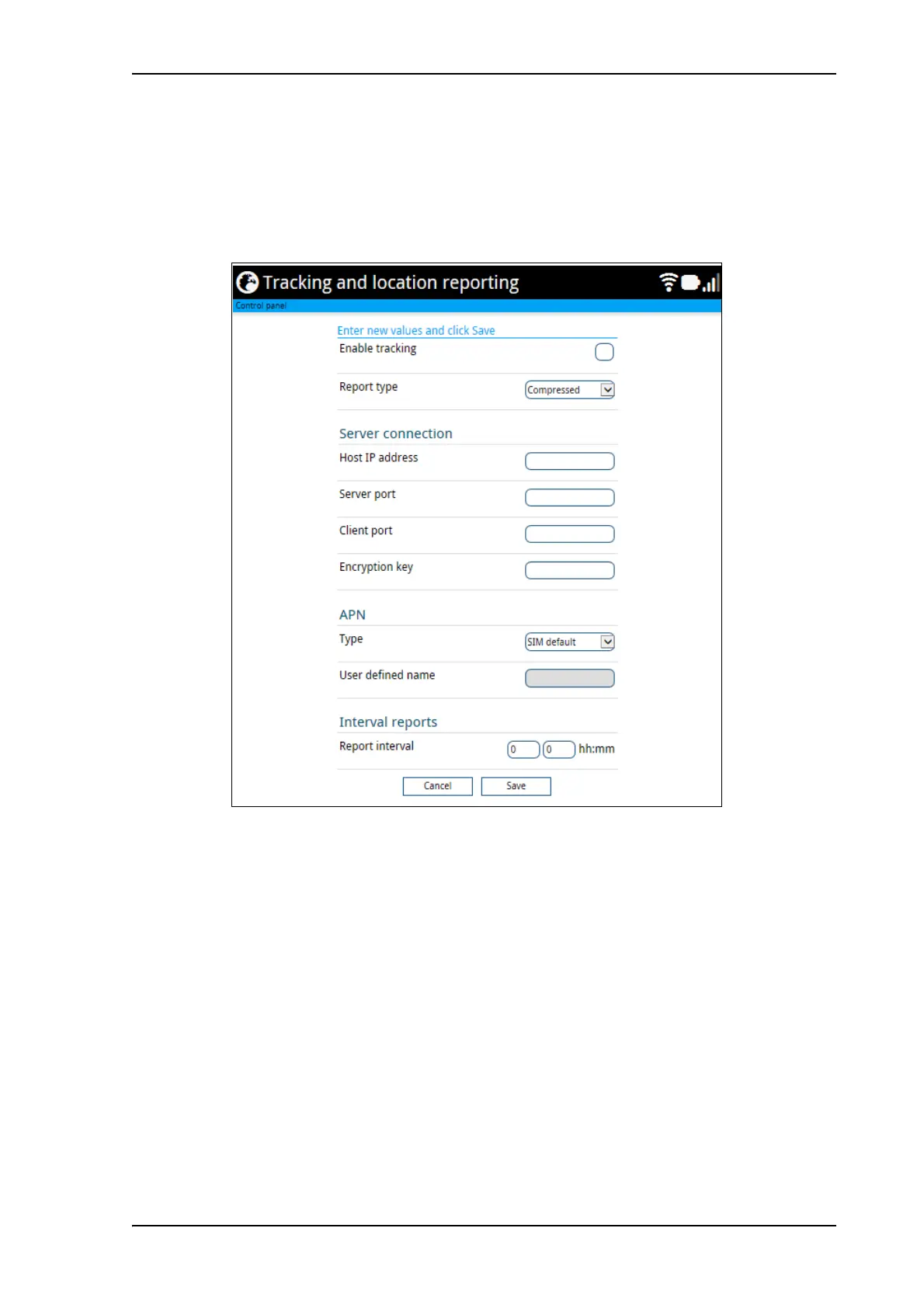
You can set up the EXPLORER 510 to report to a server at certain time intervals. To set up
tracking, do as follows:
1. From the Control panel
, select Tracking and location reporting.
2. To enable tracking of the EXPLORER 510, select Enable tracking.
3. Select the Report type.
• Compressed. Only latitude and longitude are reported.
• Extended. Apart from latitude and longitude, heading and altitude are also included.
• ECEF. The same information as Extended, but position and speed data are 3D (ECEF
coordinates).
4. Under Server connection, type in the following details:
• Host IP address: The IP address of the server that the EXPLORER 510 will report to.
• Server port: Port number on the server. Default number is 7474.
• Client port: Port number on the EXPLORER 510. Default number is 7475.
• Encryption key: A supplied 128 bit key which must match on both the client and
server side.
5. Under APN, select the source of the APN.



 To Next Page