Chapter 4: Configuration
98-143082-D To set up your data connection packages 59
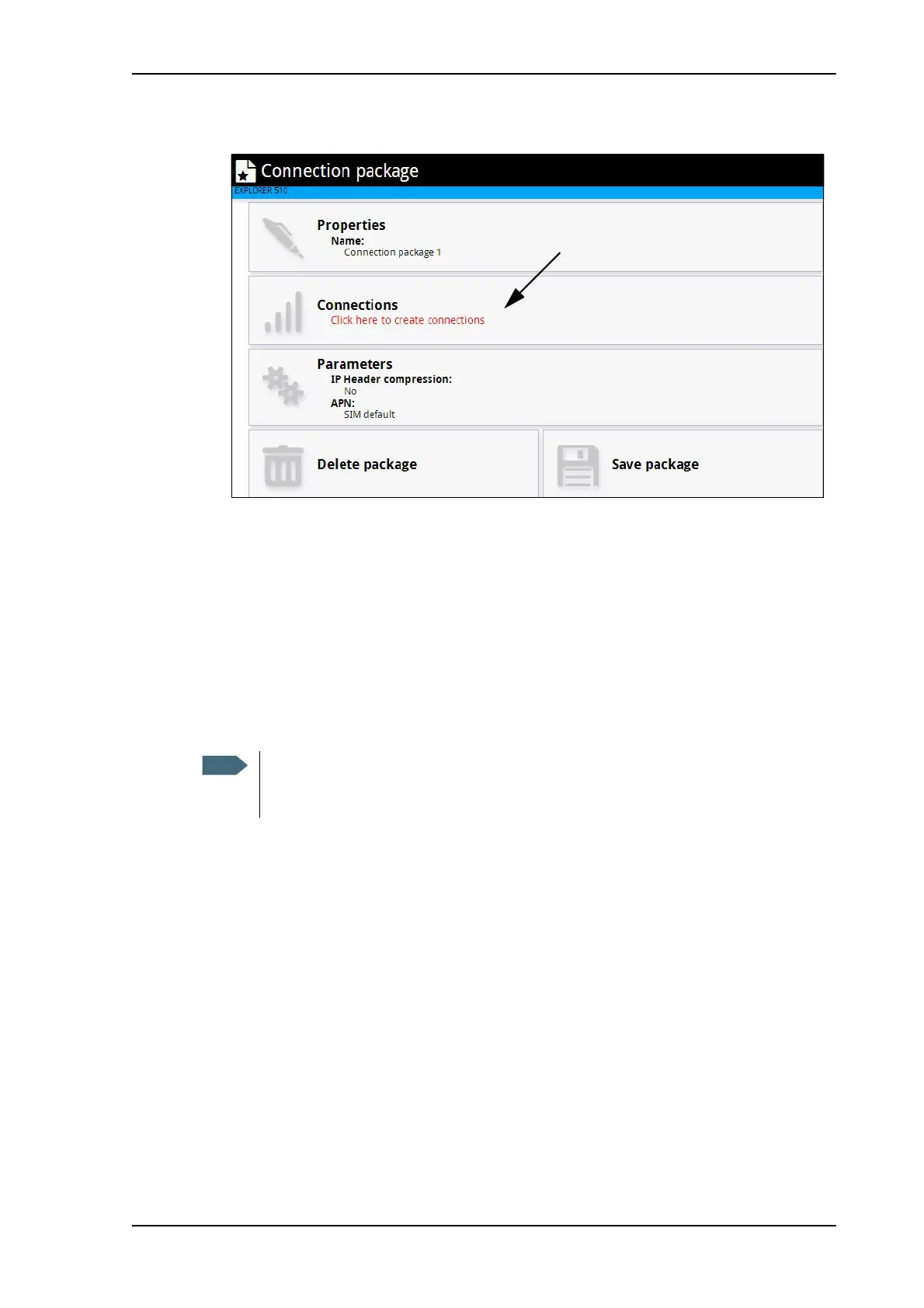
3. Click Click here to create connections.
4. Click Add connection.
5. Select the connection type you want for your new connection package.
6. Click Save package.
The new package should now appear as a new tile on the startup page.
To change the APN for a connection package
By default a connection package is set to use no IP Header compression and to use the APN
(Access Point Name) from the SIM card. This is suitable for most applications.
If you want to use a different APN, do as follows:
1. Click
in the right side of the tile with the connection package that you want to change.
2. Select Parameters.
3. Next to APN, select the source of the APN.
• SIM default (default and recommended setting): The APN is taken from the SIM card.
• Network assigned: The APN is assigned from the network.
• User defined: APNs are provided from the Airtime Provider. Type in the APN next to
User defined name.
4. If your APN uses a password, type in the User name and Password provided from the
Airtime Provider.
5. Click Save.
It is recommended to leave IP Header compression disabled. This means that the
data packets are transmitted more reliably with less data loss. However, you can select
IP Header compression with the risk of less stability.



 To Next Page