CB-MF-SOP-002
A/1
21
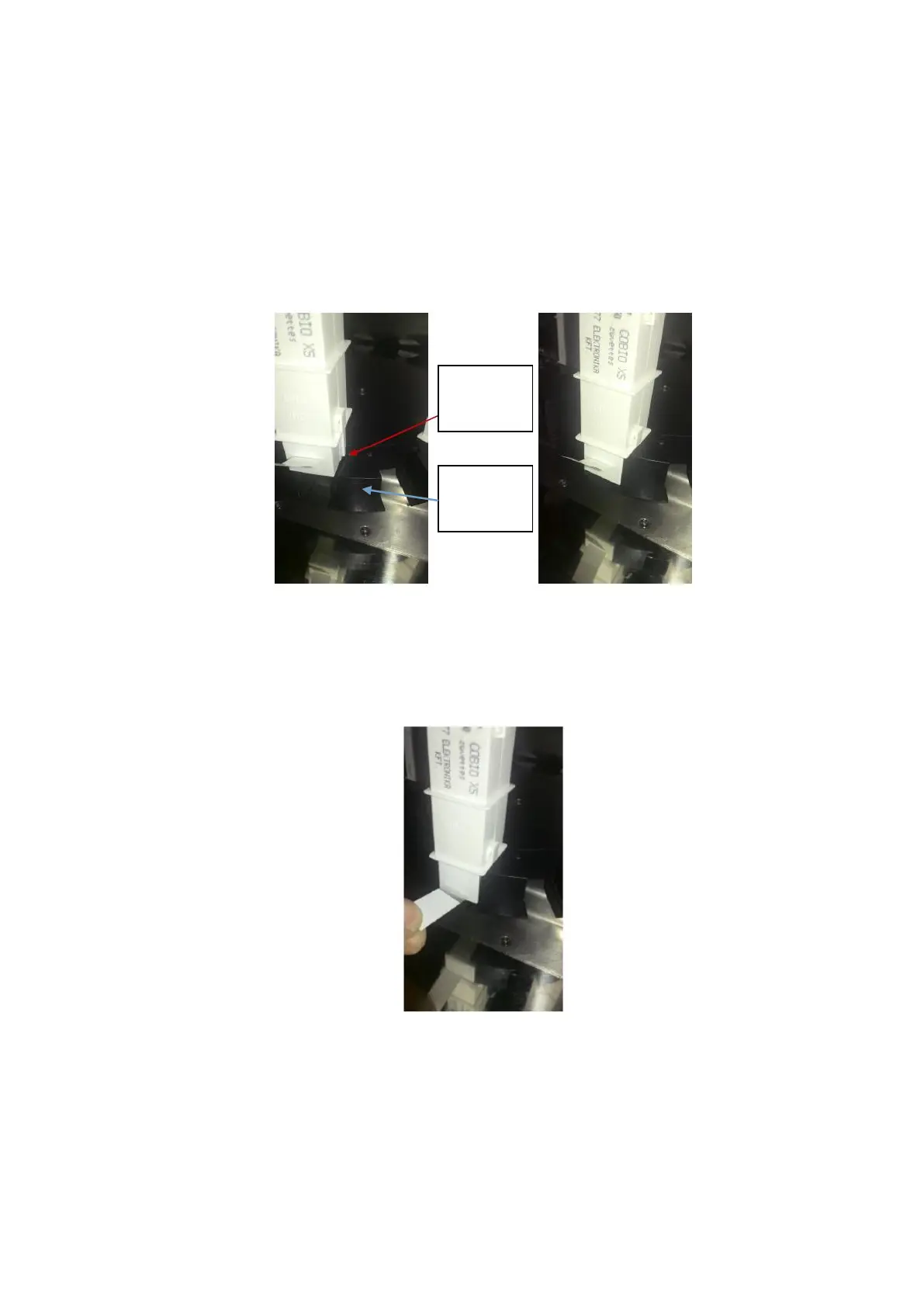
2. Turn and remove the butterfly screw on the upper disc, and remove the disc at the same
time.
3. Before inserting the turntable, please shake the counting chamber bar up and down to
facilitate the smooth falling of the counting chamber plate. Insert the counter chamber bar
into the slot corresponding to the rotary disk. Note that the limit bar on both sides of the
counter chamber bar should be aligned with the card slot on the turntable and inserted in
place.
Figure 4-1
4. Put your hand on the counter chamber bar and pull out the sealing strip on it, as shown in
the figure below. Be careful not to bring the counting chamber tank out of the slot position
when tearing the sealing strip. Otherwise, it will affect the normal rotation of the rotating disk
and cause the chuck fault.
Figure 4-2
5. Repeat steps 1-4 to fill the entire rotating disk, and a total of 12 counting chamber bar can
be installed at one time.
6. Cover the disc and tighten the butterfly screw. See the figure below.


 To Next Page