CB-MF-SOP-002
A/1
22
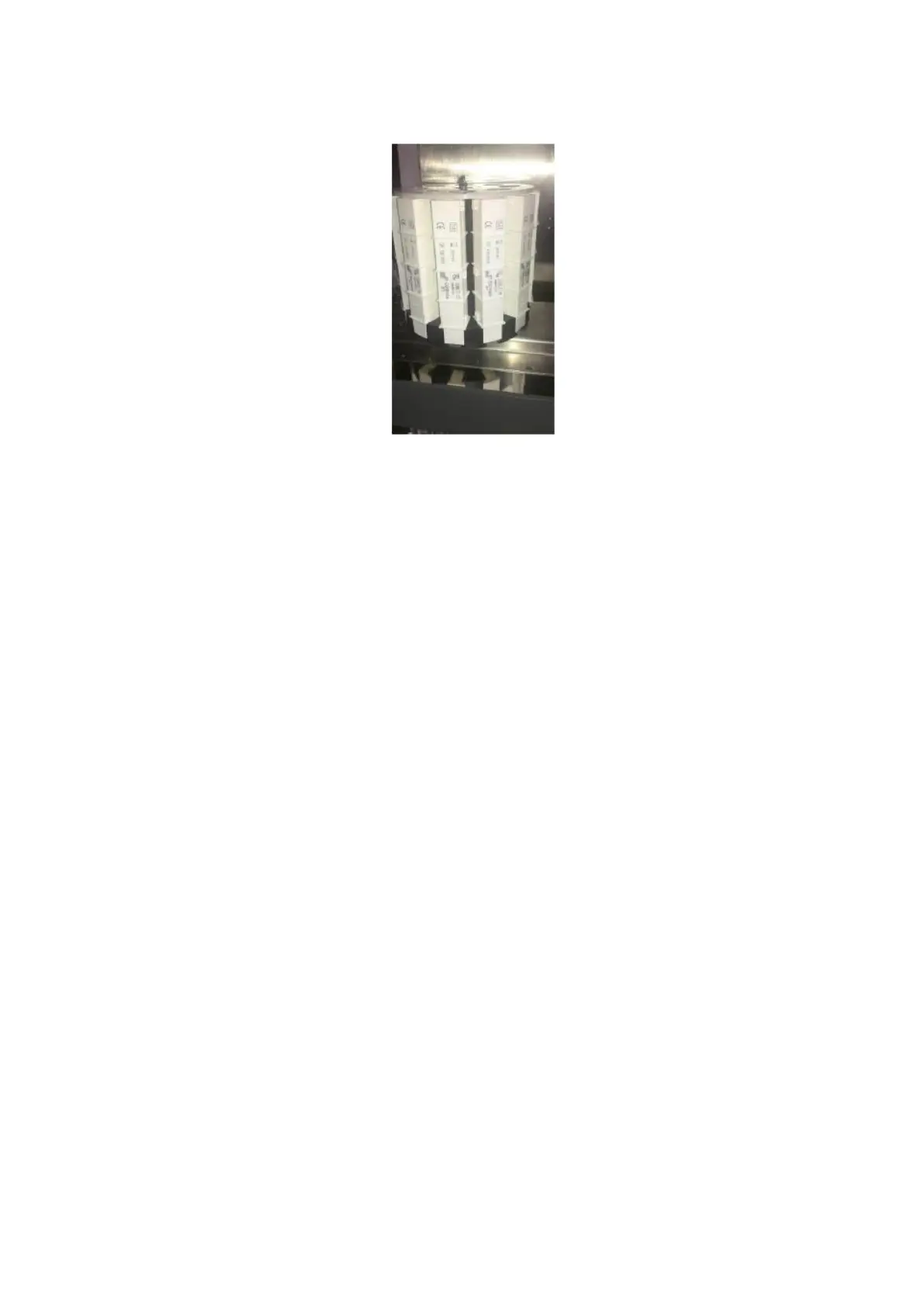
Figure 4-3
7. After loading the counting chamber, close the door of S80.
8. Turn on the power switch of main machine.
9. Open the computer operation procedure and start the instrument self-check.
10. After the self-inspection of the instrument is completed and the red indicator light of the
feeding platform is extinguished, put the test tube rack with the test sample tube into the
feeding platform on the right side of the feeding platform. When the test tube rack is added
later, the red indicator light on the feeding platform should be put out.
11. Click the [run] menu at the top. Select the appropriate operation mode and the instrument
will start testing.
12. After the instrument testing is completed, the test tube rack will be automatically pushed to
the test tube rack pushing area. At this point, you can remove the tube rack, or you can
remove it once the region is full.
13. After all samples are tested, if they are no longer tested, please close the main machine,
exit the running program and close the computer.
14. For necessary maintenance of the instrument, refer to section 6 Maintenance Methods for
Product.
Cautions
⚫ The equipment must be used counting chamber series of products by COBIO Smart
Healthcare Technology Co., Ltd. At the same time, it must be licensed by COBIO Smart
Healthcare Technology Co., Ltd.
⚫ The counting chamber is disposable, no reused.
⚫ No touching the unused counter chamber, any stain may affect the imaging quality of the
equipment.
⚫ Don’t tear the seal before loading the counting chamber bars into the rotating disc, to
prevent counting chamber tank falling off, must be installed on the rotating disk to tore to the
sealing.
⚫ Handle carefully the used counting chamber tank, because urine from human body fluids,
should be handled according to hospital uniform biological hazards.


 To Next Page