DVR Menu
4.2.3 Record
Enable:
Enable or disable recording function for each camera
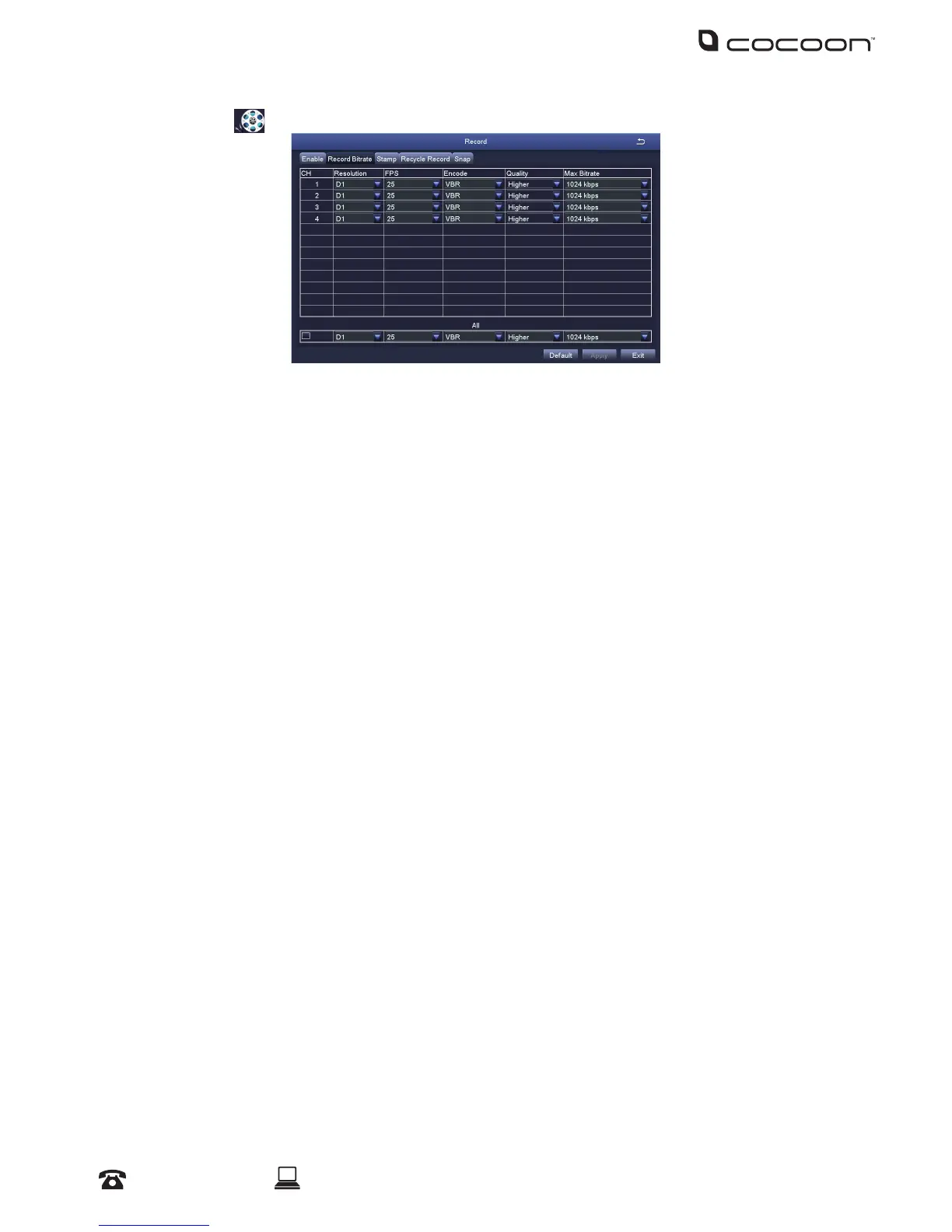
Record Bitrate:
Allows you to adjust the resolution and recording stream for each camera
• Resolution: Supports D1 and 960H
• FPS (Frames per Second): Choose from 1 to 25 (PAL) or 1 to 30 (NTSC)
Maximum global framerates across 4 channels is 100fps for PAL and 120fps for NTSC
• Encode: Supports VBR (Variable Bit Rate) and CBR (Constant Bit Rate)
• Quality: Select your desired camera quality
• Max Bitrate: Higher bit rates use more hard drive space
Stamp:
• Camera Name: Toggle the display of the camera name for each channel
• Time Stamp: Toggle the display of the time stamp for each channel
• Position: Use the mouse to drag the camera name and time stamp to any position on the live
image. Right-click mouse to exit back to ‘Record’ page
Recycle Record:
If ticked: When the hard drive is full, the DVR will automatically overwrite the earliest recorded
les and continue recording
If unticked: When the hard drive is full, a warning message ‘The remaining space is insucient’
will display and the DVR will stop recording
Snap:
Adjust the snapshot settings used when pressing the ‘Snap’ button on the camera viewing screen



 To Next Page