4.2.5 Alarm
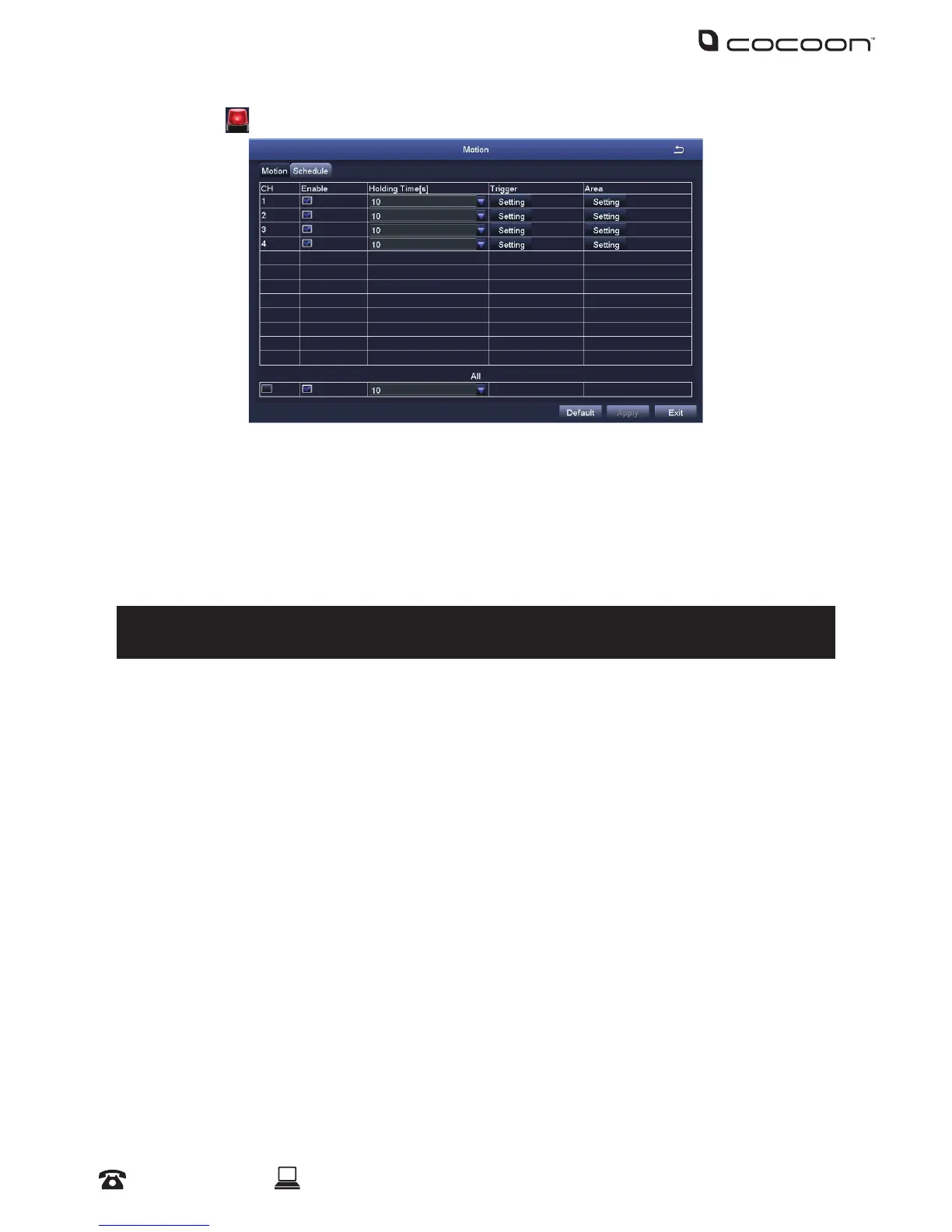
Motion:
• Enable: Toggle which camera’s alarm sensor is on or o
• Holding Time[s]: Select the duration that an alarm signal should be shown if triggered
• Trigger: Allows show full screen, email and snap settings to be set
• Area: In this interface, blue grid boxes indicate areas that are monitored for movement. Hold on
to LMB and drag mouse across screen to adjust selection
Tip: Removing blue grid boxes disables the area monitored for movement. This is handy for
cameras facing main roads with cars driving past when monitoring your front porch
Right-click for pop up bar to adjust motion sensitivity, reseting grid to default and saving
settings
• Schedule: Linked to ‘Motion Record’ from the Schedule submenu. See 4.2.4 for details about
conguring the motion record schedule
Video Loss:
Congure how video loss is handled by the DVR
Other Alarm:
Congure how other events are handled by the DVR
DVR Menu



 To Next Page