Party500_V1013_EN.PDF http://www.codelight.com
7
Example:
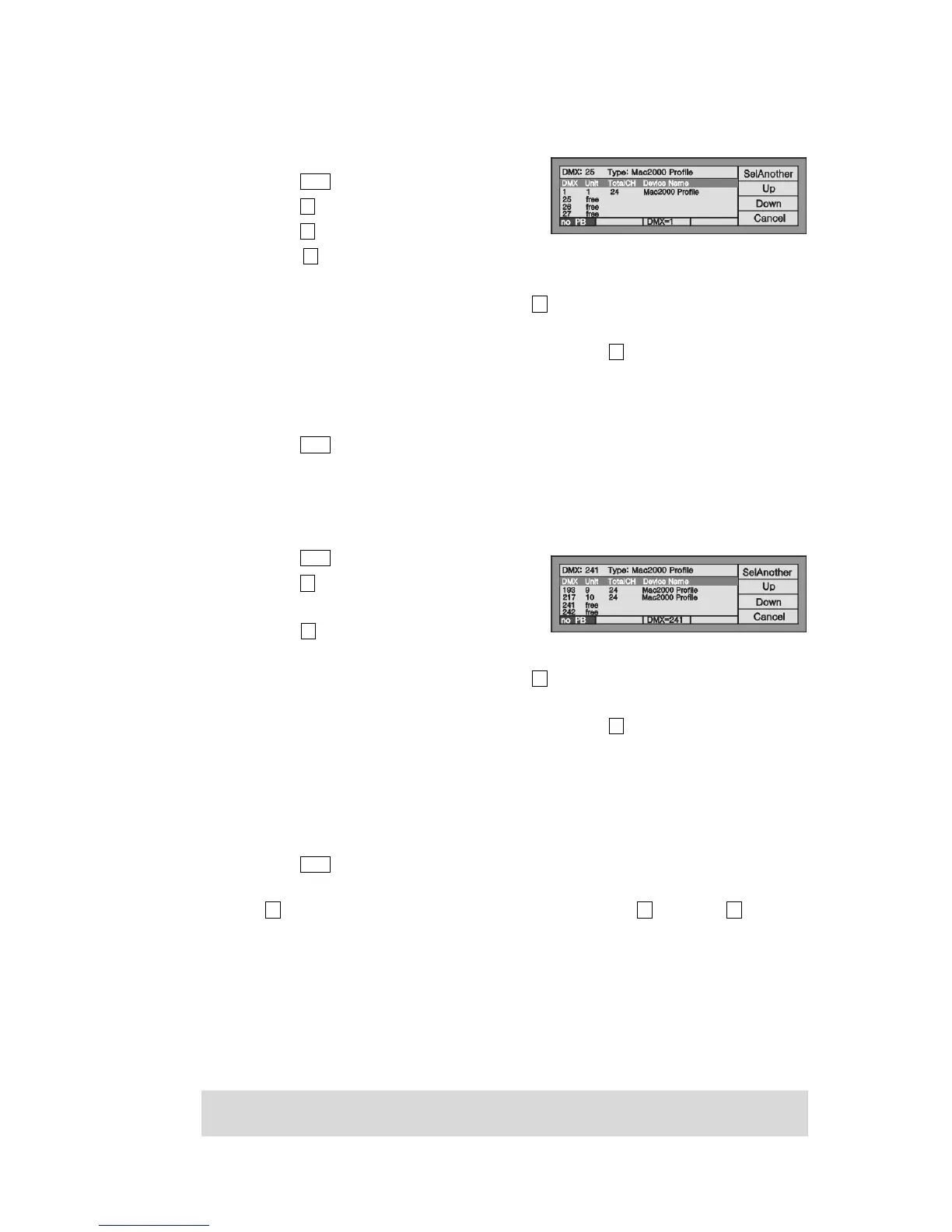
Patch a Martin Mac2000 Profile with 24 channels to Unit 1 of the 1st page, the initial DMX address = 1, use 1
to 24 DMX channels;
Press Patch and enter “Setup Patch” menu;
Press S1 [Fixture];
Press S1 [SystemLib.];
Press S2 and select the Manufacturer order mode. You can search by the Model of fixture or
Manufacturer;
After found out the Name of manufacturer, press S1 to confirm. Then the LCD screen display all the
fixture models of the manufacturer;
Find out the fixture, Martin Mac2000 Profile 24CH, and press S1 to confirm;
Console will automatically patch the DMX initial address. If needed Control Wheel B change
available Here, we change the DMX address to 1 by Wheel B
Select the 2nd Unit page button, and press Unit button 1 (please refer to the illustration);
Press Patch to exit patching.
Example:
Patch 9 Martin Mac2000 Profiles with 24 channels to Unit button 2 - 10 of the 1st page, DMX the address
automatically patch to the address followed last example (thus commence with DMX address 25):
Press Patch to enter “Setup Patch” menu;
Press S1 [Fixture];
Select [SystemLib.];
Press S2 and select the Manufacturer order mode.
You can search by the Model of fixture or the Manufacturer;
After found out the Name of manufacturer, press S1 to confirm. Then the LCD screen display all the
fixture models of the manufacturer;
Find out the fixture, Martin Mac2000 Profile 24CH, and press S1 to confirm;
Console will automatically patch the DMX initial address. If needed Control Wheel B change
available. Here, we change the DMX address to 25 by Wheel B;
Select the 1st Unit page button;
Press Unit button 2 and hold still until press Unit button 10, which can quickly patch the selected
fixtures to Unit button 2 - 10 of the 1st page (please refer to the illustration);
Press Patch to exit patching.
Use the S1 [SelAnother] can patch other different model of fixtures; soft-key S2 for [Up] and S3 for [Down]
can be used to view the patching information.
2.3. Setting up the Fixture Channels
By setting up the swap of Pan and Tilt, you can control fixtures, which is installed against the stage, to swap
Pan/Tilt axis, Invert Pan and/or Tilt, so that the mirror movement makes the control more direct and easier.
Note: The setup should be done before you program the show. Otherwise, errors of moving direction will occur in
running the program.


 To Next Page