Setting Focus
There is a range of reading distances available for different code sizes and focus positions. To set focus on your reader,
use the following options depending on whether you use a liquid lens or a manual focus lens.
DataMan readers are compatible with multiple different lenses. Each lens has a range of reading distances available for
different code sizes and focus positions. Having accurate focus settings is essential to maximize read rates.
To set the focus on your reader, use the following options depending on whether you use a liquid lens or a manual focus
lens.
Liquid Lens
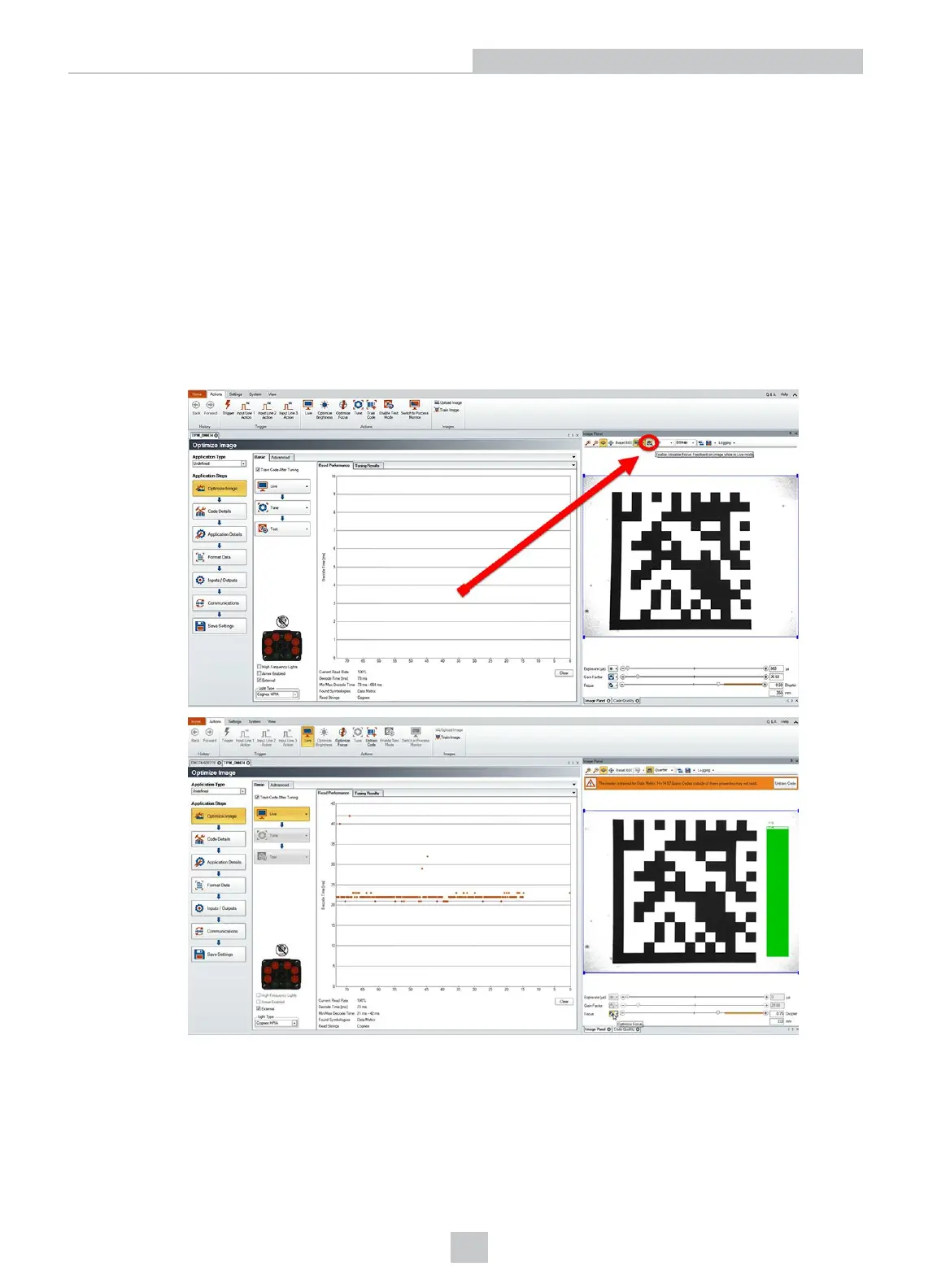
1. Click the Focus Feedback button in the image panel in SetupTool to enable focus feedback.
This enables a color-coded focus feedback bar on the right side of the image panel.
30
Setting Up Your DataMan 360













 To Next Page