Installing a Filter
Perform the following steps to install an optical filter in the front cover.
Observe the following constraints on the filter:
l Diameter (Ø): 12.3mm<Ø<12.7mm
l Thickness (t): 1.6mm<t<2mm
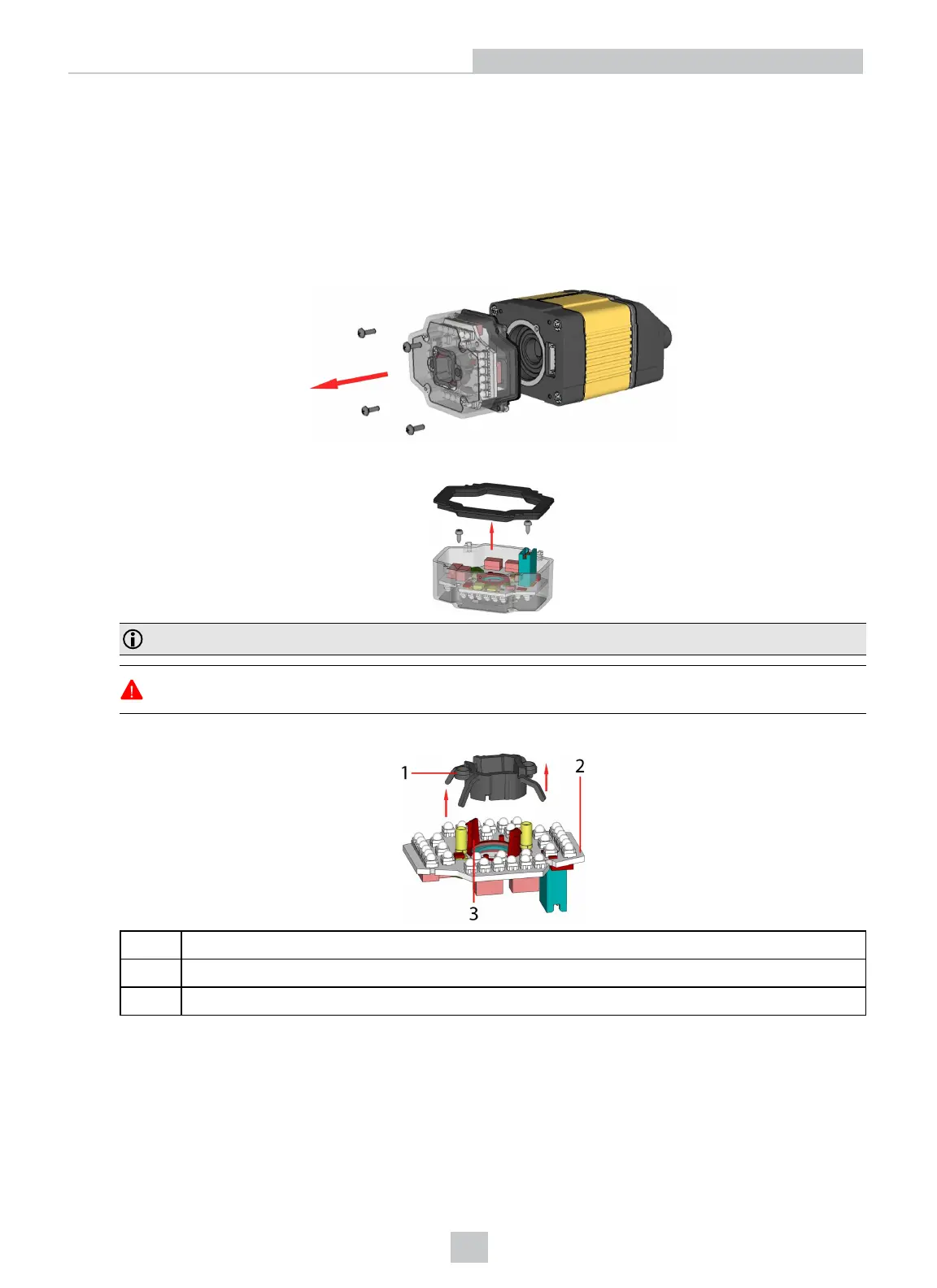
1. First, remove the front cover: unscrew the four M3 screws and take off the LED cover.
2. Take off the rubber seal, remove the two smaller screws, and remove the PCB.
Note: Use a T6 Torx screwdriver.
WARNING: Make sure that no electrostatic charges are applied to the PCB. (For example, wear ESD
shoes.)
3. Working from the front of the PCB, press the legs of the filter holder gently together and pull off the clip.
1 Filter retaining clip
2 LED PCB
3 Filter holder
24
Setting Up Your DataMan 360













 To Next Page