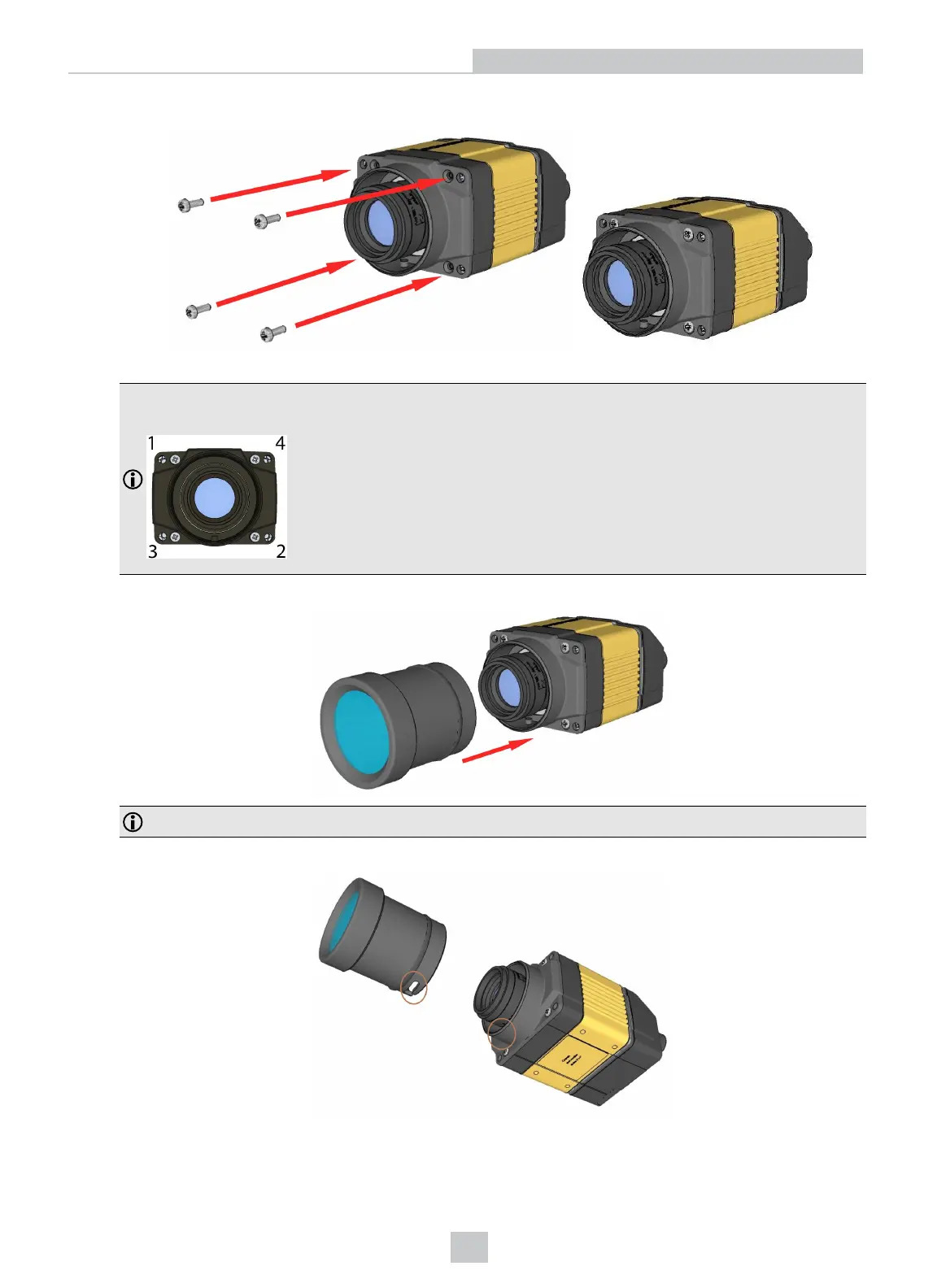
5. Add the screws to the C-Mount cover base.
PHILLIPS PAN HEAD M2 X 6 mm
Note:
Tighten in sequence. Torque limit: 9 Ncm (0.8 in-lbs).
6. Attach the front cover.
Note: Do not unscrew the front-most part of the nose of the cover to avoid risking the glass lens falling out.
7. Align the peg on the reader and the slot on the cover so that the cover locks in place.
23
Setting Up Your DataMan 360













 To Next Page