Installing the Lens
You can choose between a variety of different (High-Speed) Liquid Lenses and C-Mount lens options to be installed on
your DataMan 360 series reader.
WARNING: Disconnect the DataMan 360 reader from power before installing the lens and light.
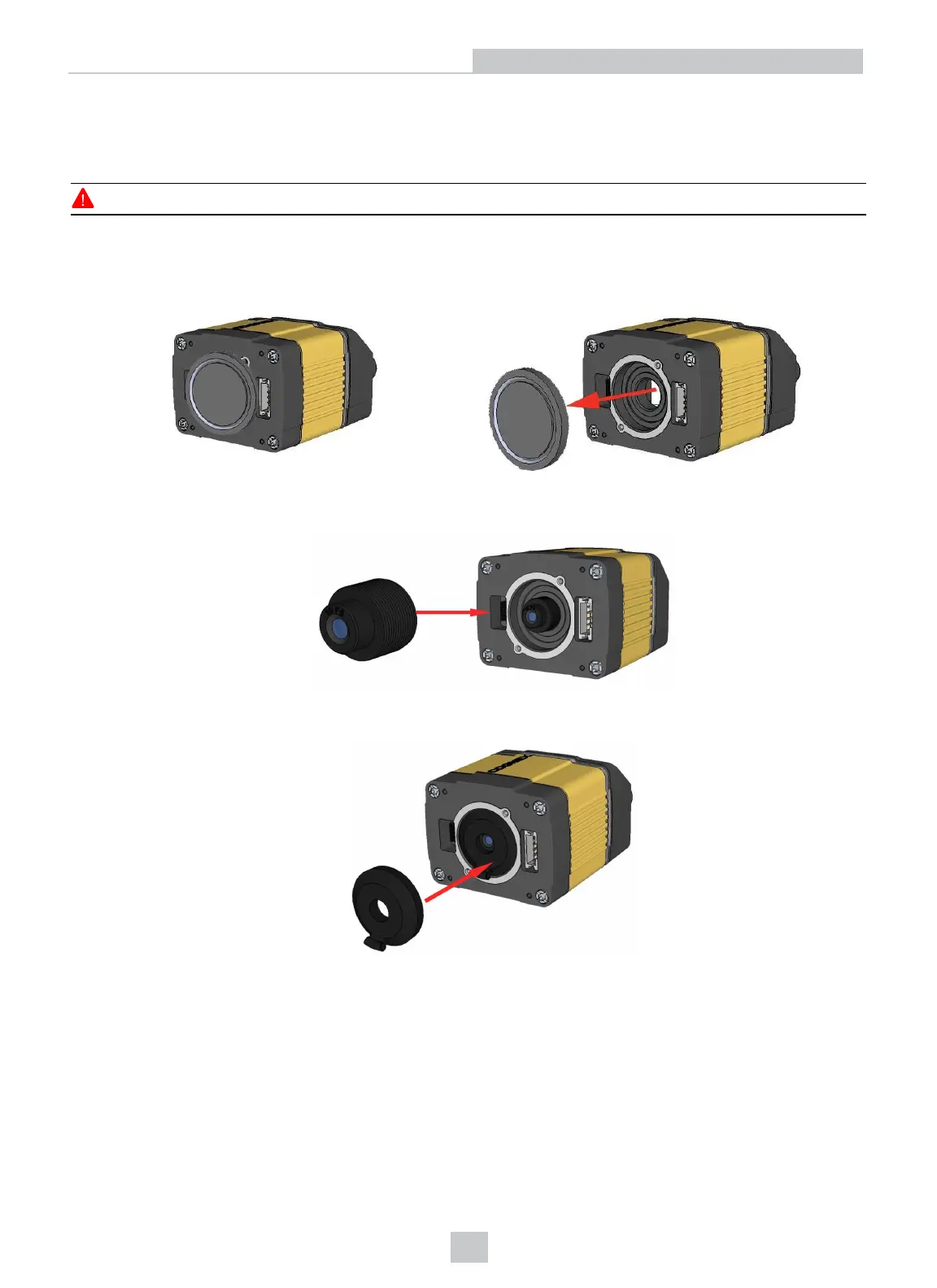
Installing an M12 Lens with Manual Focus
1. Remove the lens plug.
2. Thread the lens into the reader.
3. Press the rubber lens-locking cone into the reader. While carefully avoiding rotating the lens, press the rubber
lens cone into the reader until it snaps into place around the nose of the lens.
15
Setting Up Your DataMan 360













 To Next Page