Setting Up Your DataMan 360
This section provides information on the physical appearance of the DataMan 360 reader. It also details the steps of
installing the lenses and filters of the reader, and gives information on the imager itself.
Reader Layout
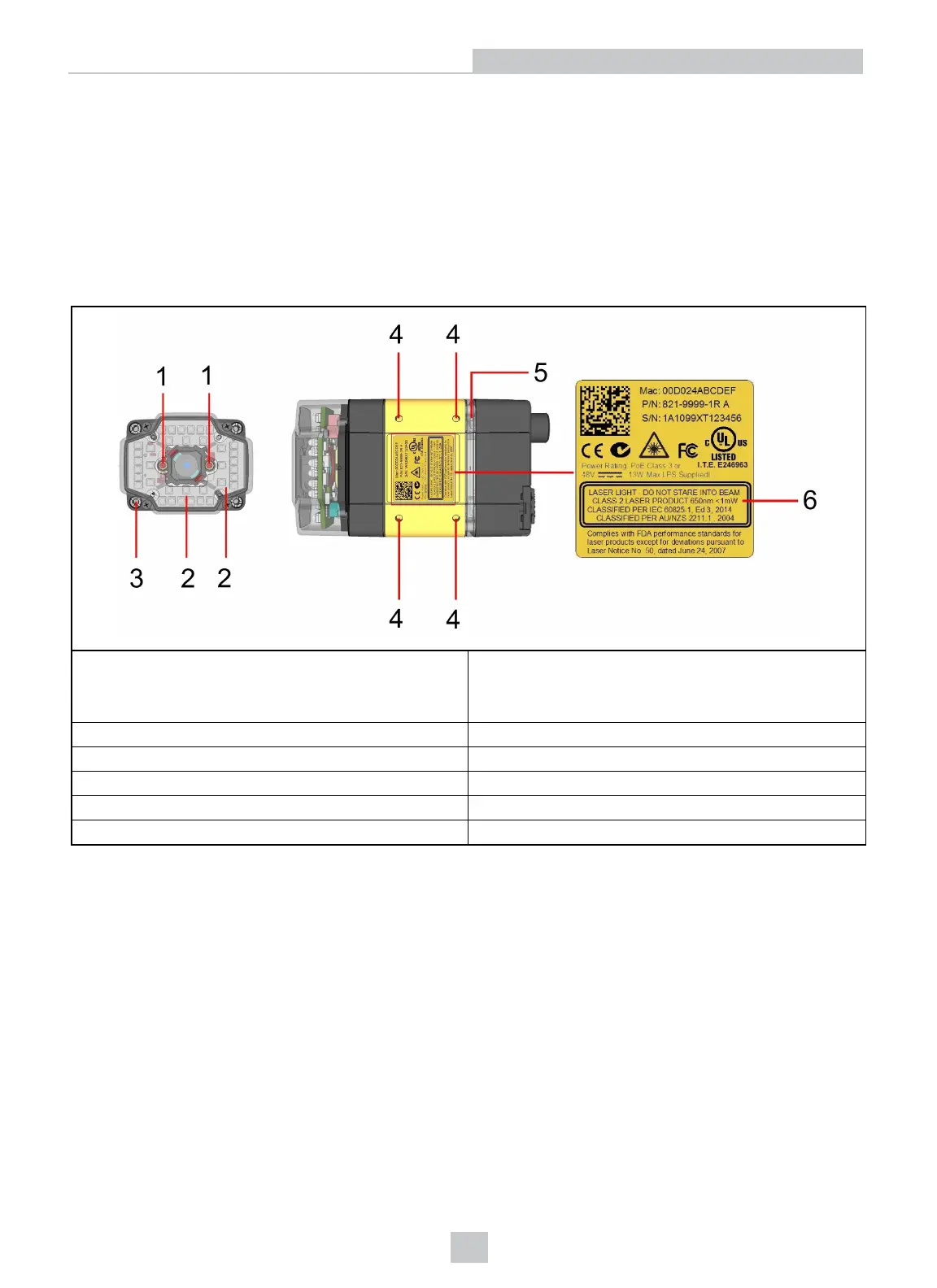
The following image shows the built-in lighting system of the DataMan 360 series reader, underneath the plastic lighting
cover, the mounting holes and the laser safety notice on the bottom of the reader.
1
Laser aimer
Can be enabled under Light and Imager Settings in the
DataMan Setup Tool (disabled by default) to aid in aiming
the lens
2 Illumination LED clusters
3 External illumination mounting point
4 Mounting holes (M3 x 5mm)
5 Light ring
6 Laser safety notice
The following image shows a detailed picture about the back cover and the functions of the indicator lights.
13
Setting Up Your DataMan 360













 To Next Page