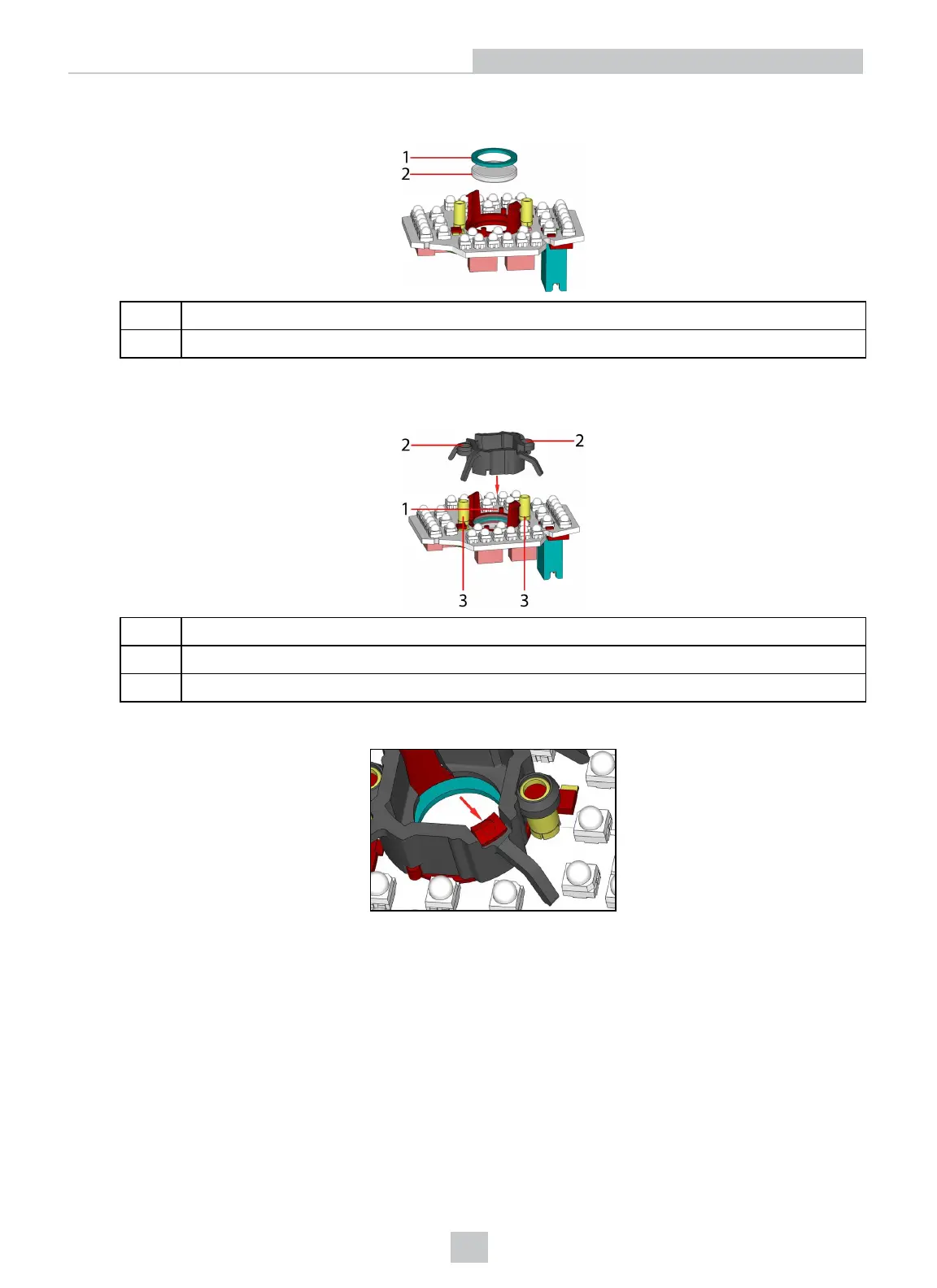
4. Insert first the filter glass, then the soft spacer (which was removed from its place between the filter holder and the
filter retaining clip) into the filter holder. A pair of tweezers may be helpful.
1 Soft spacer
2 Filter glass
5. Snap fit the filter retaining clip onto the legs of the filter holder. Ensure that the laser modules slide into the laser
guides and the orientation pin fits into the filter retaining clip.
1 Orientation pin
2 Laser guide
3 Laser module
Check that the snap hooks are correctly positioned and fully engaged.
25
Setting Up Your DataMan 360













 To Next Page