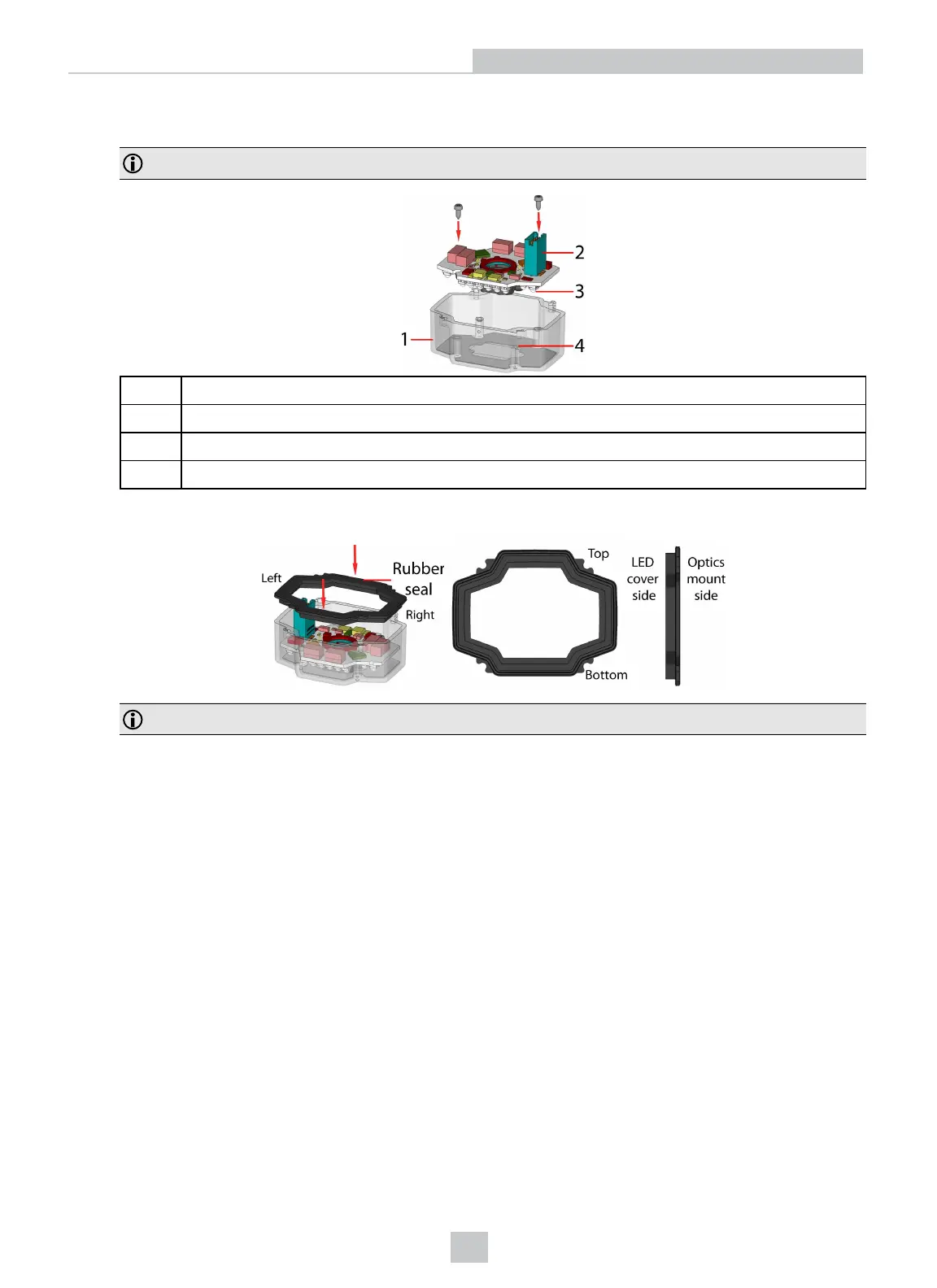
6. Insert the PCB with the filter retaining clip and the filter holder back into the front cover. Ensure that the hole in the
PCB meets the orientation pin in the front cover. Fix the PCB with two Torx 6 screws of size 2.0x5 mm.
Note: Use a torque of 8-10Ncm (11-14 oz-in).
1 LED cover
2 PCB with filter holder and filter retaining clip
3 Notch in PCB
4 Orientation pin
7. Insert the rubber seal.
Note: The seal can only be installed in the correct orientation.
26
Setting Up Your DataMan 360













 To Next Page