12
DEC 2021
INSTALL GUIDE
1
INSTALLATION
COGNEX DataMan 374
REV 00
1.5.1 CONNECTING A SINGLE READER
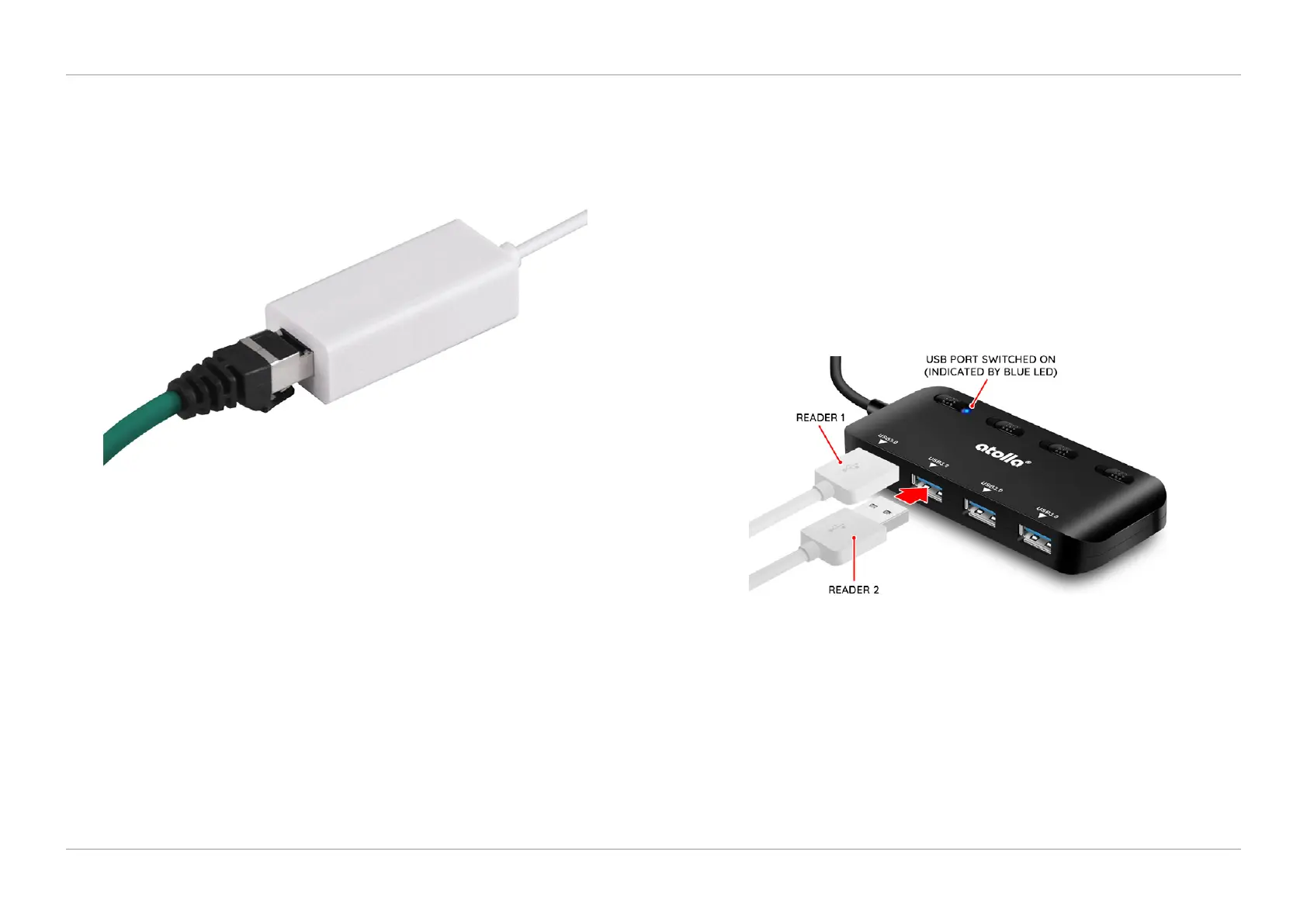
1. To connect a single reader, connect the other end of the RJ45/Ethernet cable
to the USB/Ethernet Adapter (A0014392) supplied with the reader kit as shown
in Figure 1.22.
QTL-RND-OPS-00000325-A-00
Figure 1.22 – Connecting the green ethernet cable to USB/ethernet adapter
2. Then plug the USB/Ethernet Adapter into an available USB port (Front/Back)
on the IMOS PC.
1.5.2 CONNECTING MULTIPLE READERS
1. To connect multiple readers, connect the other end of the RJ45/Ethernet
cable to the USB/Ethernet Adapter (A0014392) as shown in Figure 1.22, for as
many readers required (up to a maximum of 4 readers per kit).
2. Plug the USB Switch Hub (A0135968) into any available USB port (Front/Back)
on the IMOS PC.
3. Then plug the USB/Ethernet Adapter from the ‘Prime station’ into the left USB
port on the USB Switch Hub, which will be ‘Reader 1’.
4. Each additional reader must be plugged into the next adjacent available USB
port as shown in Figure 1.23, (up to a maximum of 4 readers per kit).
QTL-RND-OPS-00000326-A-00
Figure 1.23 – Plugging the USB/ethernet adapter into the USB switch hub












 To Next Page