24
DEC 2021
INSTALL GUIDE
2
SOFTWARE SETUP
COGNEX DataMan 374
REV 00
2.6 READER CALIBRATION
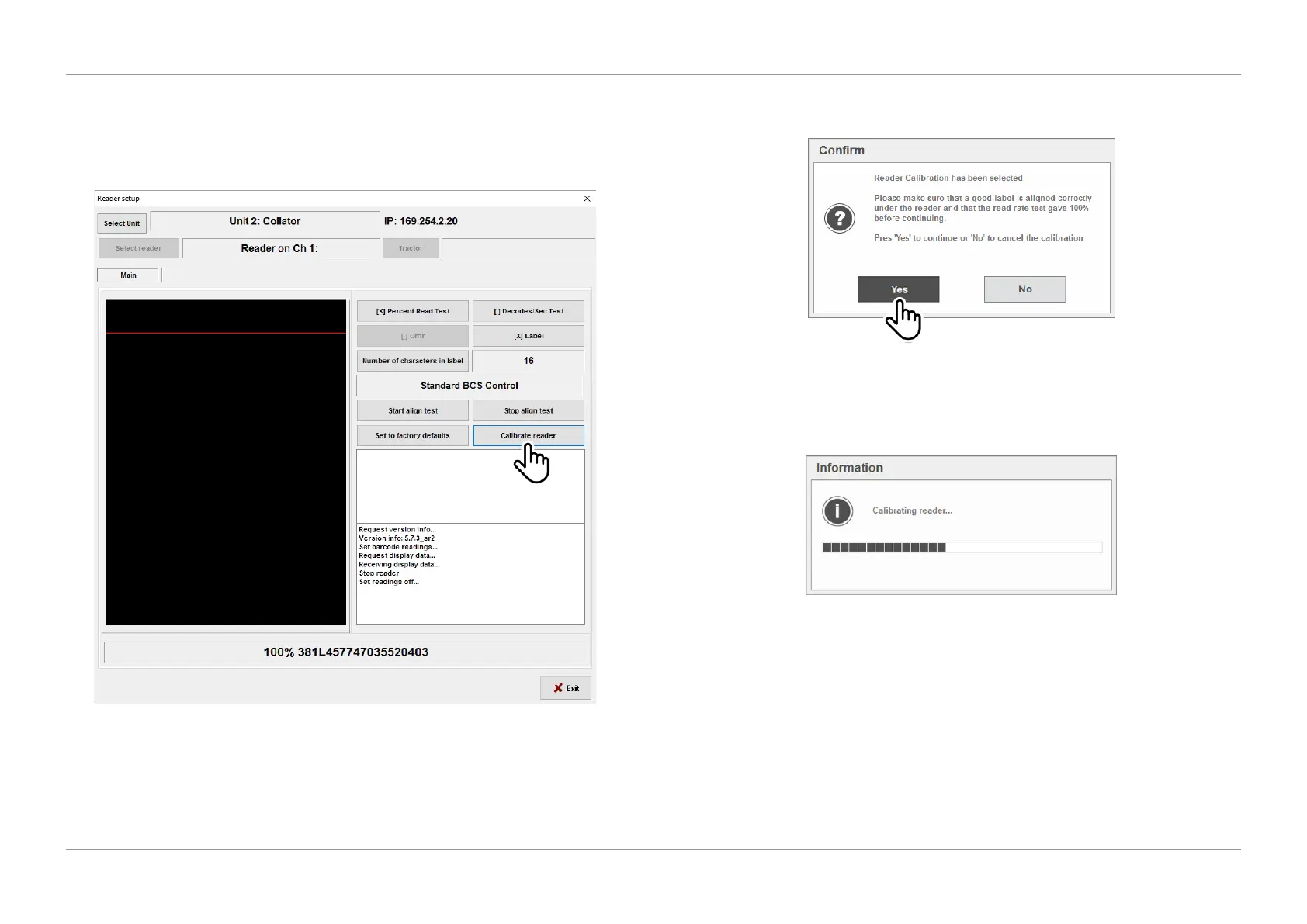
1. Once the label has successfully been displayed in the reader alignment test,
select ‘Calibrate Reader’ as shown in Figure 2.23.
QTL-RND-SCR-00000247-A-00
Figure 2.23 – Reader calibration
2. Press ‘Yes’ to conrm and begin reader calibration as shown in Figure 2.24.
QTL-RND-SCR-00000248-A-00
Figure 2.24 – Conrming reader calibration
3. While the reader is calibrating, progress information will display as shown in
Figure 2.25 until calibration has been completed.
QTL-RND-SCR-00000249-A-00
Figure 2.25 – Calibration progress information
4. Once calibration is complete run an alignment test again to ensure the
code/label content is displayed successfully, and then exit the Reader setup
screen to nish and complete the setup of the reader. See section 2.5 Reader
Alignment for further assistance.












 To Next Page