23
DEC 2021
INSTALL GUIDE
2
SOFTWARE SETUP
COGNEX DataMan 374
REV 00
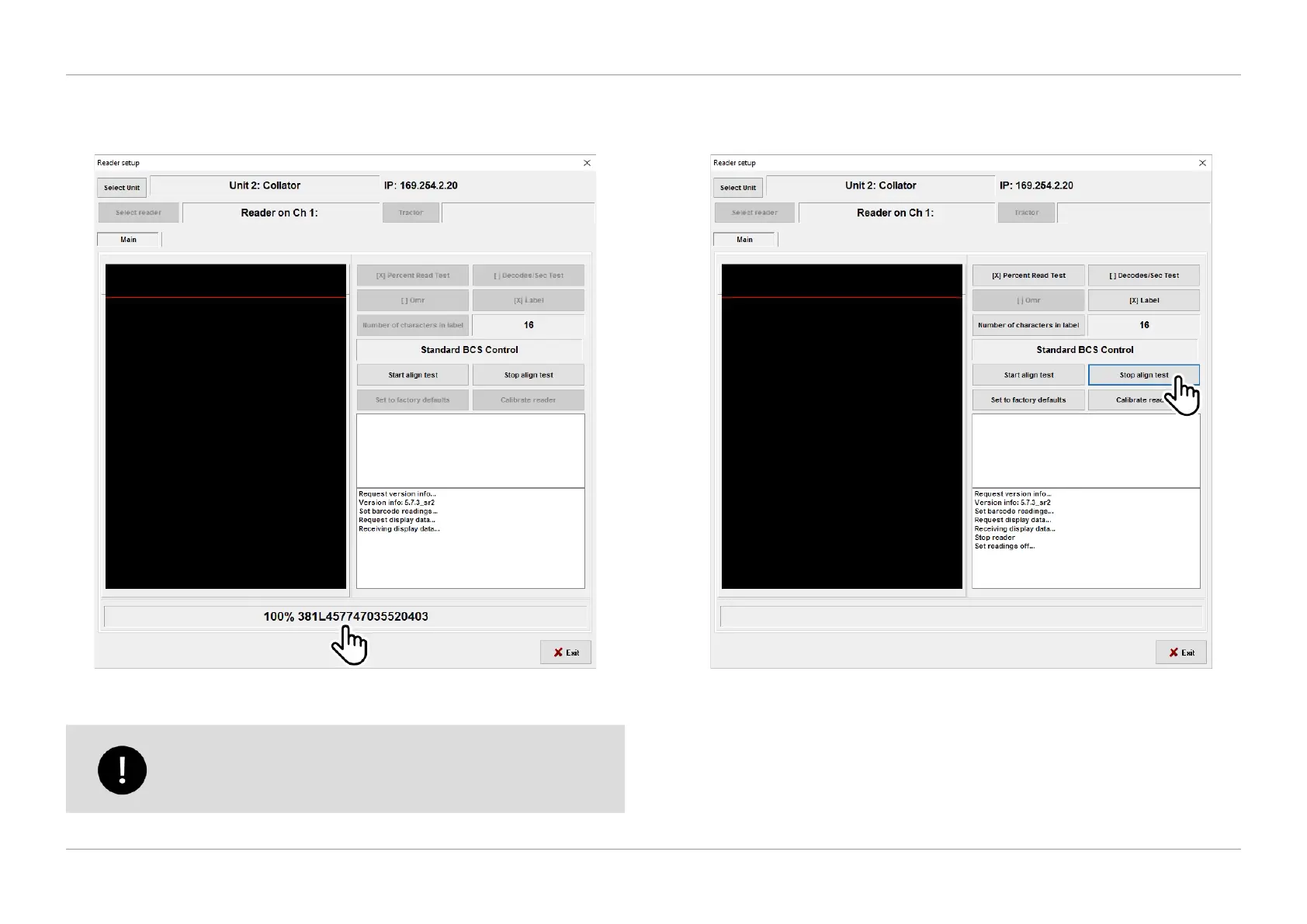
3. You should see the code/label content displayed once the alignment test has
initiated as shown in Figure 2.21.
QTL-RND-SCR-00000245-A-00
Figure 2.21 – Alignment test initiated
If no code/label content is displayed, proceed to Step 4 otherwise
proceed to section 2.6 Reader Calibration to calibrate the reader.
4. If the label failed to read, and the alignment test is less than 100%. Select
‘Stop align test’ as shown in Figure 2.22 and exit the screen.
QTL-RND-SCR-00000246-A-00
Figure 2.22 – Alignment test live image
5. Check that the correct symbology has been set in your barcode/label and
then return to the reader setup screen and re-start the alignment test.












 To Next Page