18
DEC 2021
INSTALL GUIDE
2
SOFTWARE SETUP
COGNEX DataMan 374
REV 00
2.4 LOAD TO READER
Load to Reader is used to feed one document under the reader so you can position
the reader to the label.
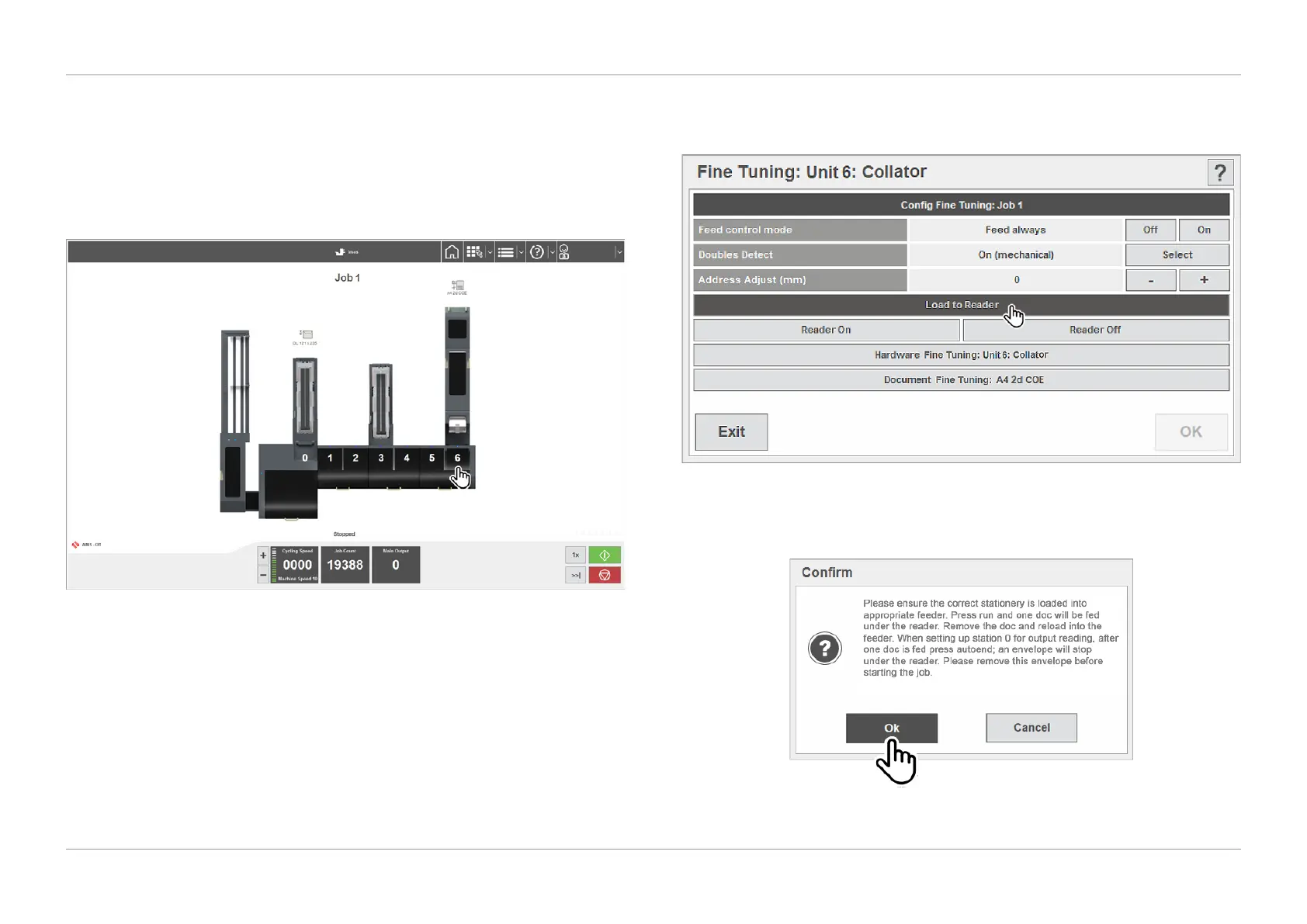
1. From the run screen within IMOS, select the unit number that the reader is
installed on (i.e. unit ‘6’ collator) as shown in Figure 2.8.
QTL-RND-SCR-00000266-A-00
Figure 2.8 – Selecting the reader unit
2. Select the ‘Load to Reader’ option in the unit ne tuning screen as shown in
Figure 2.9.
QTL-RND-SCR-00000267-A-00
Figure 2.9 – Selecting Load to Reader
3. Click ‘Ok’ in the conrmation dialog box as shown in Figure 2.10.
QTL-RND-SCR-00000268-A-00
Figure 2.10 – Conrming Load to Reader












 To Next Page