11
DEC 2021
INSTALL GUIDE
1
INSTALLATION
COGNEX DataMan 374
REV 00
NOTE:
S1 Set toggle switch to ‘Normal’ for single and multiple readers.
S2 Set toggle switch to ‘Default’ for a single reader, and ‘All On’ for
multiple readers.
J10, J11 A0117569 (XE169) or 9100703Y and 9100720R (C167)
J31 Collate/OMR Folder 9105223G and Insert Feeder, Track 9107507L
Toggle Switch S1 must be set to ‘NORMAL’ for both single and
multiple Cognex Readers setups. Toggle switch S2 must be set to
‘DEFAULT’ for single and ‘ALL ON’ for multiple Cognex Readers as
shown in Figure 1.22.
1.5 CONNECTING THE READER TO THE IMOS PC
The DS1200 M/C can be tted with either a single reader or multiple readers.
Single Reader
If a single reader is tted, the USB/Ethernet Adapter (A0014392) can be plugged
directly into an available USB port (Front/Back) on the IMOS PC.
Multiple Readers
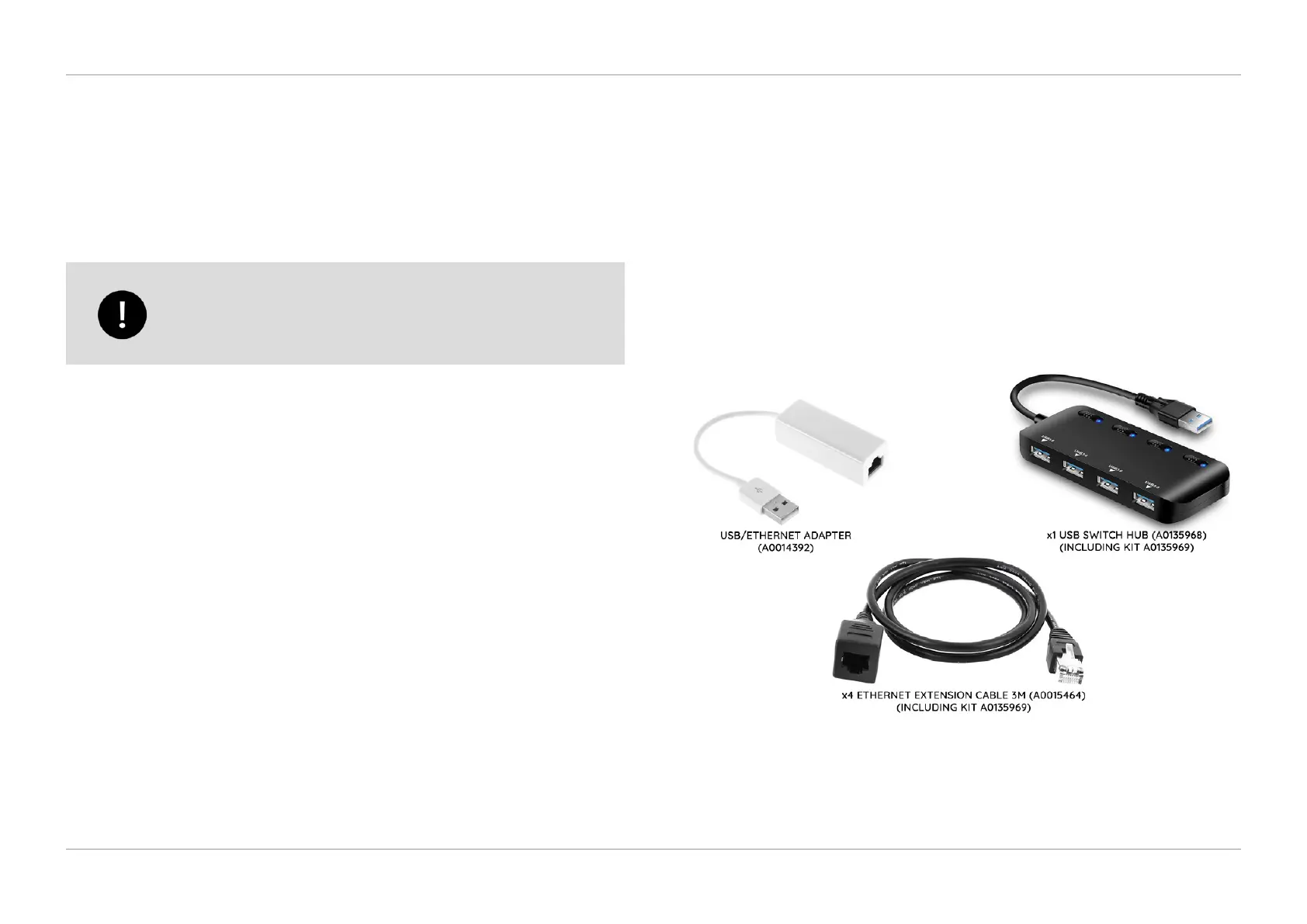
If multiple readers are tted, the following Multi-Reader Kit is available to order:
▪ A0135969 DataMan Viewer Kit (Max. 4 Readers per kit)
Figure 1.21 shows the parts required to connect a Cognex DataMan 374 to the IMOS PC
allowing the viewing of images in the Reader Setup Screen within IMOS.
QTL-RND-OPS-00000324-A-00
Figure 1.21 – Cognex DataMan 374 connection parts
To connect a single reader or multiple readers, rst route the RJ45/Ethernet cable
supplied with the reader kit, from the reader through the DS-1200 machine following
the details set out in section 1.2.1 Cable Routing and section 1.2.2 Cable Looping.












 To Next Page