16
DEC 2021
INSTALL GUIDE
2
SOFTWARE SETUP
COGNEX DataMan 374
REV 00
2.2 OBTAINING THE READER IP ADDRESS
The IP address of each reader can be found by going into Reader Setup within IMOS
and selecting the channel required to obtain the IP address information
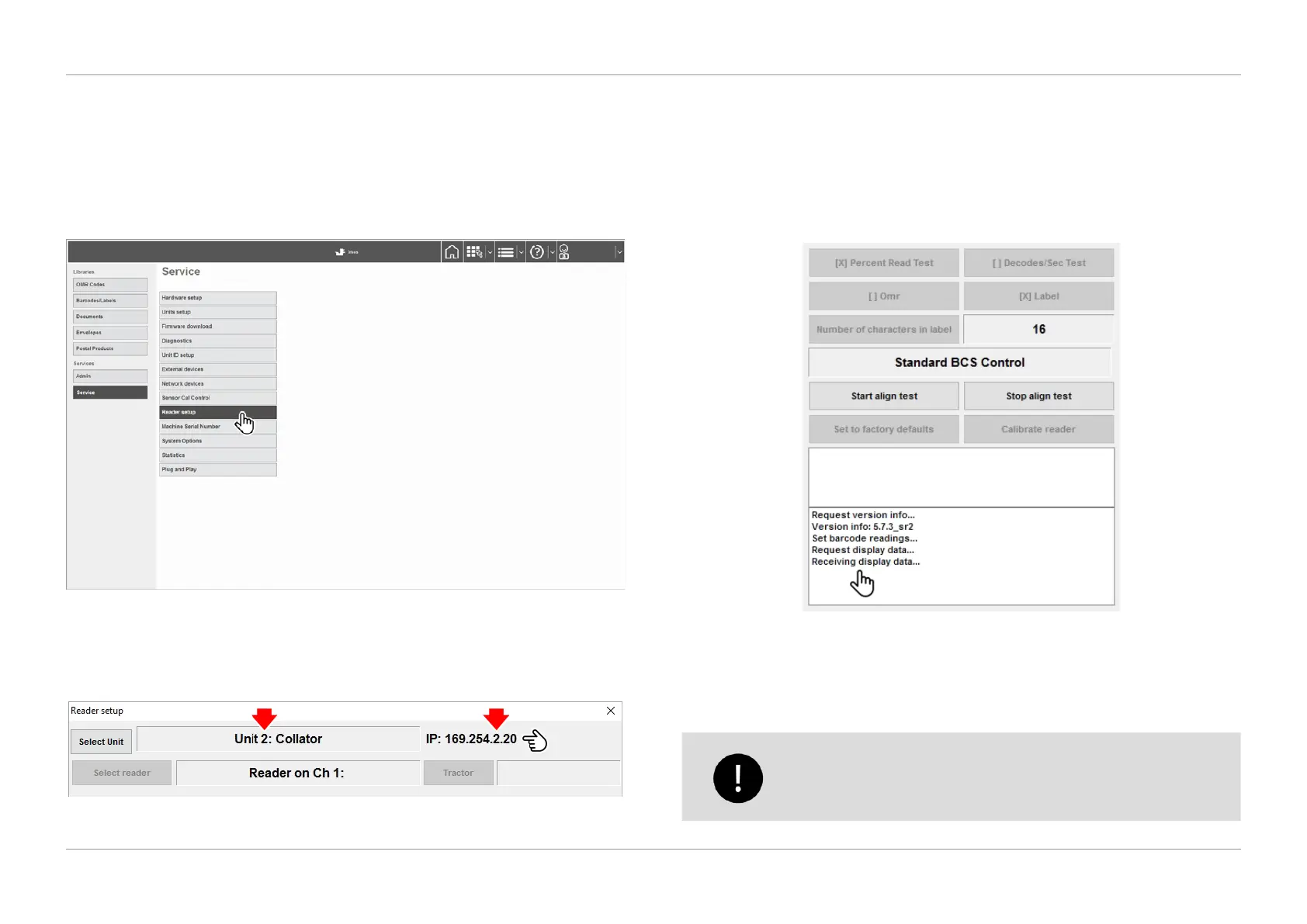
1. Navigate to the IMOS Menu screen, select ‘Service’, and then ‘Reader Setup’
from the list as shown in Figure 2.3.
QTL-RND-SCR-00000240-A-00
Figure 2.3 – Selecting reader setup
2. In the Reader Setup screen, select the required unit and reader channel to
obtain the IP address information as shown in Figure 2.4.
QTL-RND-SCR-00000274-A-00
Figure 2.4 – Obtaining the IP address of the reader
NOTE:
The 3rd number in the IP address corresponds to the unit that the camera is
tted to as shown in Figure 2.4.
3. Ensure communication between the Insert Head and Cognex Reader is
present by checking the displayed information in the bottom right pane of the
Reader Setup screen as shown in Figure 2.5.
QTL-RND-SCR-00000275-A-00
Figure 2.5 – Reader communication information
4. Once connected, the reader will need to be aligned. See section 2.4 Load to
Reader and section 2.5 Reader Alignment for further assistance.
Ensure the correct read-head orientation has been selected for the
job prior to alignment and calibration. See section 2.3 Read-Head
Orientation for further assistance.












 To Next Page