17
DEC 2021
INSTALL GUIDE
2
SOFTWARE SETUP
COGNEX DataMan 374
REV 00
2.3 READ-HEAD ORIENTATION
The correct orientation of the read-head must be selected in the Jobs screen within
IMOS for a particular job that requires reading.
1. Navigate to the Jobs screen and dene a new mailset, or edit an existing one.
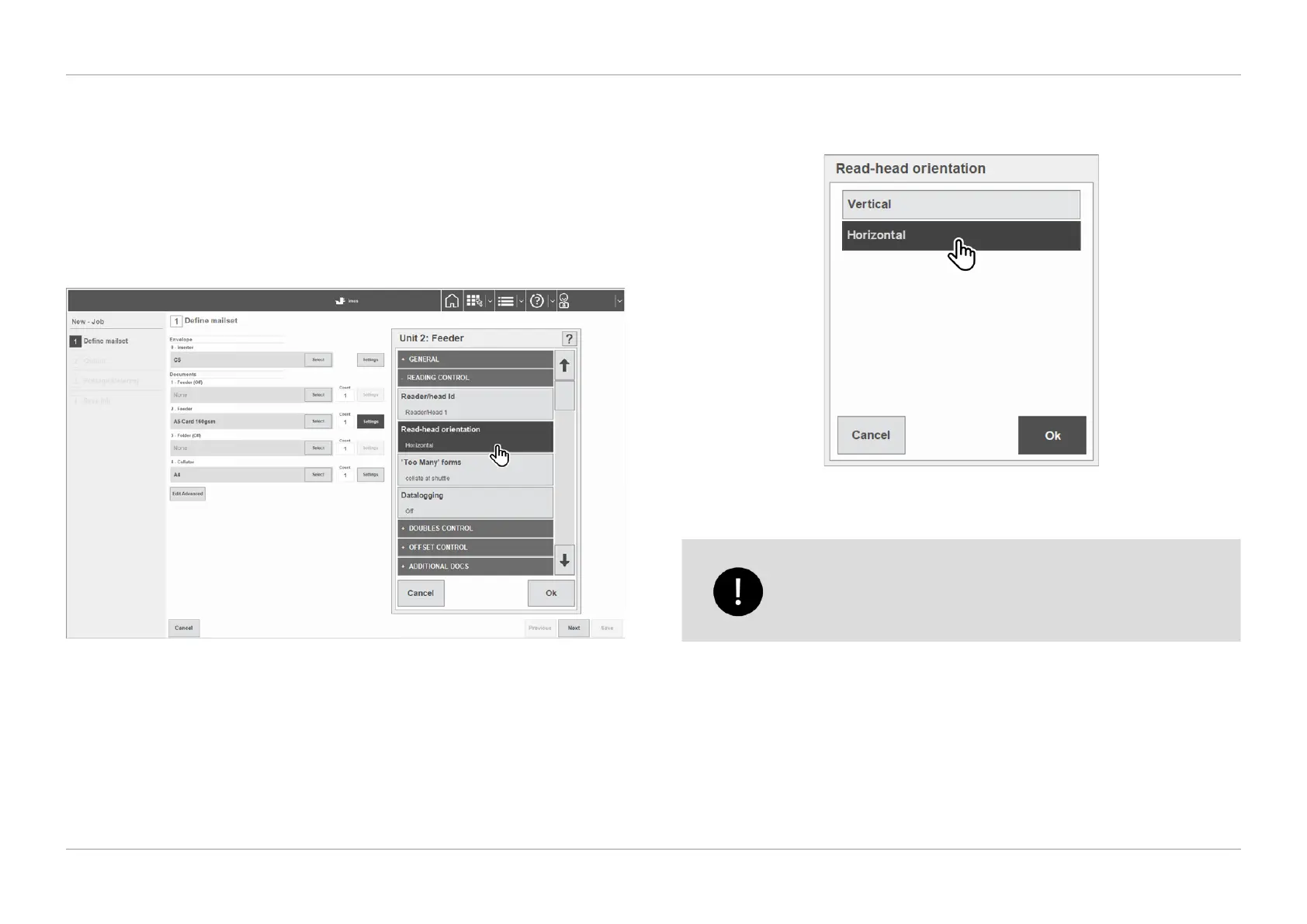
2. Select the settings of the unit that the reader is installed on (i.e. Unit 2:
Feeder), then select ‘Read-head orientation’ under the list of reading control
settings as shown in Figure 2.6.
QTL-RND-SCR-00000266-A-00
Figure 2.6 – Reading control settings
3. Select the read-head orientation from the list as shown in Figure 2.7, then
select ‘Ok’ once complete.
QTL-RND-SCR-00000266-A-00
Figure 2.7 – Selecting the read-head orientation
The read-head orientation must match the same orientation that
the camera reader has been mounted in the unit (e.g. Vertical
or Horizontal), see section 1.1 Mounting the Cognex Reader for
further information.












 To Next Page