4
DEC 2021
INSTALL GUIDE
1
INSTALLATION
COGNEX DataMan 374
REV 00
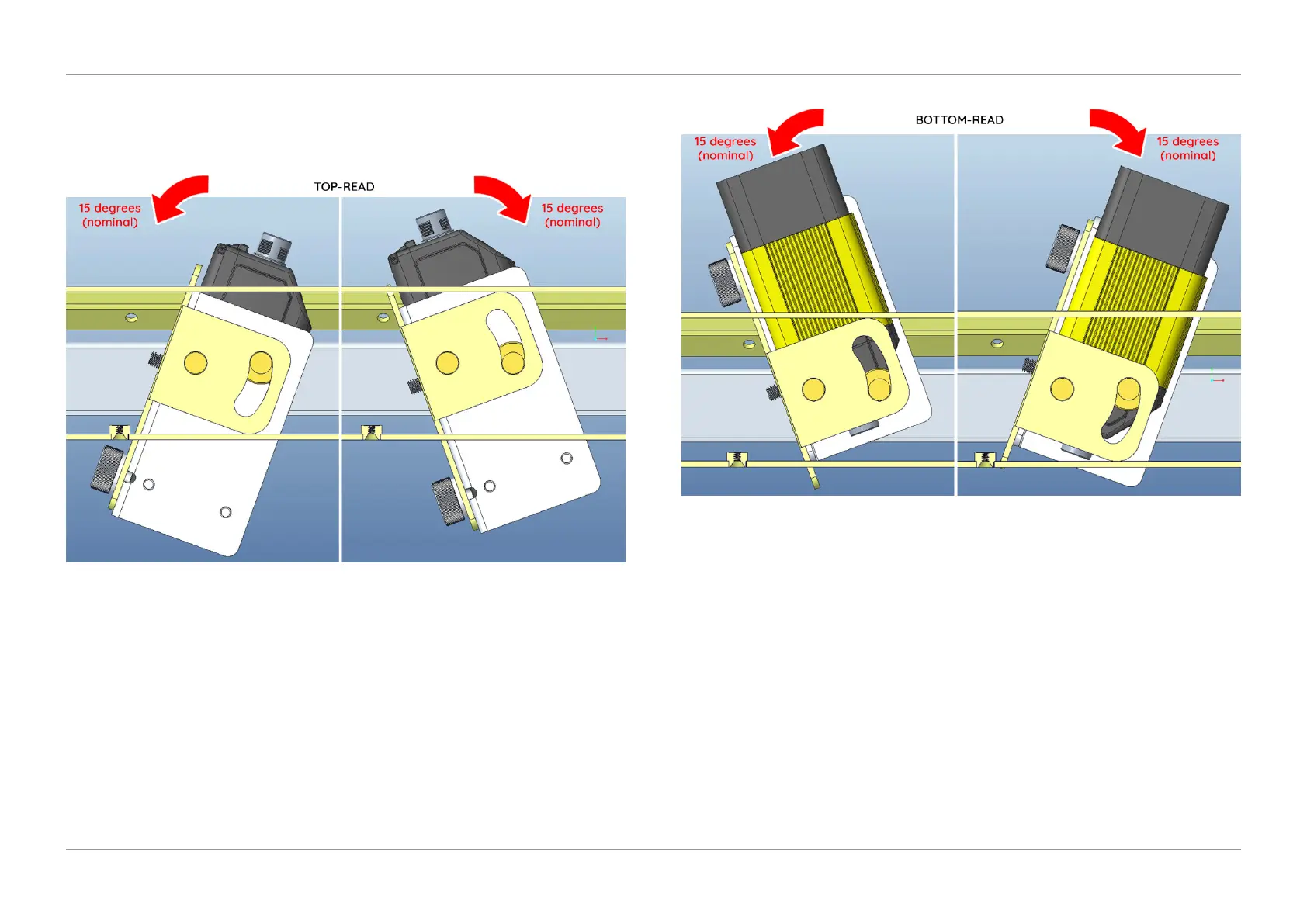
2. Depending on the code reading direction on the document, rotate the Reader
and Bracket completely left or right (15 degrees nominal) as shown in Figure
1.5 for top-read, and similarly for bottom-read shown in Figure 1.6.
QTL-RND-OPS-00000305-A-00
Figure 1.5 – Rotating left or right for top-read
QTL-RND-OPS-00000306-A-00
Figure 1.6 – Rotating left or right for bottom-read
3. Re-tighten the thumb lock knob once the desired setting has been achieved.












 To Next Page