Version 1.03 8 Global Scanning UK Ltd © 2017
Unpacking
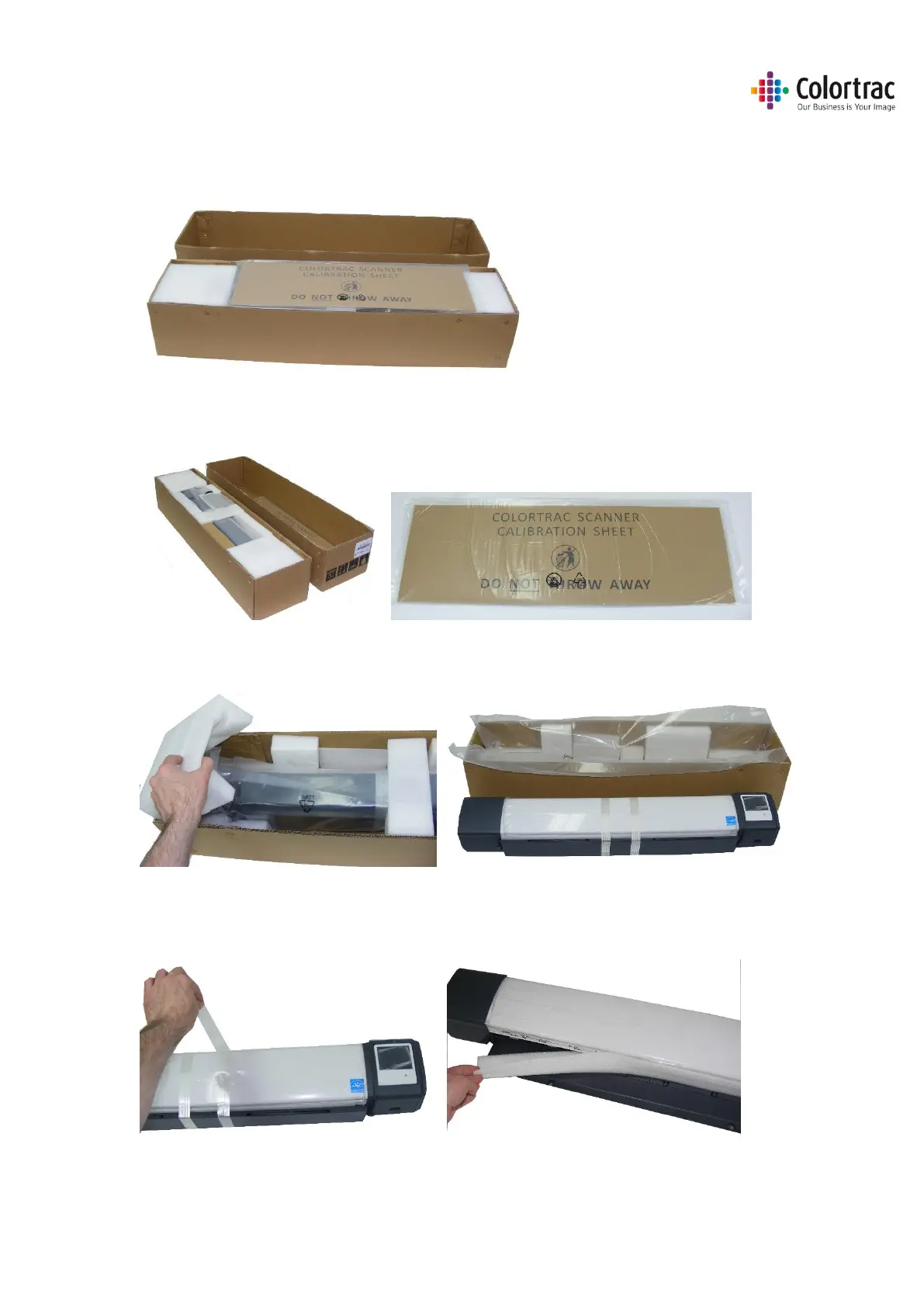
• With the scanner box on the floor, or a suitable large table, remove the top of the cardboard
box.
• Remove the Calibration target and keep it in a safe place for future use. (It is protected inside a
cardboard sleeve inside a sealed plastic bag).
• Remove the packing from the top of the scanner and remove the scanner from its protective
plastic bag and place on a suitable table.
• Remove the transit tape from the scanner. Using the two levers, carefully open the scanner and
remove the foam packing strip from inside the scanner. Close the scanner by lifting the paper
tray with both hands until the two levers click into the locked position.












 To Next Page