Version 1.03 33 Global Scanning UK Ltd © 2017
Configuring the PCs
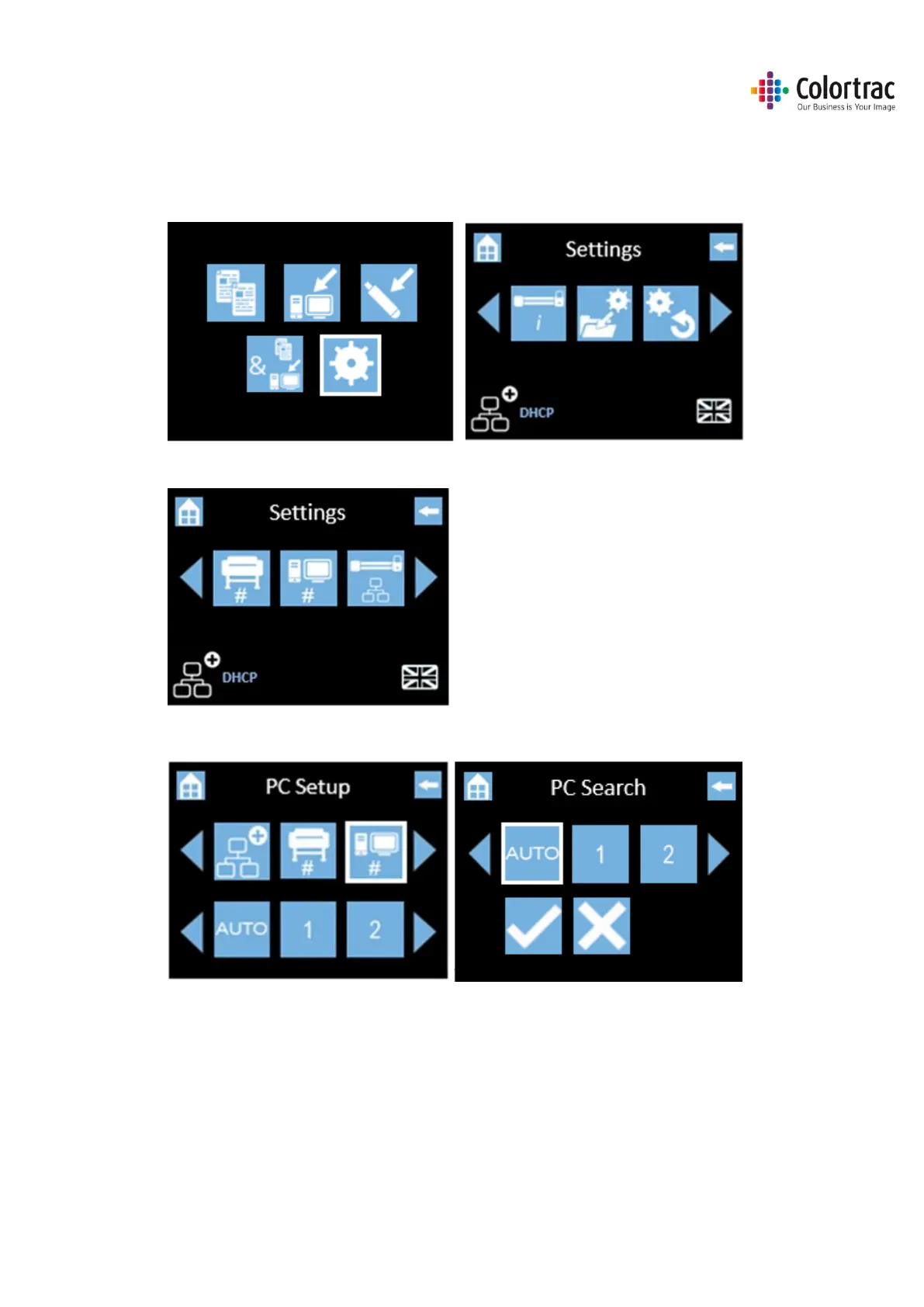
• To define the PCs, we must first search for available devices on the network and assign them
number. The PC can then be selected by this number.
• From the Home Page, select Scanner Settings.
• Scroll and select PC#.
• Select “Auto” followed by “tick” to start the search for available printers on the network.












 To Next Page