Version 1.03 34 Global Scanning UK Ltd © 2017
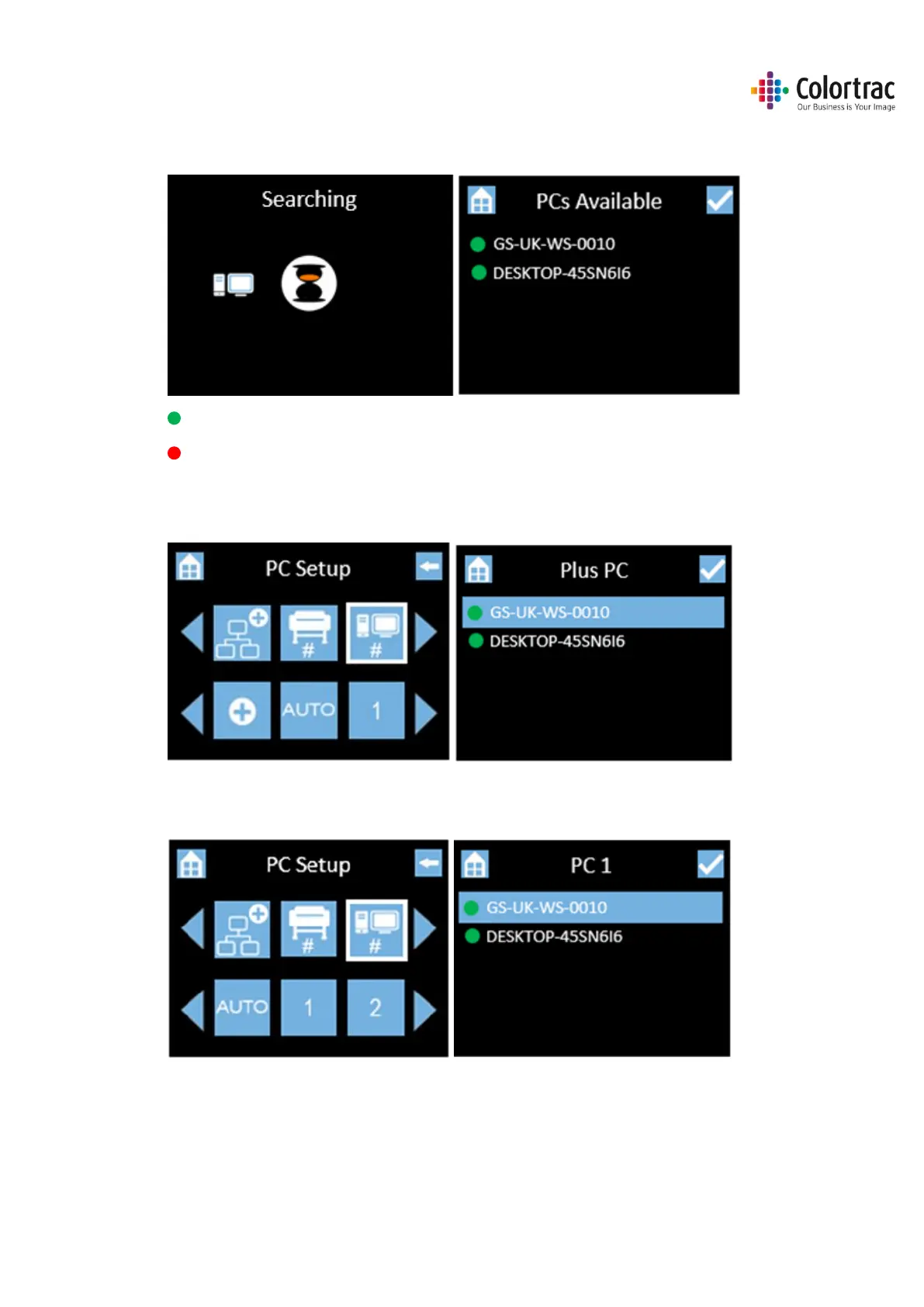
• Please wait while the scanner searches for available PC with the ScanApp Le running. It will
then list the available PCs by their PC name.
The Green Dot indicates it is online.
A red dot indicates it is offline.
• Go back up to the PC Setup menu, scroll and select the Plus PC which is used for the
additional functionality when the Network Mode = Plus.
• Go back up to the PC Setup menu to define PC numbers. Select “1”, then from the list, select
the PC you wish to be assigned #1.












 To Next Page