Appendices
139
C3M2-OM-EN-02
Section 7: Technical
7.1 Checking the Charge Pressure
To check the charge pressure:
1. Stop the truck on a designated service area.
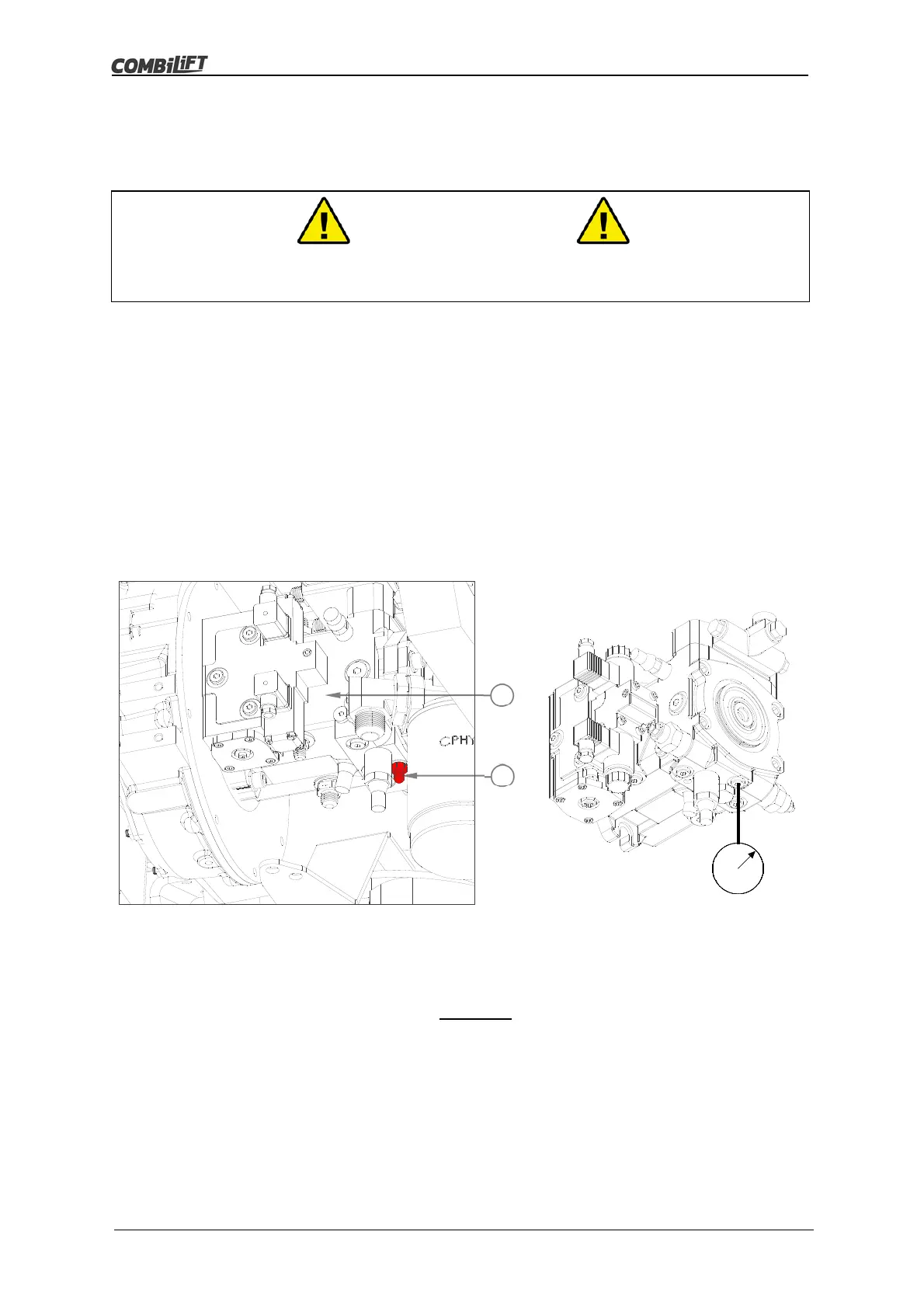
2. Extend the mast reach to allow access to the drive pump (A).
3. Release any residual pressure in the hydraulic system i.e. lower the mast fully
and tilt the mast forward fully.
4. Turn the ignition key switch to the ‘0’ off position, then remove the key.
5. Enter the area between the left-hand and right-hand platforms behind the
mast. Ensure all surfaces are clean and dry and take great care to avoid
slipping!
6. Ensure the hydraulic pumps are cool enough to touch before proceeding.
7. Clean and dry the area around port ‘G’ (B) thoroughly to prevent any
contamination from entering the hydraulic system.
8. Unscrew and remove the hose end from port ‘G’ and seal the open end of the
hose with a 9/16˝ JIC male plug. DO NOT permit any contamination to enter
the hydraulic system.
9. Collect any draining oil in a suitable container and dispose of in compliance
with local regulations.
10. Unscrew and remove the hydraulic adapter from port ‘G’.
11. Screw an M12 pressure gauge test point adapter in to port ‘G’ securely.
12. Attach a pressure gauge - capable of reading pressure up to 40 bar (580
PSI) – to the pressure gauge adapter.
Warning
Ensure that the engine is switched off until the pressure gauge has been
attached securel
.
B
A



 To Next Page