1010
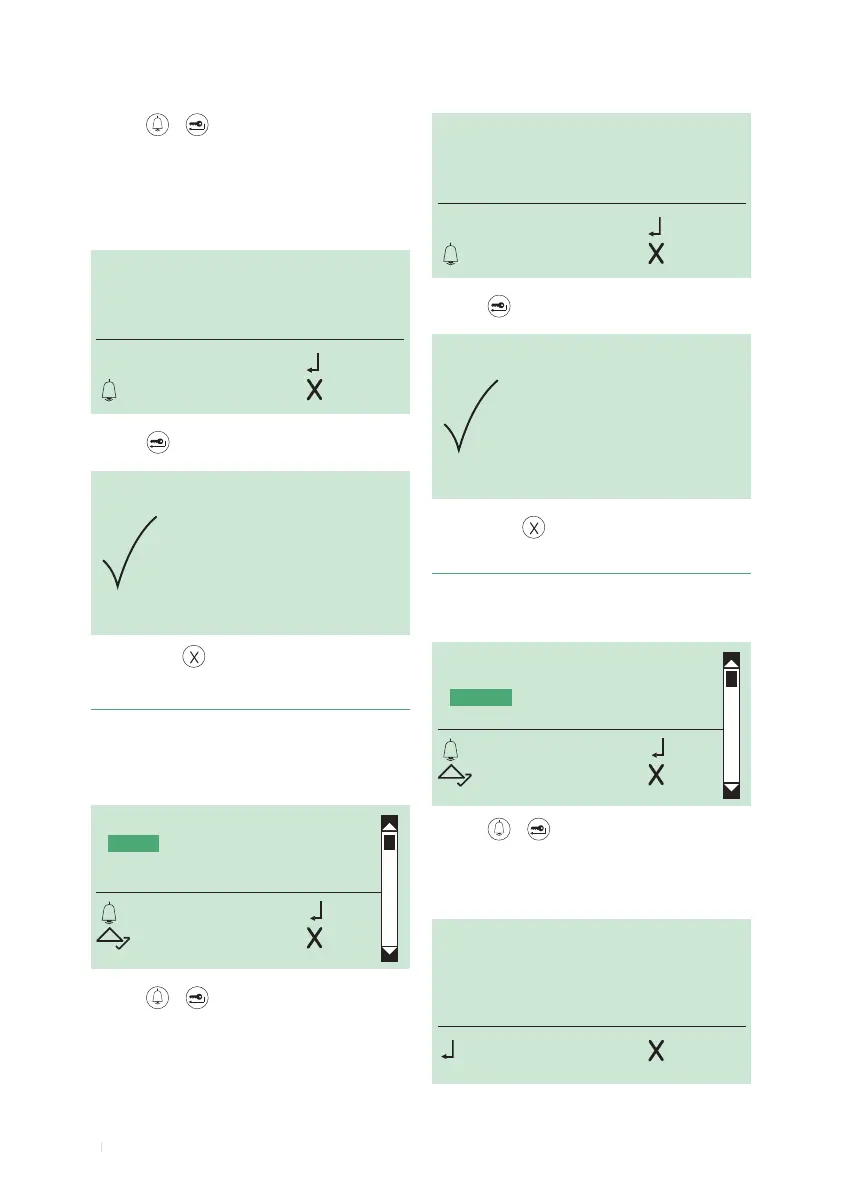
1. access programming mode, see page 6
2. select the menu items:
Access control ⇒ Password ⇒ Search
PASSWORD
DELETED
ENTER
DELETE
SEARCH
CLEAR
OK OK
SCROLL ESC
SEARCH PASSWORD:
_ _ _ _ _ _
OK CANC
SEARCH PASSWORD:
_ _ _ _ _ 3
OK CANC
5. Finding a password code
6. to exit, press
3. press or to conrm
4. enter the rst 4 letters or numbers of the password you
are looking for (there is no need for all the characters to be
correct: the search will return the password with the same
opening characters as the ones you entered)
5.
press to conrm
DELETE PASSWORD:
_ 3ABC4
OK
ESC CANC
1. access programming mode, see page 6
2. select the menu items:
Access control ⇒ Password ⇒ Delete
ENTER PASSWORD:
_ 3ABC4
OK
ESC CANC
ENTER
DELETE
SEARCH
CLEAR
OK OK
SCROLL ESC
4. Deleting a password code
5.
press to conrm
3. press or to conrm
4. enter the password that you want to delete using the
alphanumeric keypad
3. press or to conrm
4. enter the password (max. 6 characters consisting of
numbers and/or letters from A to F) using the alphanumeric
keypad
6. to exit, press
IMPORTANT: the password must be at least 4
characters long



 To Next Page