11 11
Settings of the directory module (Art. 3360B)
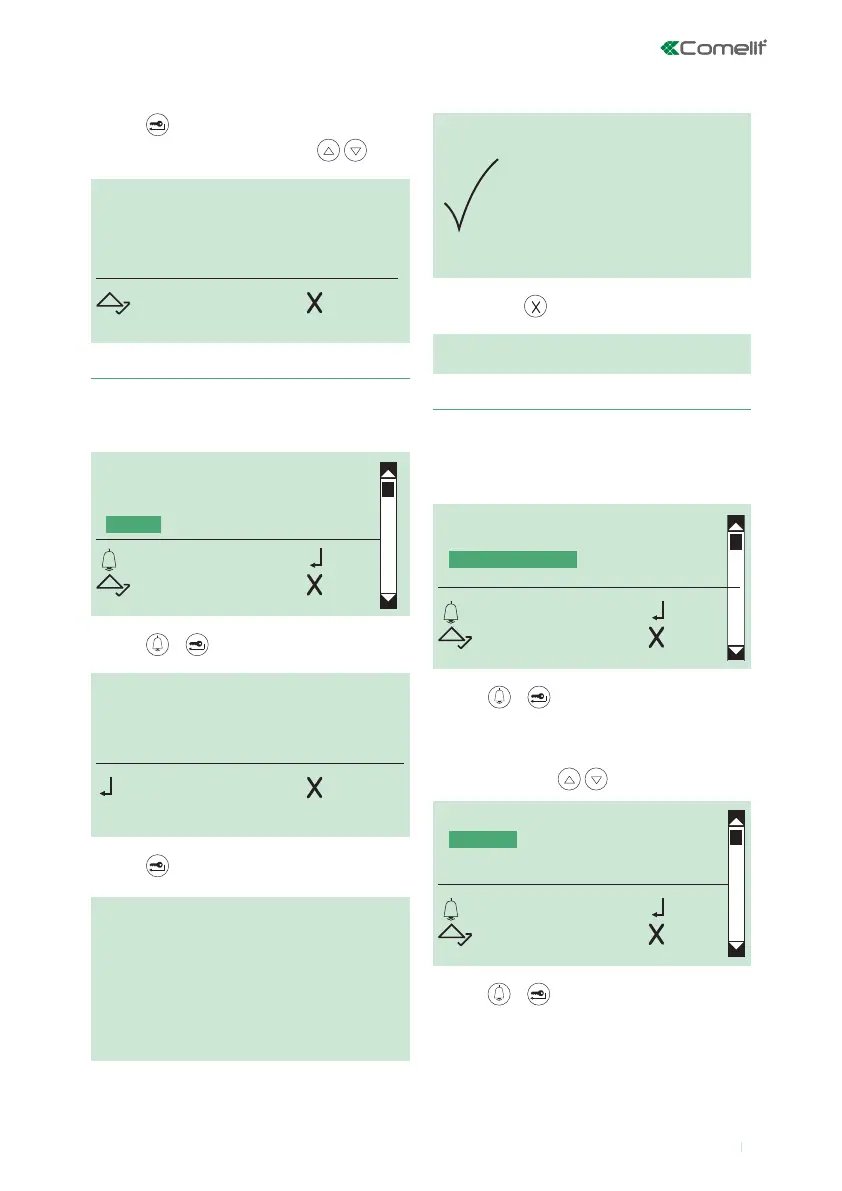
1. Modifying the language setting
1. access programming mode, see page 6
2. select the menu items:
Settings ⇒ Select language
ENTER
DELETE
SEARCH
CLEAR
OK OK
SCROLL ESC
SEARCH PASSWORD:
_ _ _ _ _ _
OK CANC
DELETE
ALL PASSWORDS?
OK CANC
DELETION
IN PROGRESS...
DELETION
COMPLETE
SELECT LANGUAGE
*ITALIANO
ENGLISH
FRANCAIS
OK OK
SCROLL ESC
6. Erasing all passwords
3. press or to conrm
4.
press to conrm
3. press or to conrm
» DEFAULT= Italiano
4. to display the language that you want to select, scroll
through the list using
5. press or to conrm
3ABC4
SCROLL ESC
1. access programming mode, see page 6
2. select the menu items:
Access control ⇒ Password ⇒ Clear
5. to exit, press
5.
press to conrm
6. scroll through all the passwords using
TYPE OF DOWNLOAD
SYSTEM PARAMETERS
SELECT LANGUAGE
SECOND LANGUAGE
OK OK
SCROLL ESC



 To Next Page