1818
This function is enabled by default.
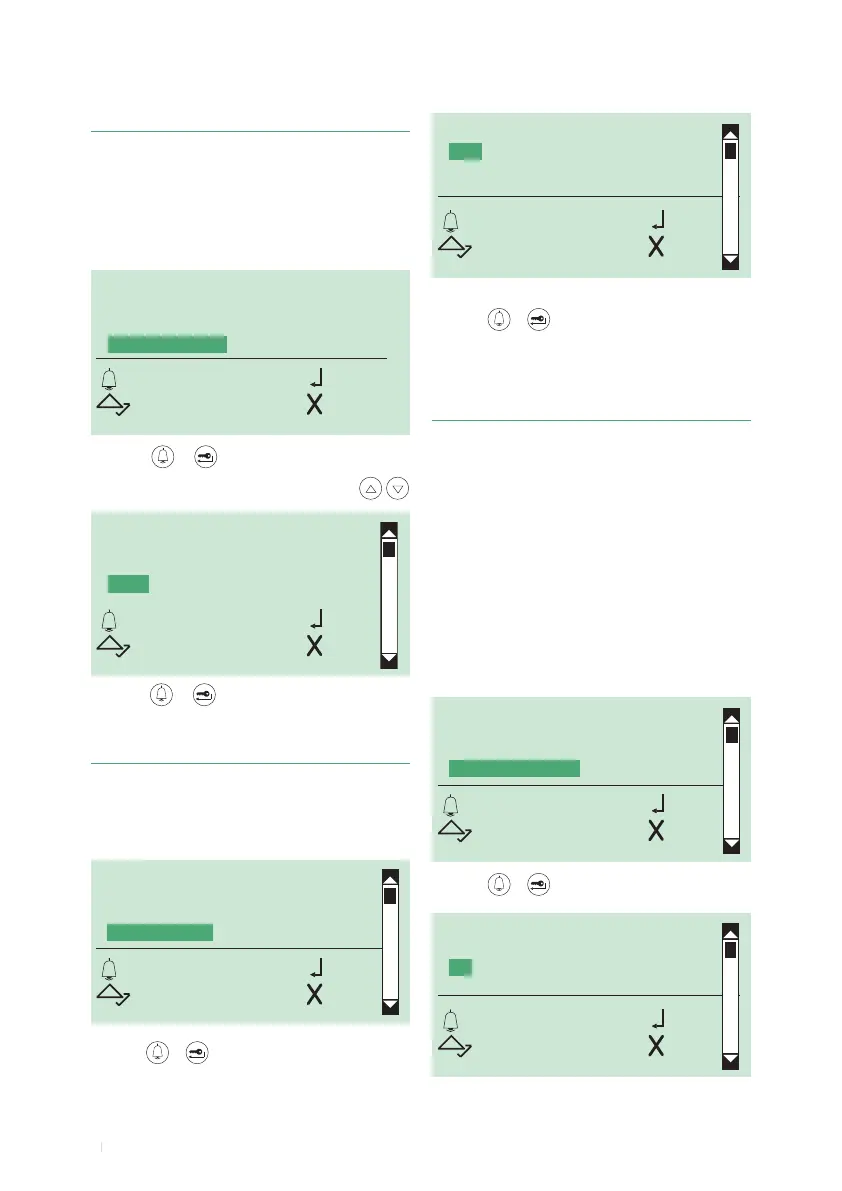
1. access programming mode, see page 6
2. select the menu items:
Settings ⇒ Keypad tone
1. access programming mode, see page 6
2. select the menu items:
Settings ⇒ Default settings
This function is used to restore the default settings:
Language = Italiano
Second language = disabled
Type of system = Simplebus
Call mode = standard
Welcome message = disabled
Screen saver = disabled
Type of download = disabled
RS485 address = 0
Keypad sensitivity = medium
Keypad speed = high
Keypad tone = disabled
14. Restoring the default values of the directory
module
KEYPAD SENS.
KEYPAD SPEED
KEYPAD TONE
DEFAULT SETTINGS
OK OK
SCROLL ESC
DEFAULT SETTINGS
YES
*NO
OK OK
SCROLL ESC
3. press or to conrm
13. Enabling/disabling the keypad tone
3. press or to conrm
4. select YES to enable the function, NO to disable it
5. press or to conrm
» * indicates active selection
KEYPAD TONE
*YES
NO
OK OK
SCROLL ESC
SCREEN SAVER
KEYPAD SENS.
KEYPAD SPEED
KEYPAD TONE
OK OK
SCROLL ESC
5. press
or
to conrm
.
» * indicates the speed of the selected keypad
The "keypad speed" parameter determines the speed
with which prolonged pressing of a key is converted into
"multiple presses of the same key".
The default keypad speed setting is high.
1. access programming mode, see page 6
2. select the menu items:
Settings
⇒
Keypad Speed
12. Changing keypad speed
WELCOME MESSAGE
SCREEN SAVER
KEYPAD SENS.
KEYPAD SPEED
OK OK
SCROLL ESC
KEYPAD SPEED
LOW
MEDIUM
* HIGH
OK OK
SCROLL ESC
3. press
or
to conrm
4. select the desired keypad speed using



 To Next Page