17 17
9. Enabling/disabling the static message
This function is disabled by default.
If activated, the welcome message will appear and remain
on the display after a 30-second period of inactivity.
1. access programming mode, see page 6
2. select the menu items:
Settings ⇒ Welcome message ⇒ Static message
CHANGE
ENABLE
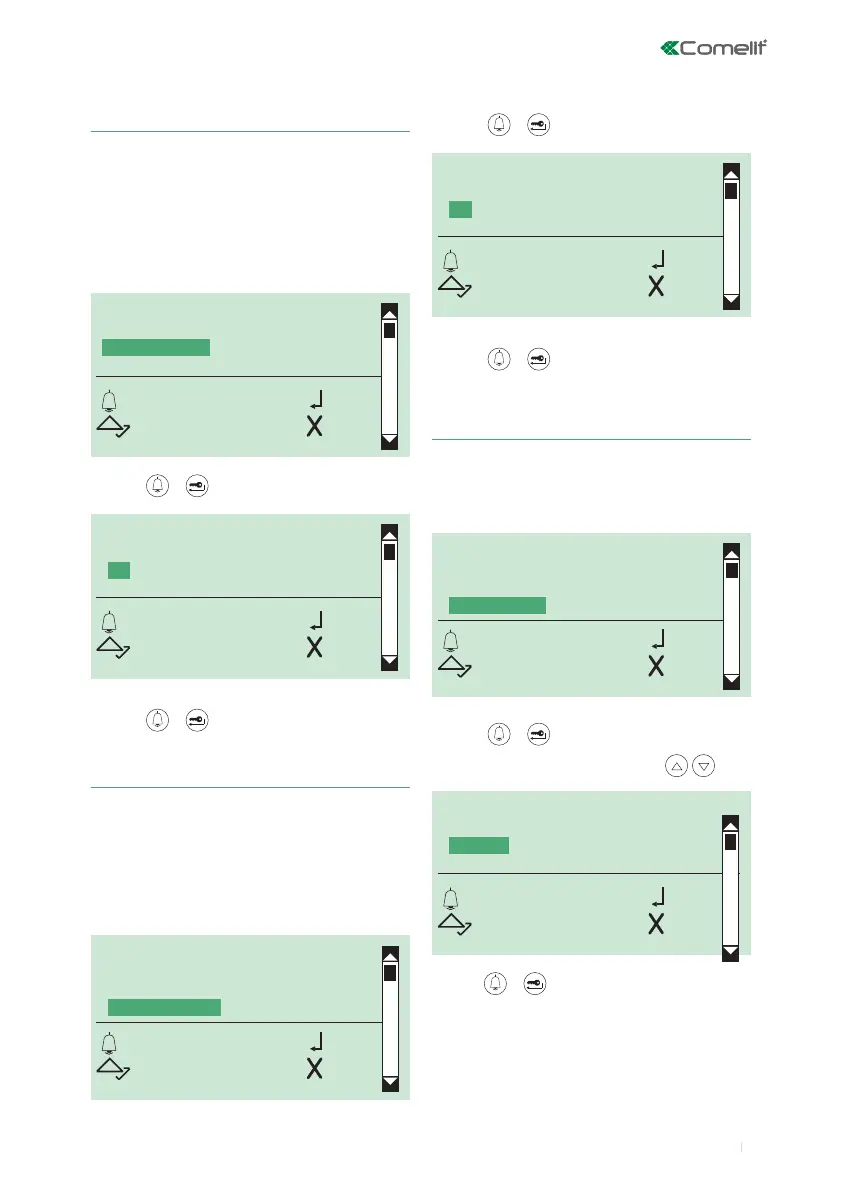
STATIC MESSAGE
OK OK
SCROLL ESC
STATIC MESSAGE
YES
*NO
OK OK
SCROLL ESC
This function is disabled by default.
If activated, the screensaver will appear after a 30-second
period of inactivity.
1. access programming mode, see page 6
2. select the menu items:
Settings ⇒ Screen saver
10. Enabling/disabling the screensaver
CALL MANAGEMENT
NAME ONLY
WELCOME MESSAGE
SCREEN SAVER
OK OK
SCROLL ESC
The default keypad sensitivity setting is medium.
1. access programming mode, see page 6
2. select the menu items:
Settings ⇒ Keypad sens.
11. Changing the keypad sensitivity
SCREEN SAVER
YES
*NO
OK OK
SCROLL ESC
NAME ONLY
WELCOME MESSAGE
SCREEN SAVER
KEYPAD SENS.
OK OK
SCROLL ESC
3. press or to conrm
4. select YES to enable the function, NO to disable it
5. press or to conrm
» * indicates active selection
3. press or to conrm
4. select YES to enable the function, NO to disable it
5. press or to conrm
» * indicates active selection
KEYPAD SENS.
LOW
*MEDIUM
HIGH
OK OK
SCROLL ESC
3. press or to conrm
4. select desired keypad sensitivity using
5. press or to conrm
» * indicates the selected keypad sensitivity setting



 To Next Page