2626
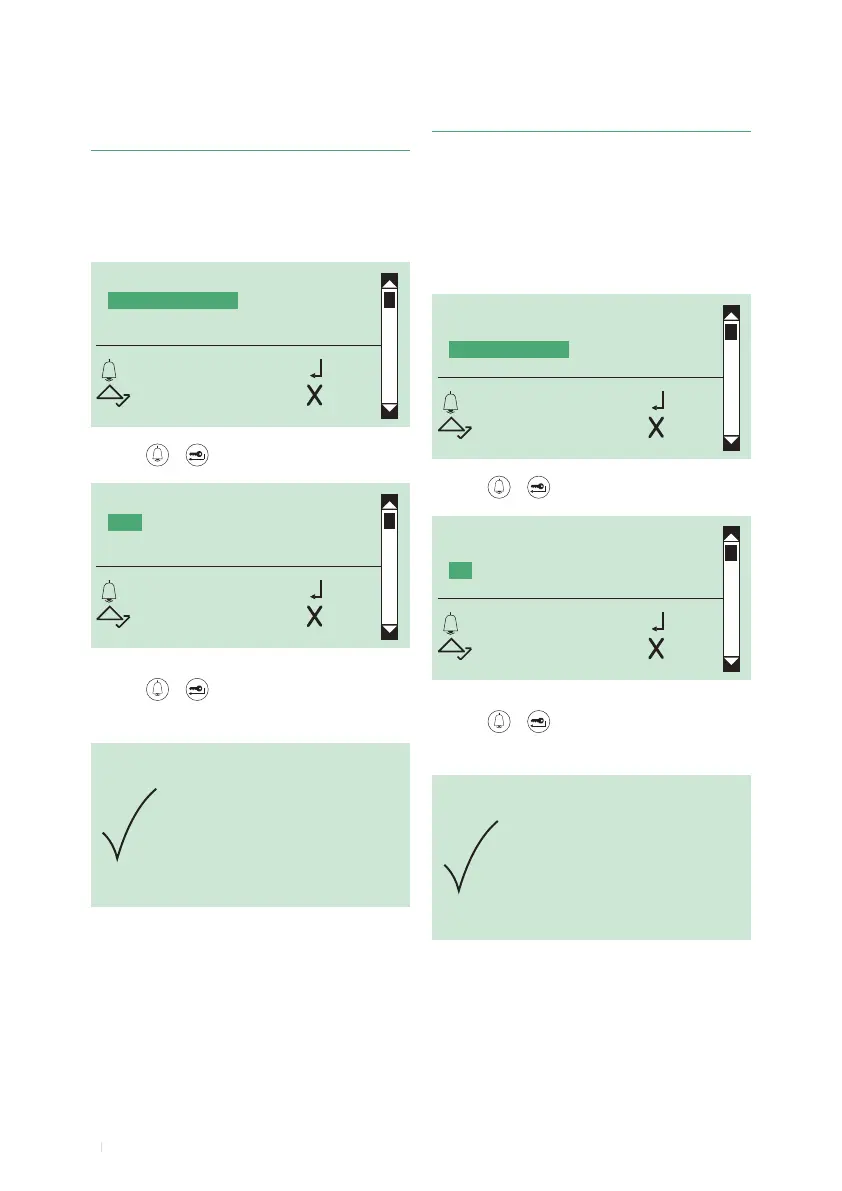
5C. Enabling/disabling the call codes booster
This function is disabled by default.
Allows control of over 70 internal units connected to porter
module.
1. access programming mode, see page 6
2. select the menu items:
Settings ⇒ System parameters ⇒ Speaker parameters
⇒ Advanced options ⇒ Call ⇒ Codes booster
TRIPLE CALL
CONFIRMATION TONE
CODES BOOSTER
ANSWER WAIT TIME
OK OK
SCROLL ESC
CODES BOOSTER
YES
*NO
OK OK
SCROLL ESC
PARAMETER
CHANGED
3. press or to conrm
4. select YES to enable the function, NO to disable it
5. press or to conrm
» * indicates active selection
» conrmation tone
5B. Enabling/disabling the call conrmation
tone
This function is enabled by default.
1. access programming mode, see page 6
2. select the menu items:
Settings ⇒ System parameters ⇒ Speaker parameters
⇒ Advanced options ⇒ Call ⇒ Conrmation tone
TRIPLE CALL
CONFIRMATION TONE
CODES BOOSTER
ANSWER WAIT TIME
OK OK
SCROLL ESC
CONFIRMATION TONE
YES
*NO
OK OK
SCROLL ESC
PARAMETER
CHANGED
3. press or to conrm
4. select YES to enable the function, NO to disable it
5. press or to conrm
» * indicates active selection
» conrmation tone



 To Next Page