Overview
3-3
3.4 op Panel of the Main Unit
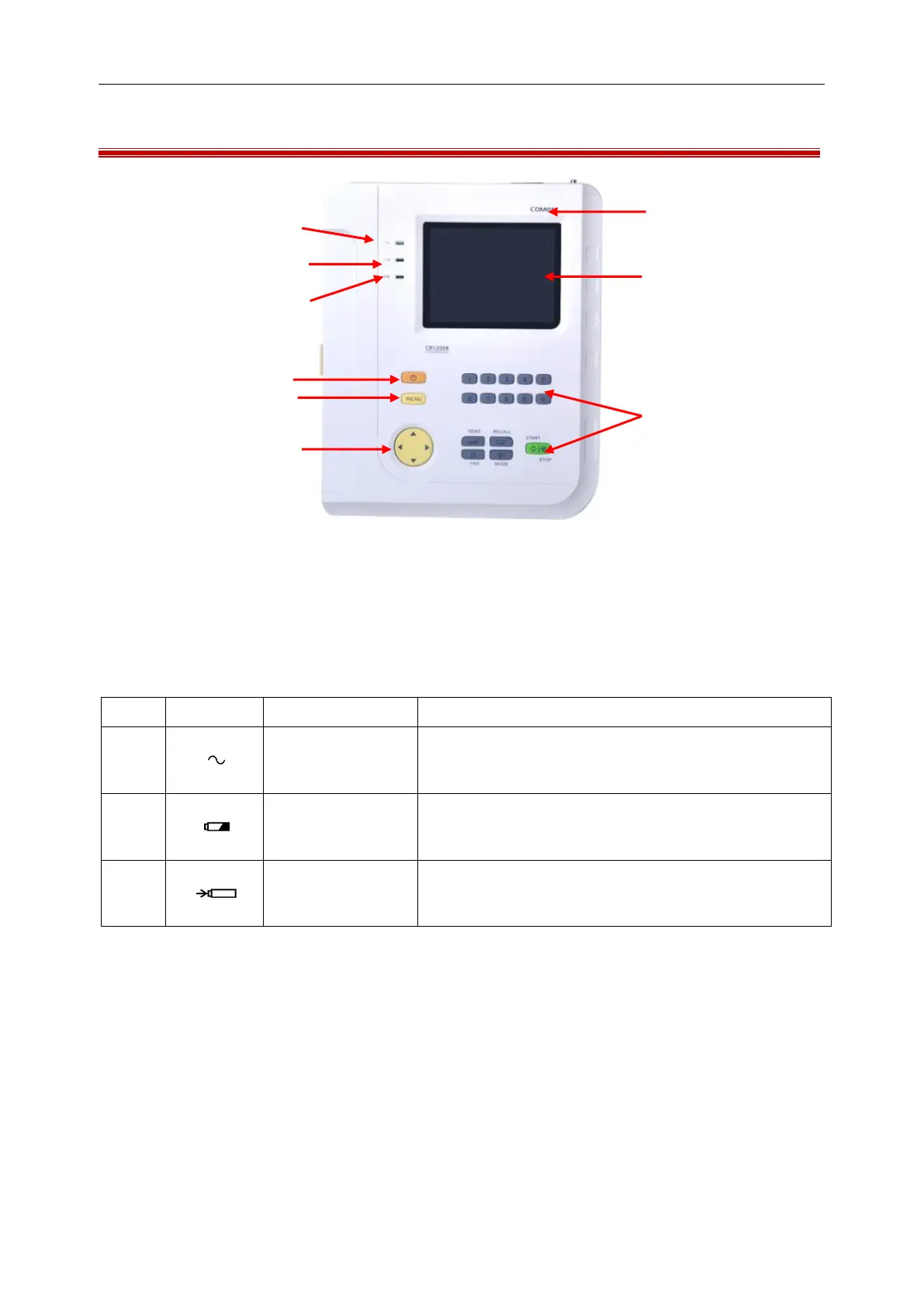
Figure 3-1 Top Panel
Working State Indicator lamps
As shown in the above figure, the working state indicator lamps from up to down are: AC Indicator lamp,
Battery Working Indicator Lamp and Battery charging Indicator Lamp.
When the AC power supply is used, this indicator lamp is
light.
Battery Working
Indicator Lamp
When the built-in rechargeable lithium battery is used, this
indicator lamp is light.
Battery charging
Indicator Lamp
When the battery is being charged, this indicator lamp and
the AC indicator lamp are light at the same time.
Recharging Indicator lamp



 To Next Page