Operation Instructions
5-11
5.3 ECG Recall
Press the [RECALL] key to enter file RECALL interface. In the RECALL interface for file management,
patient data can be printed and deleted, and 300 patient cases can be saved in this interface.
Only under automatic mode and when [save option] is set as [on], the ECG data can be saved in
the RECALL interface for file management.
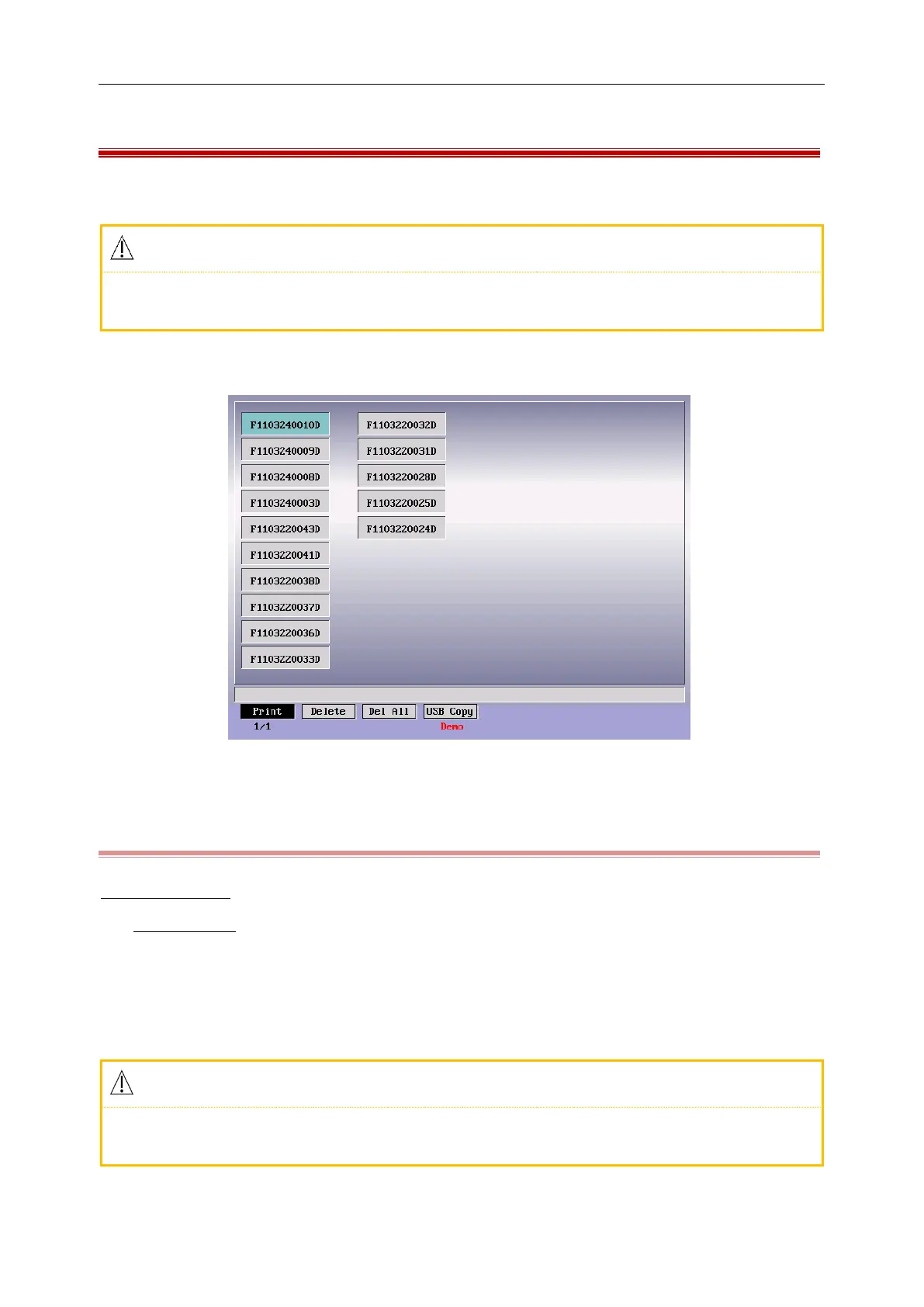
Press the [RECALL] key to enter file RECALL interface as shown in the following figure;
Figure 5-9 ECG Recall Interface
5.3.1 What is the Case ID?
E.g:S0902190045G
S0902190045D
1. S: the patient data is stored in the SD card (“F” for Flash memory);
2. 090219:the patient‟s arrival date;
3. 0045: the 45th patient on that day;
4. D: the data was printed by the internal or external printer; “G” for data saved as an image file.
Any data saved as an image file can not be printed by the internal or external printer. You can
connect the ECG machine to the computer and upload this image file to the computer to print.



 To Next Page