Operation Instructions
5-8
If incorrect paper type is selected, the equipment may not print normally
When rolled paper 210mm or folded paper 140×210 mm, the baffle plate in the Appendix I
should be used to avoid print paper being skewed.
10) [Printer Test]: [Off], [testing]. In the print head test the triangle wave is printed normally.
When the printer is out of order, the maintenance should be conducted by authorized and
qualified engineers. If the maintenance is not conducted by those engineers authorized by
Comen Company, Comen Company will not be responsible for the security, reliability and
performance of this equipment.
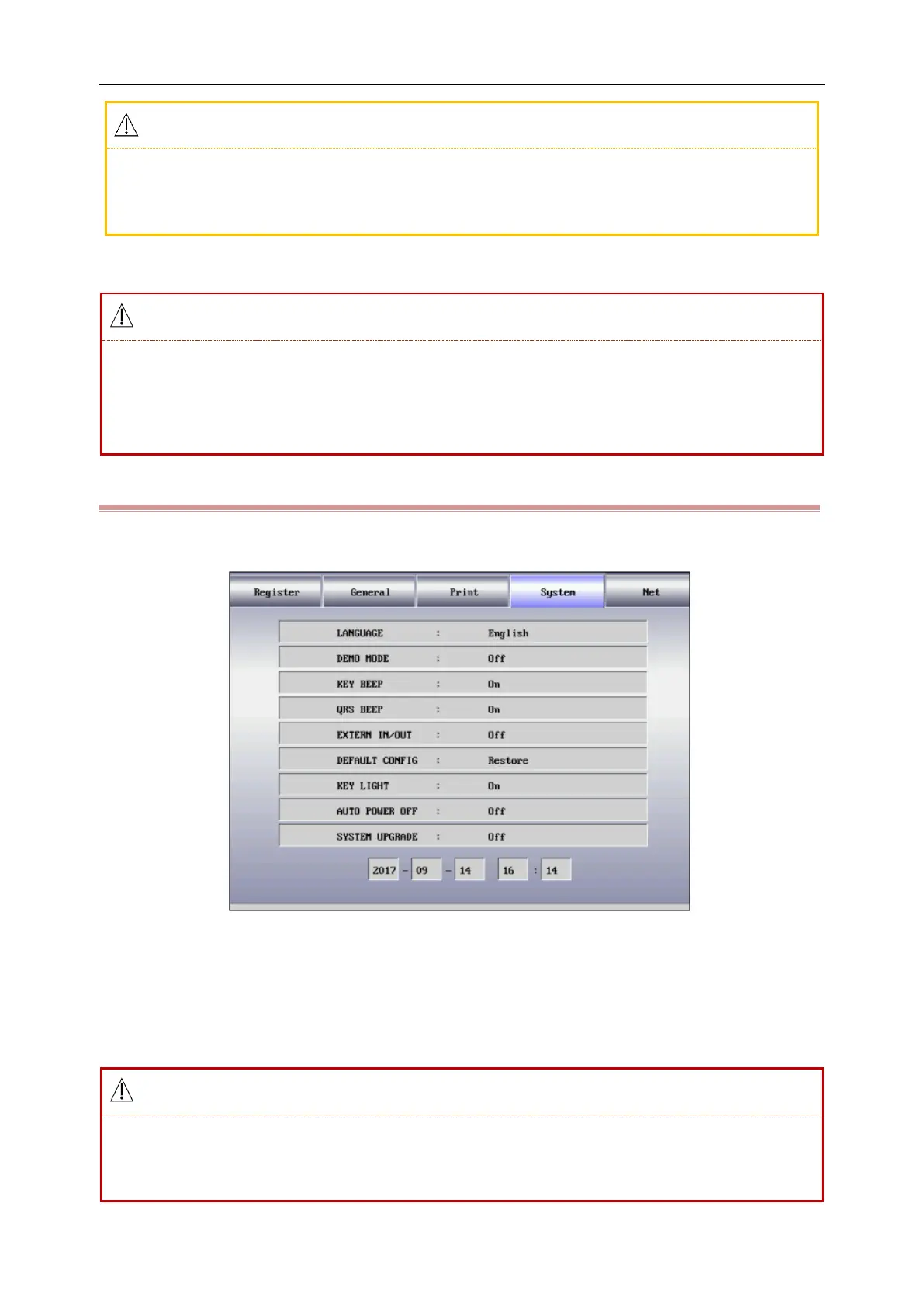
5.2.4 System Options
Press the [MENU] key to enter the setting menu, select the [System] as shown in the following figure:
Figure 5-7 System Options Interface
1) [Language]: The user can set the language displayed on the screen of the electrocardiograph and the
language used in the ECG records.
2) [Demo Mode]: [On], [Off].
Waveform demonstration is the simulated demonstrate waveform set by the manufacturer to
show the equipment performance and help the user to conduct training. In the practical clinical
application, demonstration waveform is forbidden to use, because it is easier to mislead the



 To Next Page