Operation Instructions
5-15
5.4 Automatic Mode
Under the automatic working mode, the lead groups will be switched in order automatically in the recording
of ECG, which means that when the ECG signal of one lead group has been recorded in the set period, it will
be switched to the next lead group automatically and start to record the ECG signal of the next lead group.
Before the recording of the ECG signal, 1mV calibration will be conducted automatically and marked on the
record paper.
Specific Operation Methods:
1) Input patient information before recording;
2) Enter the MENU interface, set the sampling modes, filter modes, print modes and so on;
3) Set other parameters according to your need and when the setting finishes exit the setting
window and back to the waveform area;
4) Press the Mode key to select automatic print
5) Press the START/STOP key to start printing. Here, below the heart rate values battery display,
the following items will display: sampling, analyzing, printing and other prompt information.
6) In the recording process, press the START/STOP to stop recording if necessary.
Neither in the automatic mode nor manual mode, the working mode cannot be changed in the
recording process; the working mode can be selected again only after the recording stops.
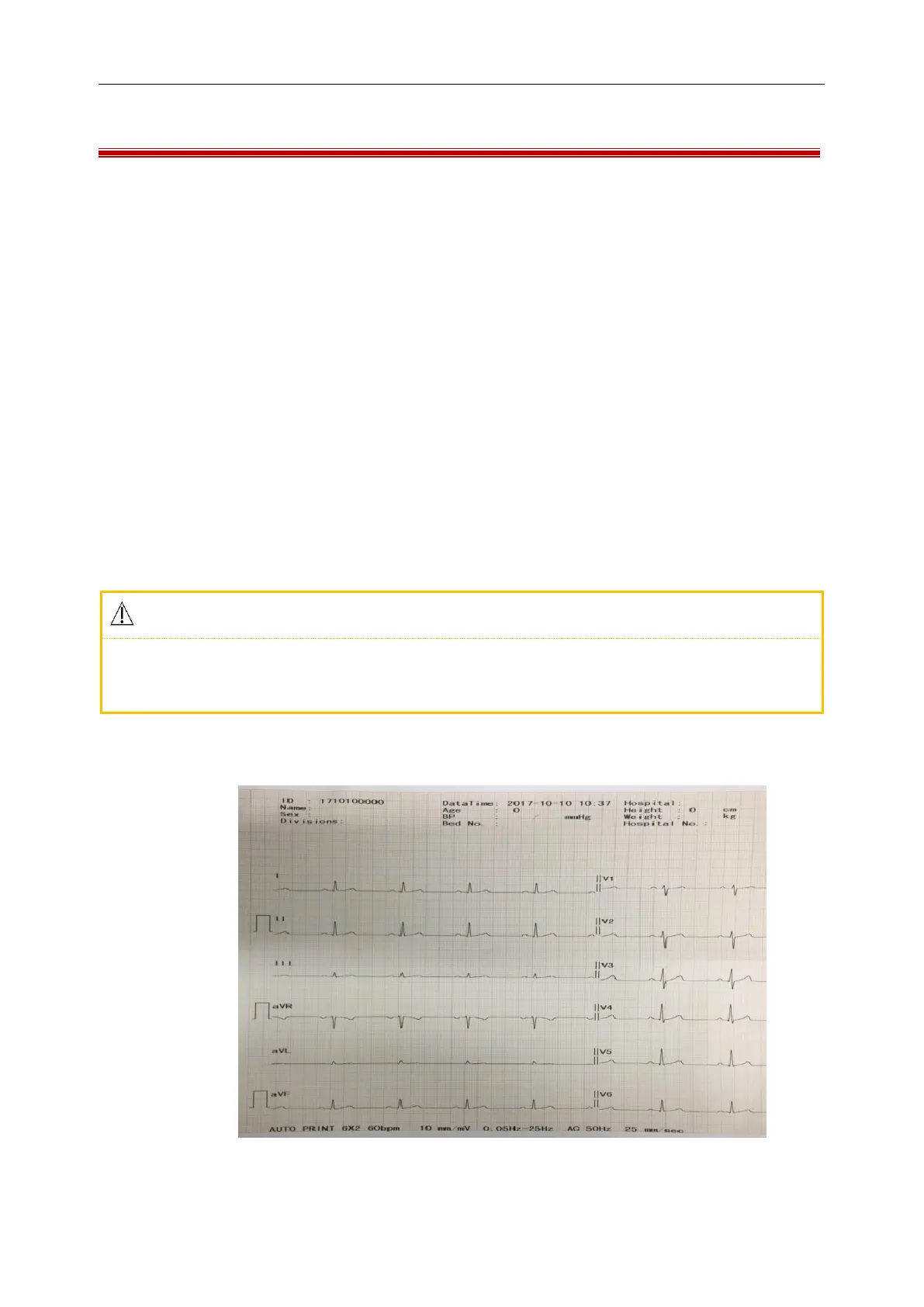
Take the ECG records of 6×2 channel mode and 3×4+1R average templates as an example, which is
composed of part (a) and part (b):
Figure 5-14 (a) Automatic Print Channel Mode 6×2



 To Next Page