Operation Instructions
5-3
[Height (cm)]: Patient‟s Height (Range: 0~999)
[Weight (kg)]: Patient‟s Body Weight (Range: 0~999)
[SYS (mmHg)]: Patient‟s Systolic Pressure (Range: 0~999)
[DIA (mmHg)]: Patient‟s Diastolic Pressure (Range: 0~999)
[Hospital]: Hospital Name (within40 characters)
[Doctor]: Doctor‟s Name (within 20 characters)
[Technician]: Technician‟s Name (within 20 characters)
[Bed No.]: Bed No. (within 20 characters)
[Division]: the division patient registered in (within 20 characters)
[Hospital No.]: within 10 numbers or letters
5.2.2 General Options
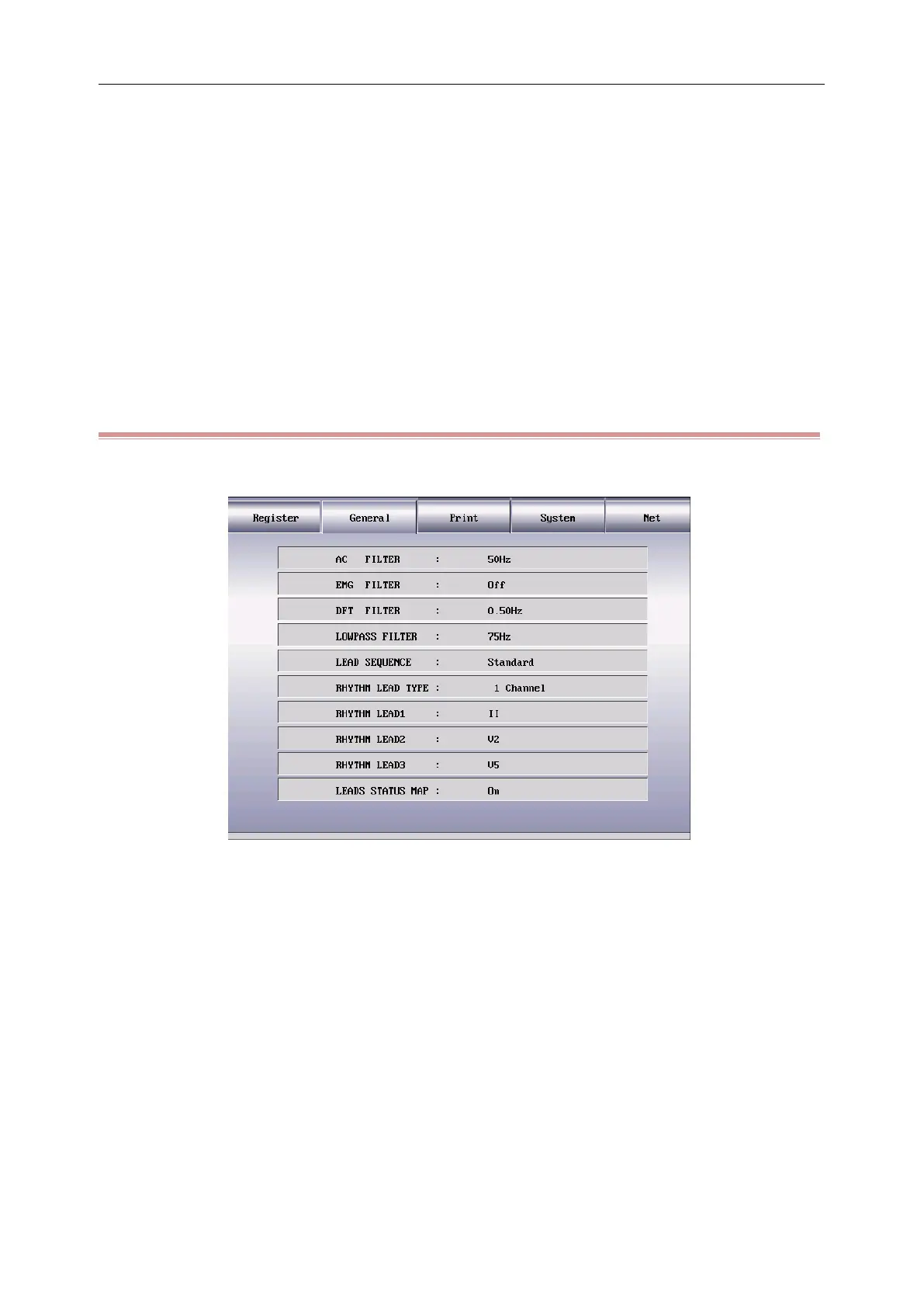
Press the [MENU] key to enter the setting menu, select the [General] as shown in the following figure:
Figure 5-3General Setting
Filter setting menu includes 4 filter settings: AC filter, EMG filter, drift filter and lowpass filter.
1) [AC Filter]: [50Hz], [60Hz] and [off]
AC filter is used to resist the interference of the AC power supply to avoid the reducing or distortion of
the ECG signal.
2) [EMG Filter]: [25Hz], [35Hz], [45Hz] and [off]
EMG filter is used to resist the interference on the ECG signal caused by strong muscle vibration. The
cutoff frequencies the user can select are 25Hz, 35Hz, and 45Hz or off.
3) [Dft Filter]: [0.05Hz], [0.10Hz], [0.20Hz] and [0.50Hz]
Drift filter is used to resist the drift of the baseline and ensure the ECG signal is on the baseline in the
recording process. The set option values are the lower limits of the frequency range which include four



 To Next Page