Operation Instructions
5-10
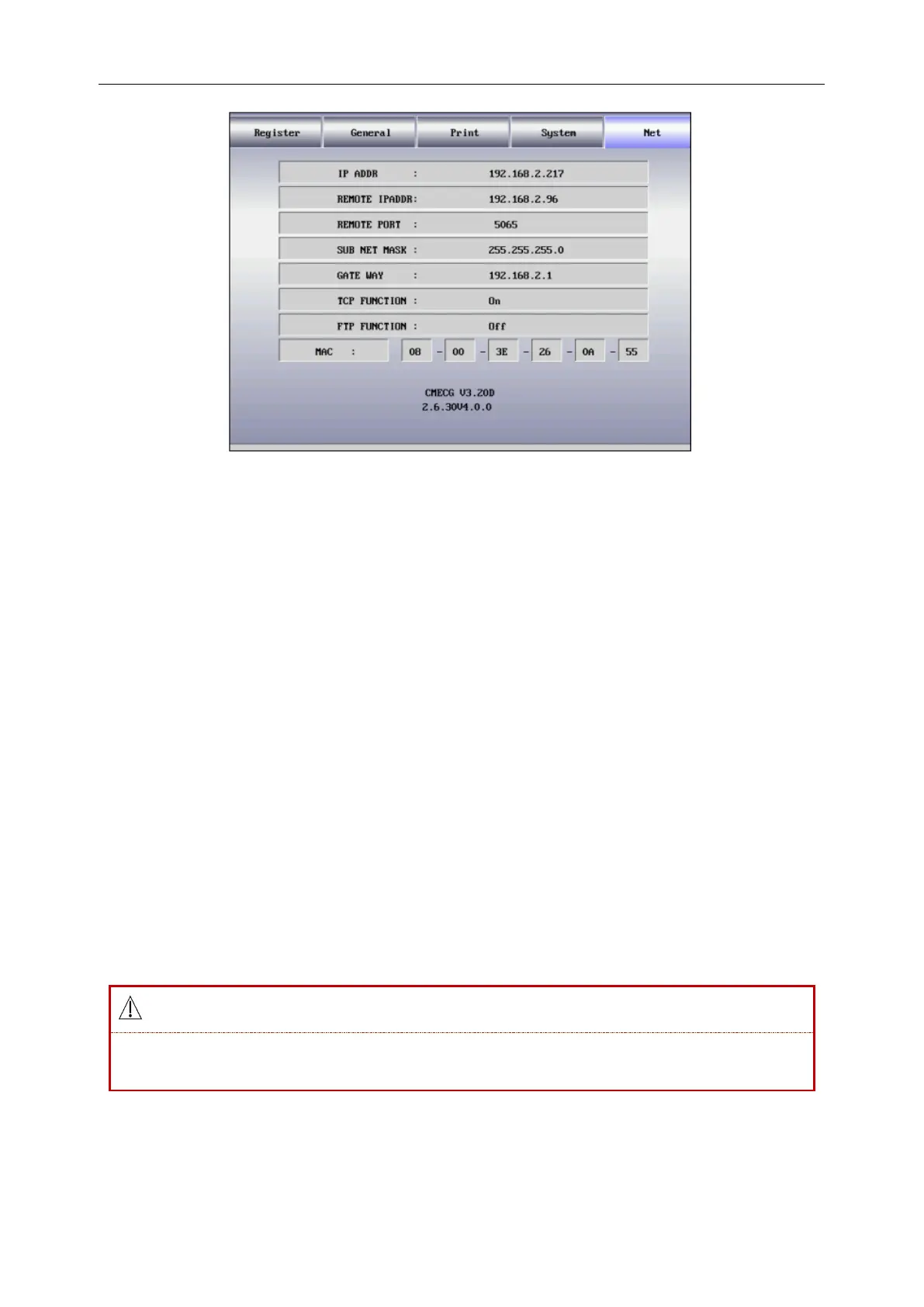
Figure 5-8 Network Parameter Interface
1. [IP ADDR]: 192.168.2.217, IP address of the ECG machine.
2. [Remote IP ADDR]: 192.168.2.96, IP address of the computer connected.
3. [Remote Port]: 5065, remote port connected to the ECG workstation.
4. [Sub Net Mask]: 255.255.255.0, subnet mask of the computer connected.
5. [Gate Way]: 192.168.2.1, default gate way of the computer connected.
6. [TCP FUNCTION]: [On], [Off]. Select On to connect to the ECG workstation.
TCP (Transmission Control Protocol) is a connection-oriented reliable transport layer communication
protocol based on bytes stream.
7. [FTP FUNCTION]: [On], [Off]. Select [On] to connect to the computer and view the case data record on
the computer. Refer to section 5.3.3 connect ECG to computer for detailed information.
FTP (File Transfer Protocol) allows one computer to acquire files from or transfer files to another
computer. You can connect the ECG machine to a computer and designate a user name and password to
use the computer in a safe way. Whenever the computer accesses the files on the data management
window of the ECG machine, FTP will be run and you can only copy the files to your computer to use.
Note: The network connection function is optional.
8. [MAC]: 08-00-3E-26-0A-55, MAC address of the ECG machine.
Only connect this machine to the ECG workstation system of Shenzhen Comen Medical
Instruments Co., LTD. .
9. CMECG V3.20D(version information of the equipment);2.6.30V4.0.0(copyright information of the
kernel)



 To Next Page