General Introduction
2-6
2.8 Screen Display
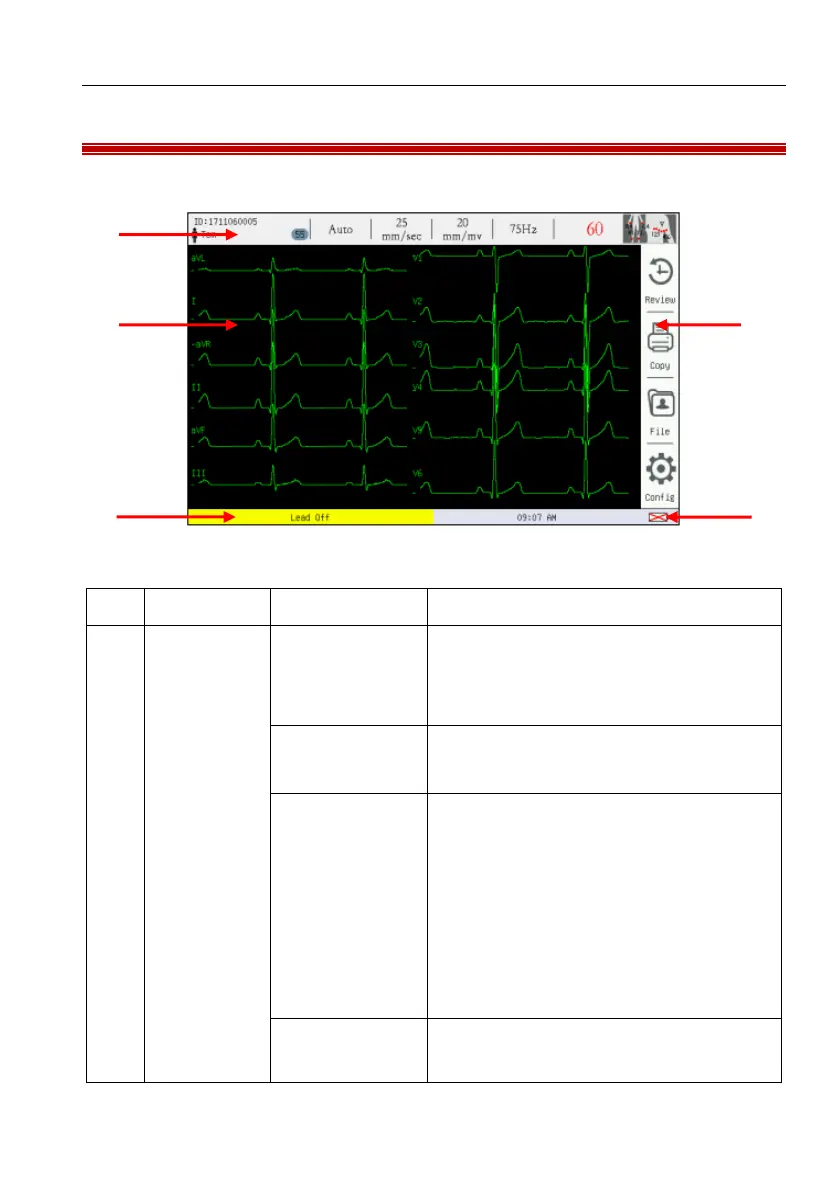
The main screen is shown as follows:
Figure 2-6 Main screen
Patient and
system
information
(from left to
right)
Display patient ID, sex, name and age,
click here to enter the [Register]
settings
Auto/manual/ rhythm, click here to
change measurement mode circularly.
Click here to change recording speed
circularly. Under manual mode,
recording speeds of 5mm/s, 6.25mm/s,
10mm/s, 12.5mm/s, 25mm/s and
50mm/s are supported; under auto and
rhythm mode, recording speeds of
25mm/s and 50mm/s are supported.
Click here to change wave gain
circularly. 2.5mm/mV, 5 mm/mV,



 To Next Page