System Settings
4-9
and output.
When [Printer Select] is set as [Internal], only [1 Channel] is available
in [Rhythm Lead Type] option; when [Printer Select] is set as
[External] and [Close], [1 Channel] and[3 Channel] are available in
[Rhythm Lead Type] option
4.5.3 Print Settings
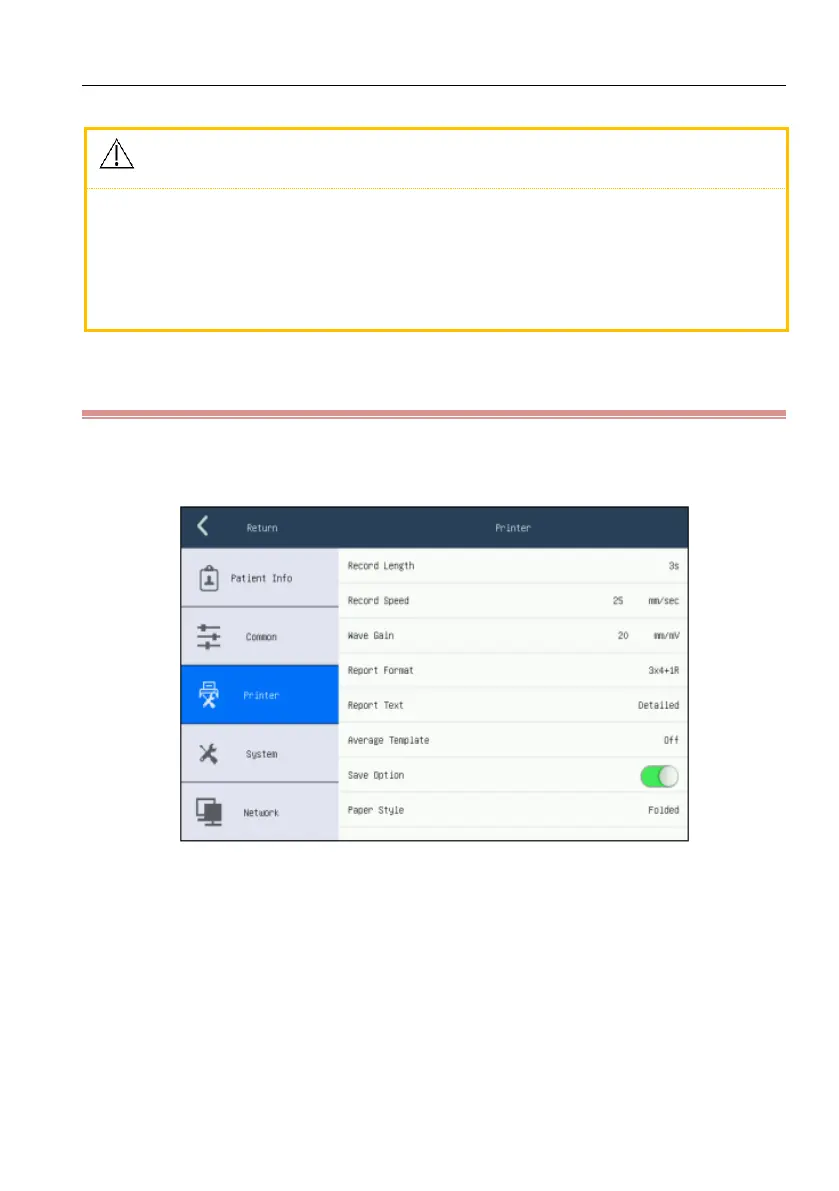
Click [Config.] to enter setting screen, and select the [Printer], shown as following
figure:
Figure 4-5 Print settings screen
[Record Length]: [3s], [6s] and [10s].
[3s], [6s] and [10s ]can be selected as the recording time of each waveform
group under auto mode; this option is not available under manual and rhythm
mode.
[Record Speed]: the paper speed of recorder. Under manual mode, five kinds
of speed [5mm/s],[6.25mm/s], [10mm/s],[12.5mm/s],[25mm/s] and [50mm/s]



 To Next Page