5-1
Chapter 5 File Management
5.1 Review
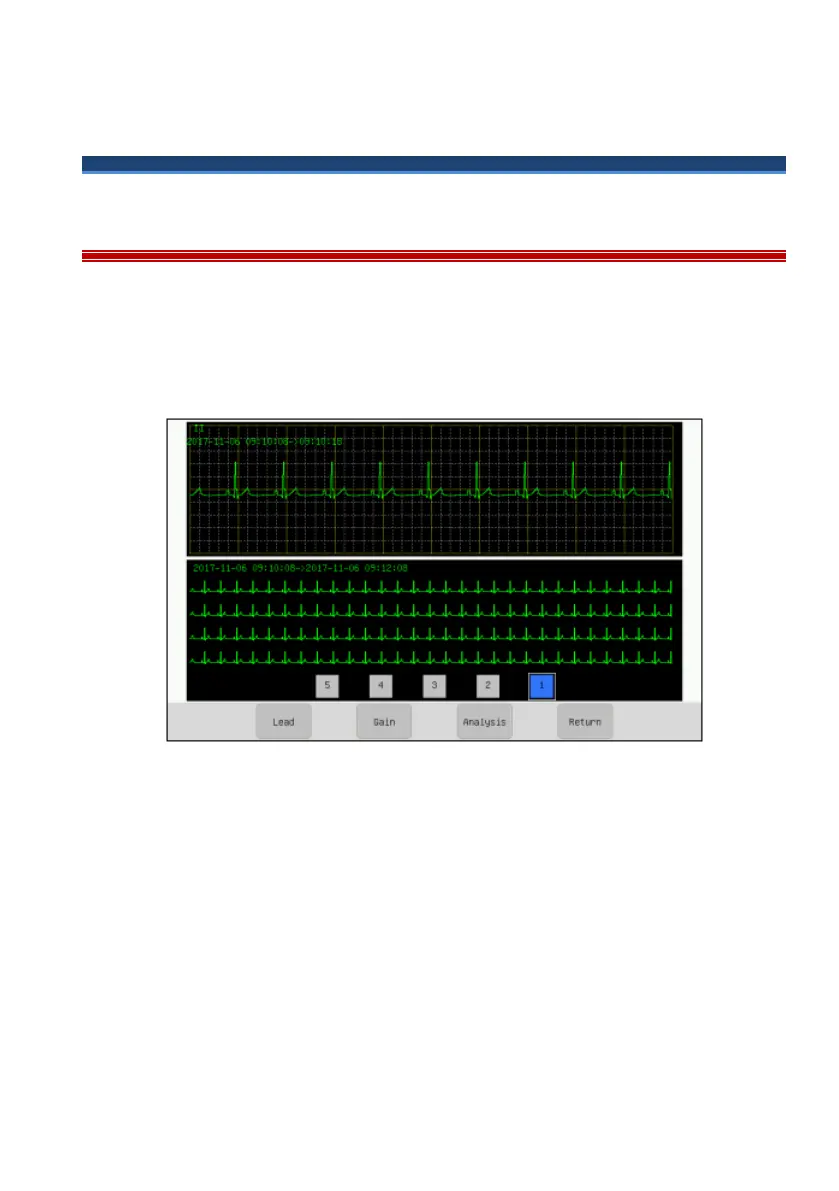
Review function means the ECG waveform of previous 10 minutes can be viewed
in the review screen. The 12-lead ECG can be reviewed, analyzed and printed in
the review screen. Click “Review” hotkey to enter the review screen, shown as the
following figure.
Figure 5-1 Review screen
In review screen, the default waveform displayed is II lead waveform. In
compressed waveform area, the waveforms of the patient electrocardiographed are
displayed, and click any compressed waveform area, the selected 10s waveform
will be displayed in the uncompressed waveform area which is convenient for
doctors to observe the waveform.
[Lead]: [І], [II], [III], [aVR], [aVL], [aVF], [V1], [V2], [V3], [V4], [V5],
[V6],switch ECG waveform of 12 leads to display, then click [OFF] to finish
switching.



 To Next Page