File Management
5-2
[Gain]: 10mm/mV、20mm/mV. Set the waveform gain in the uncompressed
waveform area and click the option of [Off ] to complete the setting.
[Analysis]: Select [Analysis] and prompt message [Analysis] will be
displayed until analysis result. Click [Print] to print the selected 12-lead ECG
waveform of 10 seconds and analysis report simultaneously. Click [OFF] to
return review screen.
[Return]: click to exit review screen and return to main screen.
5.2 Copy
This electrocardiograph has the function of copying the latest recording under auto
mode, that is, click the [copy] hotkey, the latest report can be reprinted.
5.3 Patient Files
A file can be formed only under auto mode. Set [Save Option] as [On], then
conduct a recording under auto mode, and then a new file forms. This
electrocardiograph can save binary 200 patient files in the Flash, and 40,000
binary patient files in the standard8G SD card. The picture saved is maximum 8M.
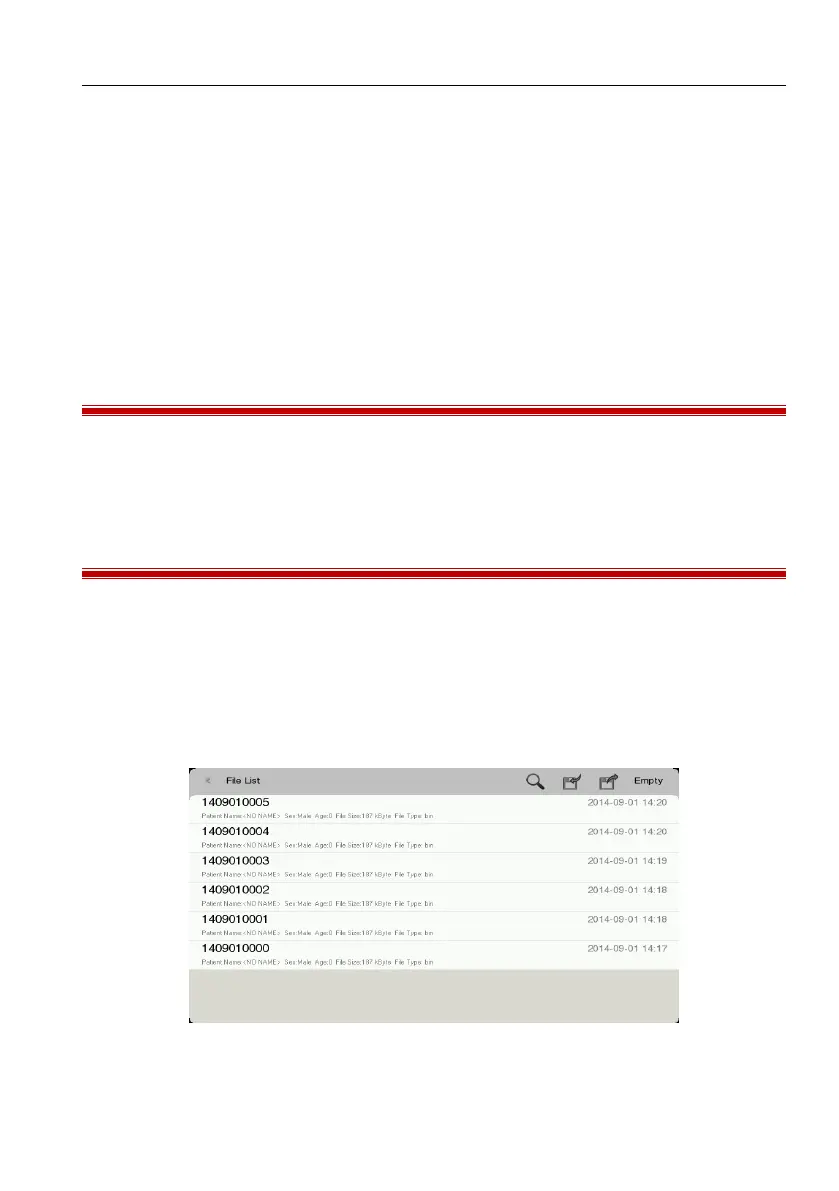
Click [File”]hotkey to enter [File List”] screen as shown below:
Figure 5-2 File list screen



 To Next Page