System Settings
4-15
4.5.4 System Settings
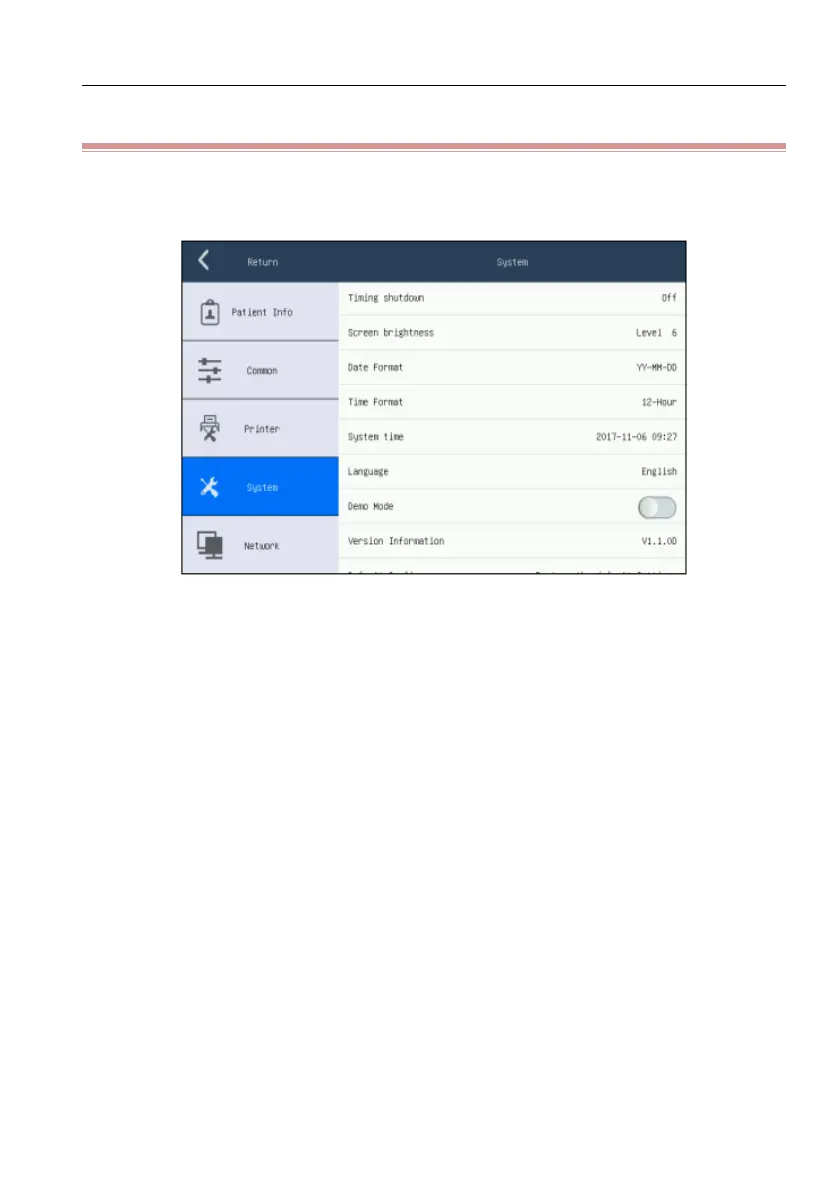
Click the [Config.] to enter the setting screen and select [System], shown as the
following figure:
Figure 4-8 System Settings Screen
[Key Beep]: click it to activate or deactivate the touch sound.
[QRS Beep]: click it to activate or deactivate the heart beat sound. Heartbeat
sound is the brief “beep…beep…beep” send out by the equipment when the
R wave is detected.
[Auto Standby]: [off], [5min], [10min], [15min], [20min], [25min] and
[30min]. If there is no operation during the set period, the electrocardiograph
will enter standby status automatically, screen turns black. Click the touch
screen to exit the standby status.
[Timing shutdown]: set the time of shutdown. Available options include [Off],
[10min], [30min], [1Hour], [2 Hour], [3 Hour], [5 Hour]. When the
equipment has worked for the set time, it will shut down automatically.
[Screen Brightness]: screen brightness can be adjusted automatically by the
equipment itself according to environment light and it can also be adjusted
manually with ten brightness levels from 1 to 10.
[Date Format]: [YY-MM-DD], [MM/DD/YY], [DD/MM/YY]



 To Next Page