File Management
5-4
USB flash disk in a capacity of 0~2G and 2G~8G.
5.4 Transfer Files to Computer
1) Use the network cable to connect the electrocardiograph to your computer.
If the electrocardiograph is connected to your computer via a switch,
please use the straight network cable; if it is directly connected to
your computer, please use the cross network cable.
2) Disable the Windows firewall
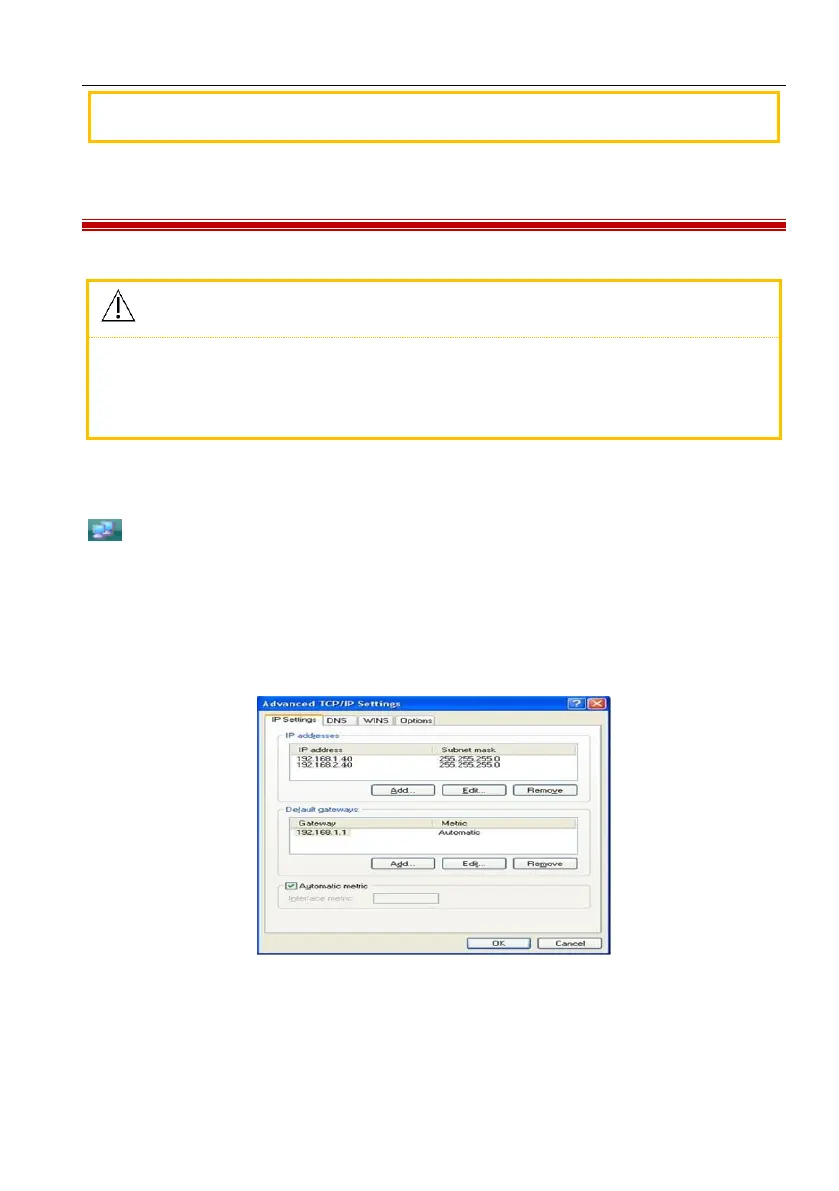
3) Set the TCP/IP address of your computer: click the local connection icon
→ Attributes → Internet Protocol (TCP/IP) (double click) → Advanced →
Advanced TCP/IP Setup → IP Setup → IP Address → Add → input the IP address.
If the remote address of the electrocardiograph is 192.168.2.40, please input the IP
address 200.200.200.100 and subnet mask 250.250.250.0 on your computer as
below:
Figure 5-3 Computer IP Setup
If your computer is connected to WAN or LAN, please set the IP address as shown
in the figure above. Either IP number should not conflict with that of any other



 To Next Page