32
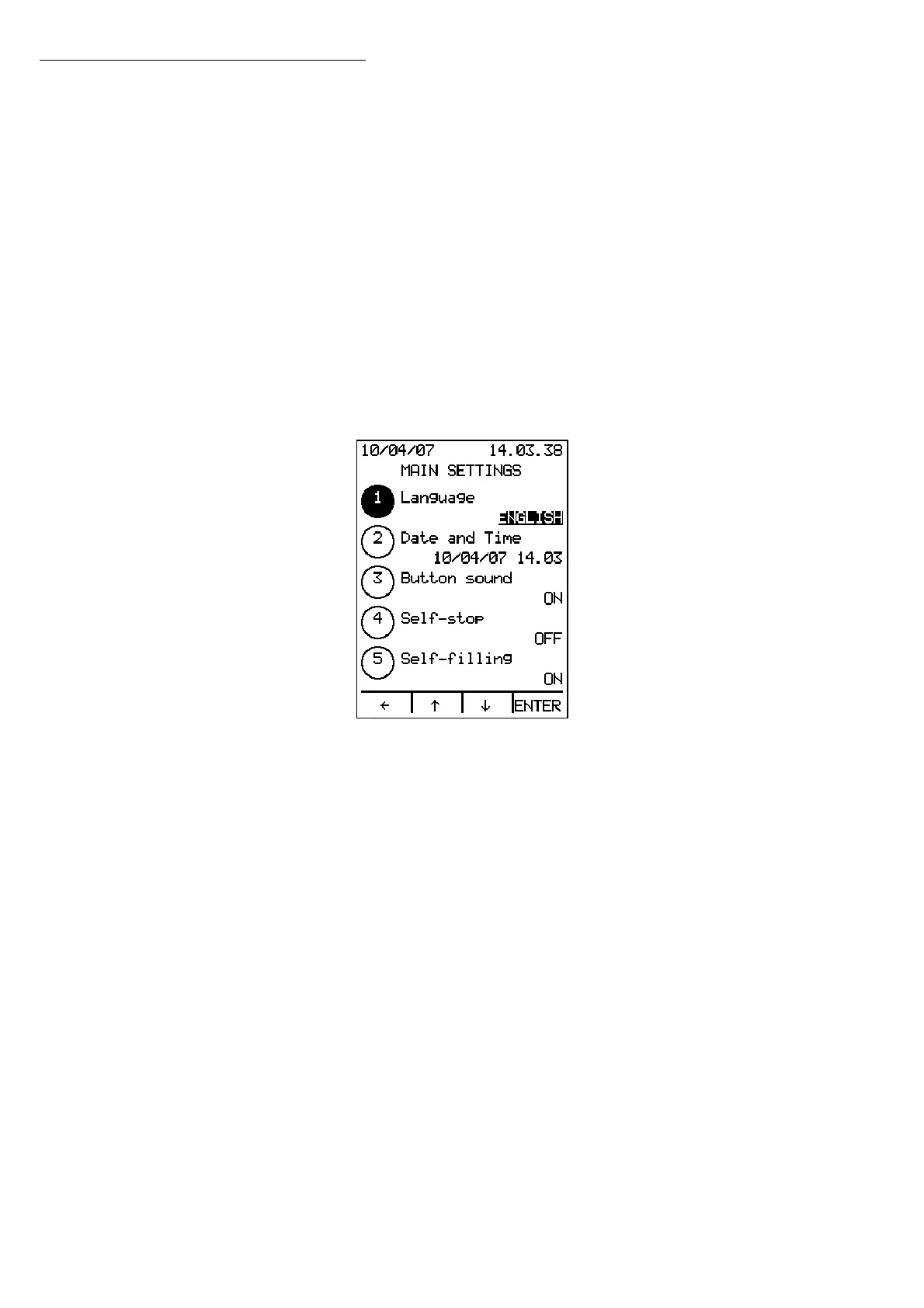
The main settings that can be changed are:
1. Language
2. Date and Time
3. Button sound
4. Self-stop
5. Self-filling
6. Printer
7. Cycle recording
8. Data logging
Use the ↑↓ arrows to scroll through the list of settings; press ENTER to change the value of
the setting selected.
Press the
Å key to move back a screen without changing the setting values.
2.1 Language
Press ENTER to show the language:
Use the ↑↓ arrows to change the language, and press ENTER to confirm the selection.
Press the
Å key to exit without changing the setting value.
2.2 Date and Time
Press ENTER to show the day. Use the ↑↓ arrows to change the value. Press ENTER to
confirm the information and move on to the next setting.
Press the
Å key to exit without changing the setting value.
2.3 Button Sound
Press ENTER to show the value of the Button Sound setting (ON/OFF). Use the↑↓arrows
to change the setting. Press ENTER to confirm the information, or press
Å to exit
without changing the value of the setting.
2.4 Self-stop
Press ENTER to show the Self-stop value, which can be set using the ↑↓ arrows, to 30
minutes, 1 hour, 2 hours, 3 hours or OFF. If the Self-stop is set and no button is pressed
to select a time, the sterilizer will automatically turn OFF, thus reducing energy
consumption to a minimum.
Press ENTER to confirm the information, or press
Å to exit without changing the value
of the setting.
Operation


 To Next Page