38
3.4.1 Create User
This function allows the Administrator to create the access code and the profile of new
users.
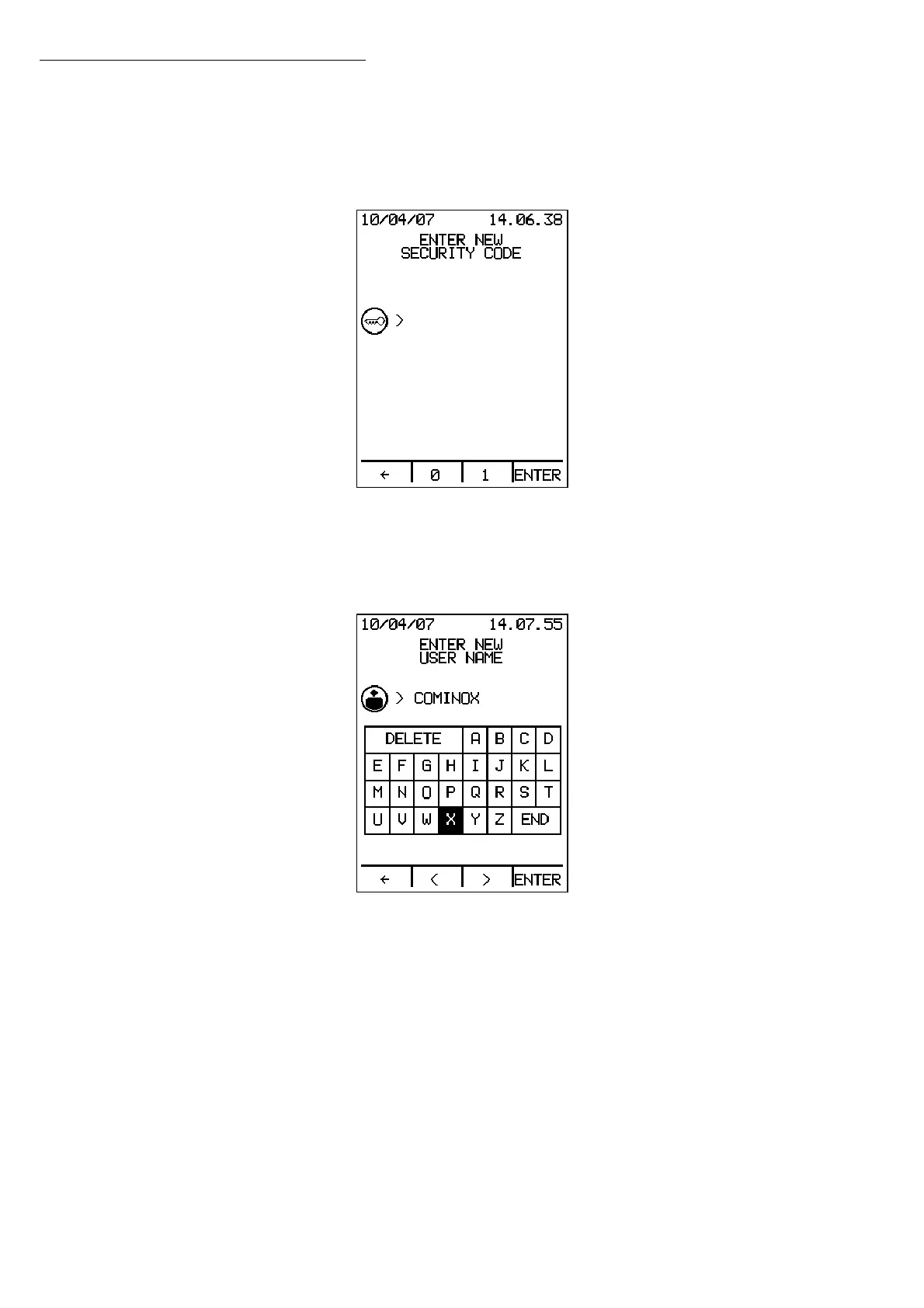
Pressing ENTER takes you to a new screen that asks you to enter the new user security
code (binary code, maximum 6 digits):
Press the Å button to delete the last number entered, or, if there are no numbers on the
display, to exit.
Press ENTER to access the screen for entering the name of the new user:
Using the
<> keys, scroll through the keyboard to select a letter. Press ENTER to confirm
each letter. Once you have finished composing the name in this way, select END and
press ENTER to confirm the name of the user and move to the next screen to choose
the cycles:
Operation


 To Next Page