50
EVENTS in the CYCLE
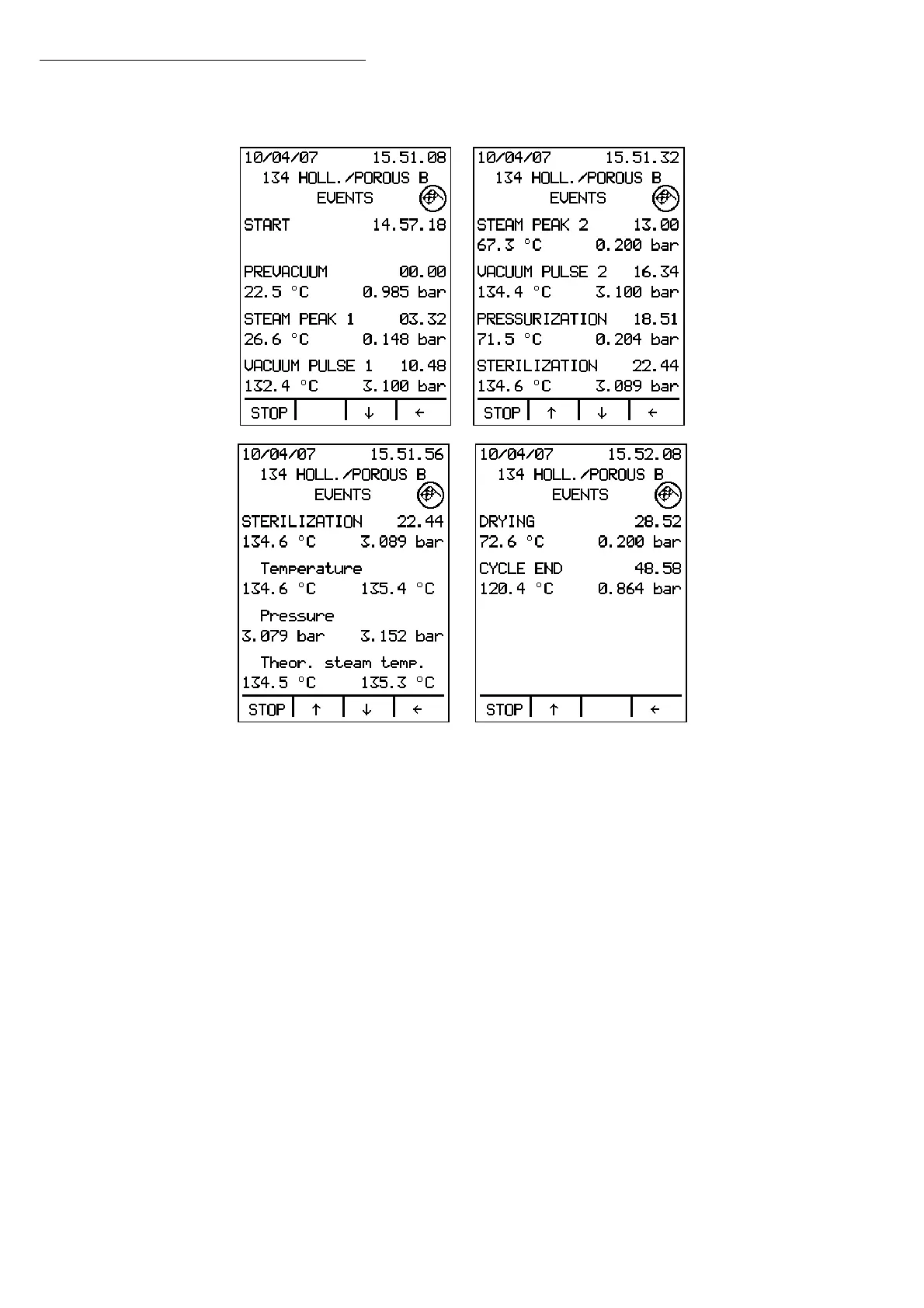
Press EVENT to access the cycle events screen:
The display will show information about the phases of the cycle in progress: the phase
name, the time the phase began, the temperature, and the pressure of the sterilization
chamber at the beginning of the phase. For the sterilization phase, the display also shows
the minimum and maximum values of the temperature, pressure, and theoretical steam
temperature.
Use the ↑↓ arrows to scroll through the full list, or press the
Å button to exit. Press STOP to
interrupt the cycle.
The upper part of the display shows the icons corresponding to the Door Locked indicator
and the Cycle Completed indicator when the cycle ends.
Operation


 To Next Page