43
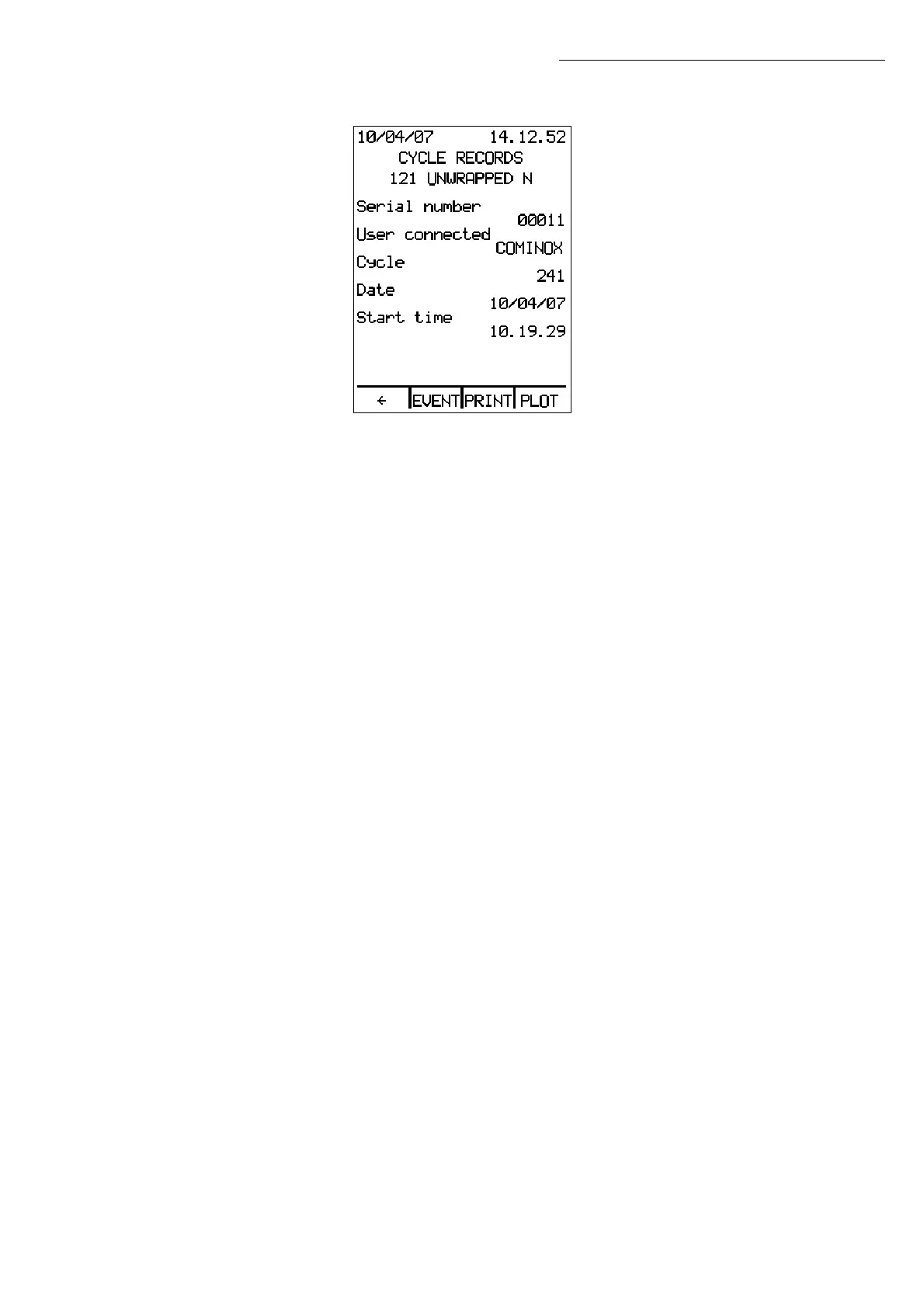
Use the ↑↓ arrows to scroll through the list, and press ENTER to access the cycle selected:
For each cycle the following are displayed: the serial number, the user who launched it,
the cycle number, and the date and time it was initiated.
Press EVENT to access a screen that describes the phases of the cycle. If the cycle was
interrupted by an alarm, a description of the alarm will be shown with the values for cycle
duration, temperature, and pressure when the alarm was triggered.
PRINT is only enabled if the sterilizer features a printer 26 (optional, standard on PRINT
models). It will print the parameters of the cycle in the mode in which the cycle was
saved. When printing, the screen will read PRINTING; when complete, the sterilizer returns
to the cycle screen.
Press PLOT to access the absolute pressure diagram for the cycle selected.
Press Å to return to the Cycle Records Menu.
Operation


 To Next Page
 Loading...