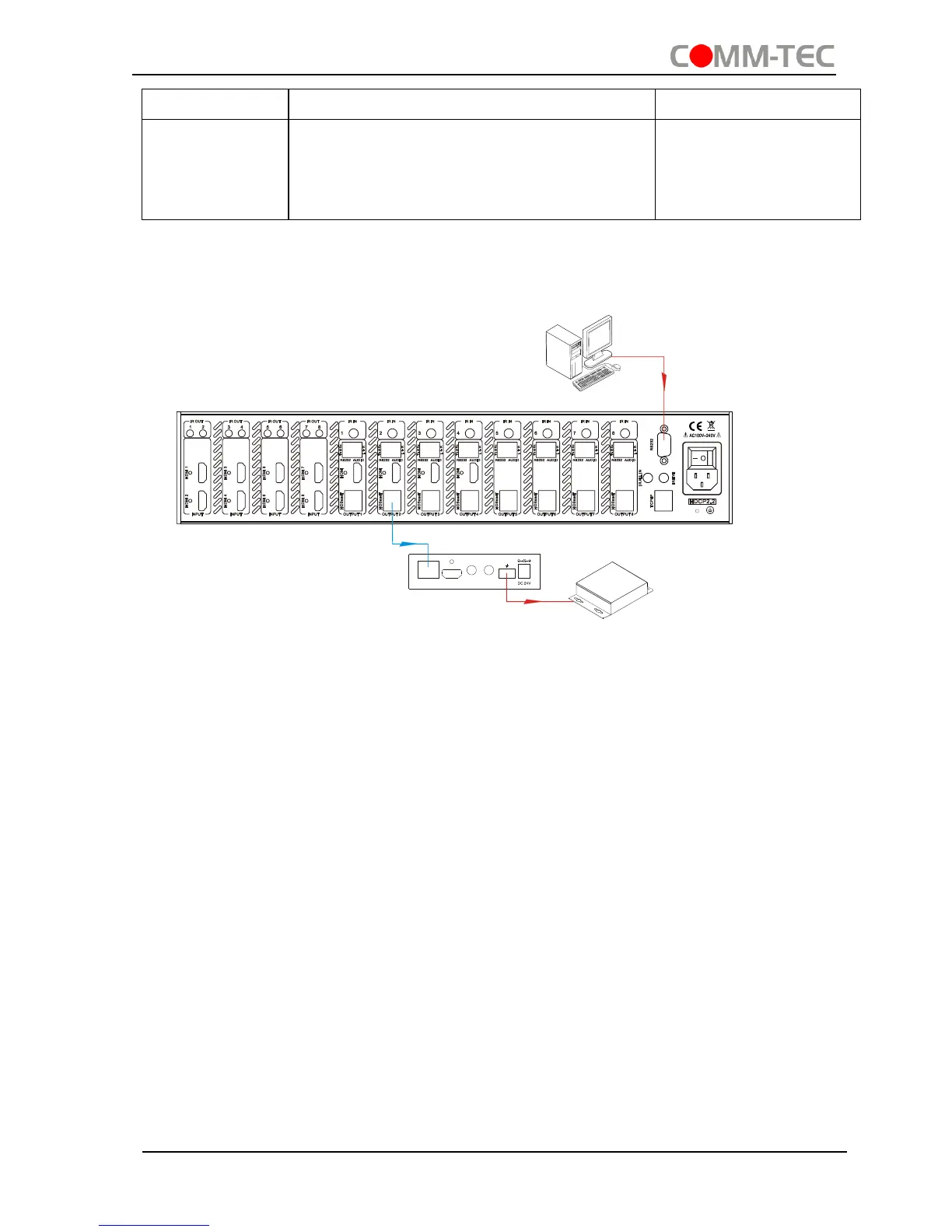
4.3.5 Control through 9-pin RS232 port
Connect a control device to the 9-pin RS232 port of the switcher, users are able to
control the switcher& far-end device. See the figure below:
Control the switcher& 3rd-party Device through 9 pin female RS232 port
Control the switcher: send RS232 commands directly
Control 3
rd
party: send command: “/+[Y]/[X]:******.” (Refer to for detailed
information.)
4.3.6 Control through 3-pin RS232 port
Connect the RS232 (3-pin pluggable terminal block) port in any zone to PC, and
connect the controlled RS232 device (3rd party device) to the corresponding (same
zone as PC) receiver, see below:


 To Next Page