4K 8x8 HDBaseT Matrix Switcher
Comm-Tec S.r.l. 28 www.comm-tec.it
4.4 TCP/IP Control
4K HDBaseT 8x8 Matrix Switcher boasts option TCP/IP port for IP control.
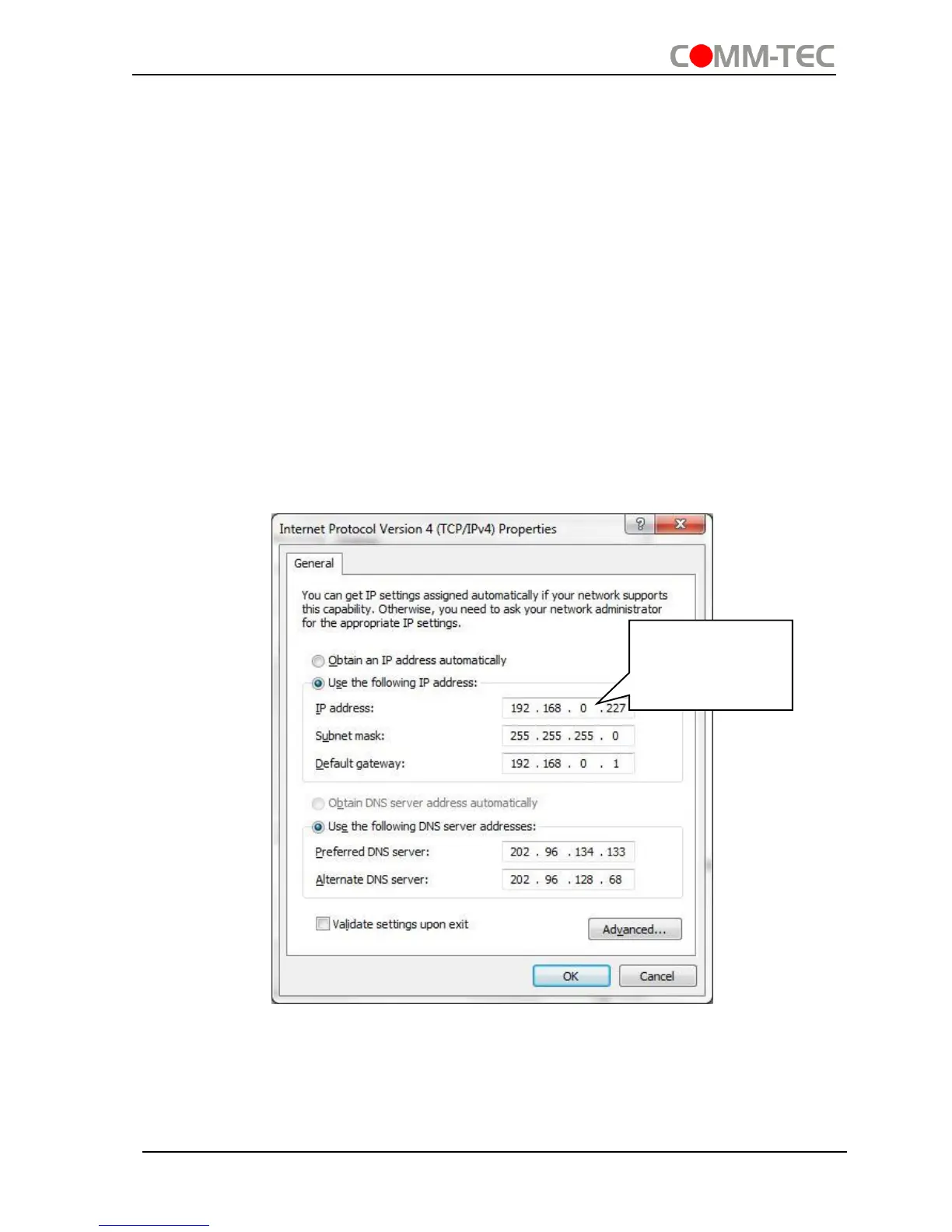
Default settings: IP: 192.168.0.178; Subnet Mast: 255.255.255.0; Gateway:
192.168.0.1; Serial Port: 4001.
IP& gateway can be changed as you need, Serial Port cannot be changed.
Connect the ethernet port of control device and TCP/IP port of 4K HDBaseT 8x8 Matrix
Switcher, and set same network segment for the 2 devices, users are able to control
the device via web-based GUI or designed TCP/IP communication software.
4.4.1 Control Modes
4K HDBaseT 8x8 Matrix Switcher can be controlled by PC without ethernet access or
PC(s) within a LAN.
Controlled by PC without ethernet access
Connect a computer to the TCP/IP port of the 4K HDBaseT 8x8 Matrix Switcher, and
set its network segment to the same as the 4K HDBaseT 8x8 Matrix Switcher’s.
Controlled by PC(s) in LAN
Connect 4K HDBaseT 8x8 Matrix Switcher, a router and several PCs to setup a LAN
(as shown in the following figure). Set the network segment of 4K HDBaseT 8x8 Matrix
Switcher to the same as the router’s, then PCs within the LAN are able to control 4K


 To Next Page