4K 8x8 HDBaseT Matrix Switcher
Comm-Tec S.r.l. 13 www.comm-tec.it
4.1.3 Inquiry
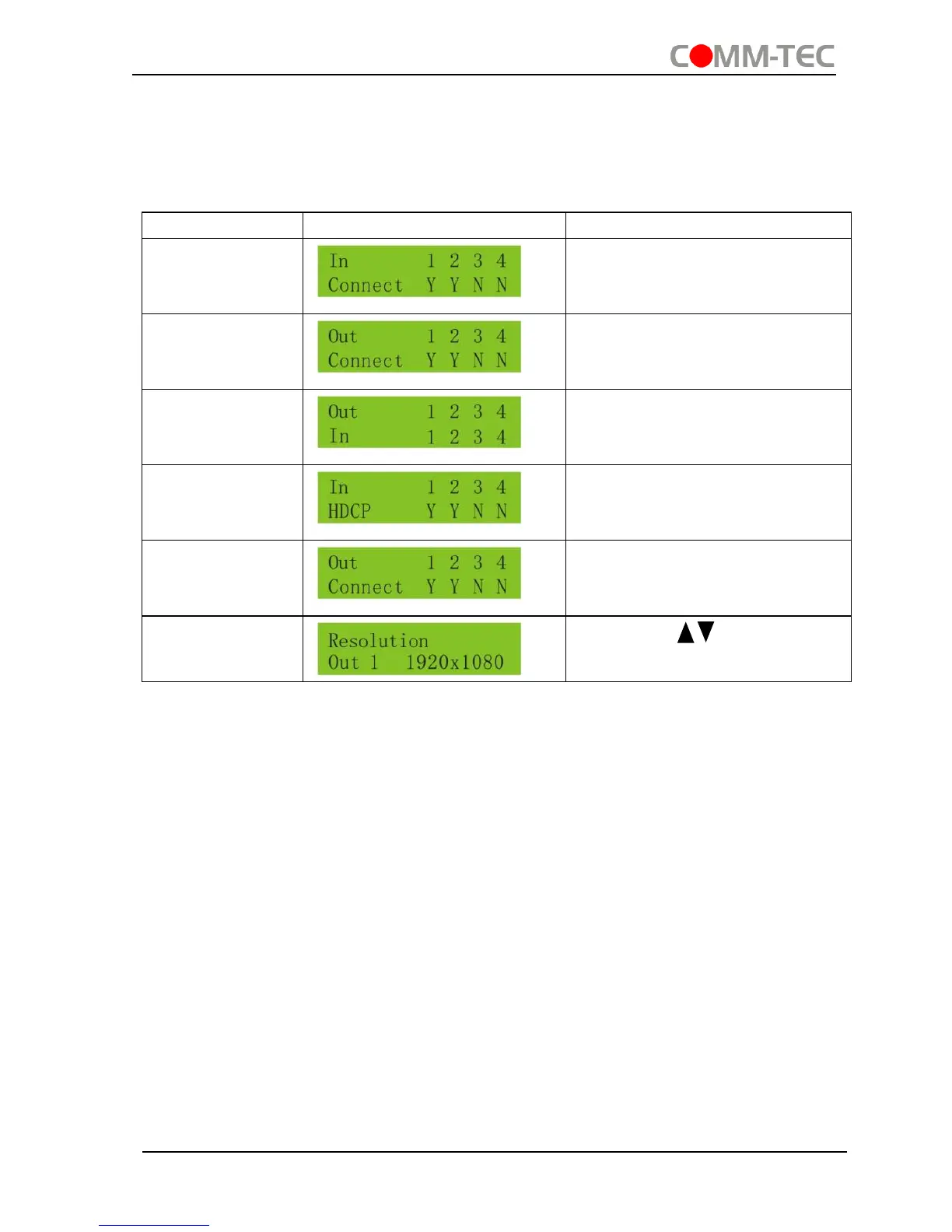
Check status
Press and hold the button “ENTER” for 3 seconds, it will enter into system inquiry
menu. Use Left and Right direction button to navigate checking the previous/next items.
Check the
connection
status of inputs
Y means the corresponding
port is connected with input
device, N means not.
Check the
connection
status of outputs
Y means the corresponding
port is connected with output
device, N means not.
Correspondence
between inputs
and outputs
Shows the correspondence
between the 8 inputs and 8
outputs.
Check if the
input is with
HDCP
Y means the input signal is with
HDCP, N means not.
Check if the
output is with
HDCP
Y means the output signal is
with HDCP, N means not.
Check the
output resolution
Use button to check the
8 output resolutions separately.
Output check
Press any output button to check its corresponding input.
Example: Check which one is the corresponding input for output 2. (Presume Output 2
corresponds to Input 1.)
Operation: Press Output 2 button, LCD screen display “AV: 1->2 IR: 1->2”, and
indicators of input 1 and output 2 turn on and last for 3 seconds. Then output 2
corresponds to input 1.
4.1.4 Clear operation
When you switch output channel, learn EDID data, or set EDID data, press Clear
button to withdraw the operation before you press “ENTER” to carry it on. When you
press it, the matrix will return to the previous status.


 To Next Page